
iOS 27 Siri AI and Gemini: How the Integration Works
See how Gemini technology supports Apple Foundation Models for Siri AI, how on-device processing and Private Cloud Compute fit, and how App Intents enable actions.
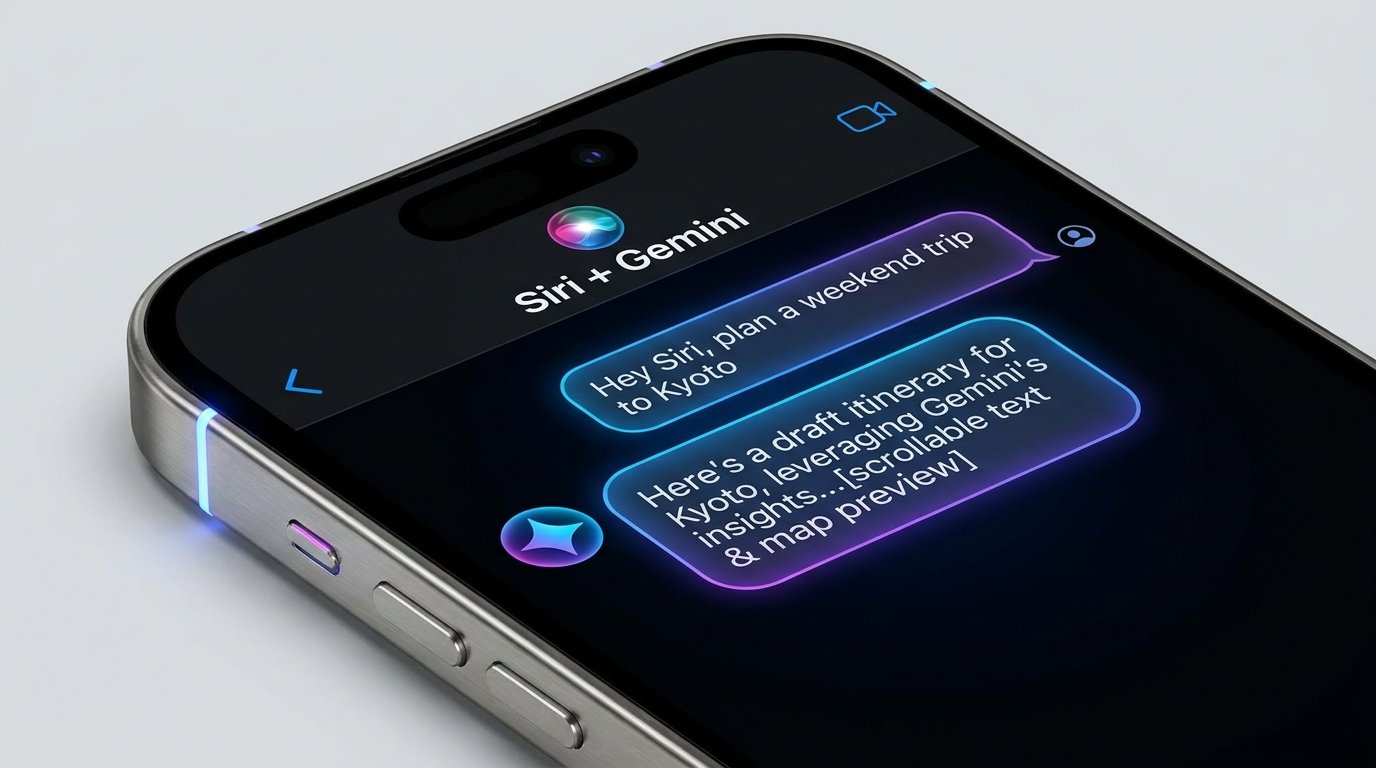
- Apple and Google confirmed that Gemini technology supports the custom Apple Foundation Models used across Apple Intelligence and Siri AI.
- Apple runs suitable work on device and uses Private Cloud Compute for larger requests, including an expanded cloud layer built with Google Cloud infrastructure and NVIDIA hardware.
- The consumer Gemini app remains separate from Siri, so using Siri AI does not require installing Gemini or selecting a Gemini subscription.
- Model reasoning can interpret a request, but App Intents, permissions, target selection, execution, and a verifiable destination result determine whether a phone action succeeds.
How Siri AI Uses Gemini Technology
The iOS 27 Siri and Gemini relationship is official but more specific than simply calling Siri a Gemini assistant. Apple and Google confirmed that Apple selected Google and Gemini technology to help build the next generation of custom Apple Foundation Models. Those models underpin Apple Intelligence, including the new Siri AI experience.
The companies’ joint statement on Google technology and Apple Foundation Models establishes the model collaboration. Apple still defines the product experience: Siri is the user-facing assistant, Apple Intelligence coordinates intelligence features, and Apple’s app frameworks determine which supported actions Siri can reach.
This produces four distinct layers. Gemini technology contributes to Apple’s model development. Apple Foundation Models supply reasoning capabilities within Apple Intelligence. On-device processing and Private Cloud Compute provide runtime paths for applicable requests. Siri and App Intents connect the user’s request to supported system or app actions. A change in one layer does not make all four interchangeable.
Timing is equally specific. Current Siri continues to provide established features today. Apple has scheduled the free iOS 27 update and English Siri AI beta for September 14, 2026. French, Japanese, Korean, Portuguese, and Spanish Siri AI support is planned for October. As of September 10, the English beta is still upcoming, and device, feature, account, language, region, and app eligibility remain separate checks.
Apple’s iOS 27 and Siri AI release announcement provides the scheduled dates. For device and feature requirements, iOS 27 Siri AI: Release Date, Eligibility, and App Actions gives readers a practical checklist.
Map the Model and Runtime Layers
Apple Foundation Models are not one model running in one place for every request. Apple describes a family spanning models designed for on-device work and larger models available through Private Cloud Compute. The system can select an appropriate route according to the feature and workload instead of treating every interaction as an identical cloud request.
Apple’s technical introduction to its third-generation Foundation Models explains how the model family supports Apple Intelligence experiences. Google and Gemini technology contributed to building these custom Apple models, but the resulting models operate as part of Apple’s intelligence stack rather than as the consumer Gemini app embedded inside Siri.
Private Cloud Compute is the server-assisted layer Apple uses for applicable requests that need more capacity. Apple has also expanded that architecture with CloudPro. In its description of the expanded Private Cloud Compute architecture, Apple explains that CloudPro can use Google Cloud infrastructure and NVIDIA hardware for demanding workloads while applying controls designed for the PCC system. This means server infrastructure can include more than Apple-owned hardware; it does not mean every Siri request uses Google Cloud.
| Layer | Role | What it does not establish |
|---|---|---|
| Gemini technology | Helps Apple build its custom Foundation Models. | That Siri is the consumer Gemini app. |
| Apple Foundation Models | Provide model capabilities within Apple Intelligence. | That every request follows one runtime path. |
| On-device processing and PCC | Supply local and server-assisted processing routes for applicable features. | That every interaction is entirely local or always sent to a cloud provider. |
| Siri and App Intents | Present the assistant experience and connect requests to supported actions. | That every installed app exposes every operation. |
This map is useful because model provenance, runtime location, interface behavior, and action support answer different questions. Knowing that Gemini technology contributed to a model does not reveal where a particular request runs or whether an app can perform the requested operation.
Separate Gemini Technology From the Gemini App
The Gemini consumer app remains a distinct Google product. Google’s Gemini mobile app availability requirements cover access on supported Android devices and iPhones. Installing that app gives an iPhone user a separate Gemini experience under the applicable account, language, device, and regional conditions.
That installation is not required to use Siri AI. Apple’s integration concerns technology used to create Apple Foundation Models, not a requirement that users install Gemini, sign into the Gemini app, choose a visible Gemini provider setting in Siri, or purchase a Gemini subscription. Apple controls access to Siri AI through its own supported device and software path.
The distinction also works in the other direction. Having the Gemini app on an iPhone does not grant it Siri’s system role, Apple personal-context access, or every action available to Android integrations. The same model family can appear in products with different permissions, accounts, app connections, interfaces, and execution capabilities.
Apple’s Siri AI product announcement describes personal context, onscreen awareness, broader knowledge, dedicated conversations, and supported actions across apps. Google’s consumer app offers its own conversational and multimodal capabilities. Readers choosing between those experiences can use Gemini vs Siri in 2026: Availability, Context, and Phone Actions to compare actual access and phone actions.
The practical rule is to identify the product surface before evaluating a claim. “Gemini technology helps build Apple Foundation Models,” “Siri AI uses Apple Foundation Models,” and “the Gemini app runs on iPhone” are all compatible statements. They describe different relationships rather than one universal assistant route.
Connect Siri Understanding to App Actions
A capable model can interpret natural language, resolve references, and organize information. It still needs an execution layer to change something on a phone. Apple uses App Intents to let developers expose supported app actions and discoverable content to system experiences. View annotations can also help the system understand and interact with relevant onscreen elements.
Apple’s WWDC 2026 Platforms State of the Union recap places these developer capabilities within the wider platform direction. The framework gives an app a structured way to declare an operation and its inputs. Siri can then connect an interpreted request to that declared action instead of treating the interface as an unrestricted collection of controls.
Consider a hypothetical itinerary visible on an iPhone. Siri AI might identify a Kyoto hotel, arrival time, and reservation date from the selected context. If the user asks to add the stay to a calendar, successful completion also requires an available calendar action, an unambiguous date and time zone, permission to use the relevant information, the intended calendar, and an actual saved event.
The assistant could understand the itinerary correctly while lacking an action in a particular app. It could also have a callable action but need clarification because two calendars or destinations match. Understanding, target selection, authorization, execution, and verification are separate checkpoints.
Apple’s overview of Apple Intelligence across everyday experiences shows how intelligence features extend beyond Siri. For any individual workflow, inspect the final destination: an event should appear in the selected calendar, a draft should remain visibly unsent when requested, and a route should open with the intended destination.
Check Context and Processing Choices
Personal and onscreen context can reduce repetitive input, but the user should still know which information is being supplied. A request may involve the current screen, messages, files, photos, contacts, calendar records, location, or account-linked content. Limit the selected material to what the task needs and confirm the intended source when similar records exist.
Processing is feature-dependent. Apple describes suitable requests as running on device and larger applicable requests as using Private Cloud Compute. CloudPro extends the available infrastructure for demanding workloads while remaining part of Apple’s published PCC design. These architecture descriptions provide a framework for understanding the route; they are not a guarantee that every feature is local, offline, or processed identically.
App access is another layer. A model may recognize an address in a message, but the calendar or map action still follows the relevant operating-system permission and app support. The assistant may also need the user to choose between accounts, records, or similarly named destinations before proceeding.
For a consequential action, inspect the source context, proposed target, destination app, and final payload. Afterward, confirm the result in the destination rather than relying only on a completion sentence. This keeps the model’s interpretation separate from the phone state that the app or system actually changed.
See the Same Separation on Android
FoneClaw applies a similarly clear separation between reasoning and Android execution. User-started voice or text provides the request, and the user can deliberately attach current-screen or image context when it is relevant. The configured model provider may process that submitted material. Enabled FoneClaw tools then perform supported Android steps under the required resource permissions and current global or per-tool approval policy.
A concise example is checking tomorrow’s existing calendar schedule. The user could ask: List my calendar events for tomorrow in my phone’s local time, then open the project review event from the results. FoneClaw converts “tomorrow” into a concrete start and end range using the device’s local time zone. Unless the user selects a calendar, the listing can cover accessible calendars.
The calendar listing tool must be enabled and needs Android calendar read permission. Calendar listing, searching, and opening require approval by default, while actual behavior follows the user’s current global mode and any per-tool override. The configured model interprets the request; the calendar tools retrieve and open the records.
After the list returns, FoneClaw uses the real event identifier from that result to open the selected record. It does not need to guess an identifier from the event title. The user can then compare the opened entry with the Android calendar, including its title, time, calendar, and location. If the schedule may have changed, running the listing again provides a fresh result.
This read-only flow does not create an event. Editing, deleting, sending a message, or making another change requires a separately selected supported action with its own inputs, permission requirements, and configured approval behavior. That distinction lets the user expand the workflow deliberately after verifying the existing schedule.
Our FoneClaw Features page covers current Android capability areas and 100+ built-in tools, while FoneClaw Download provides supported installation options. For a platform-focused comparison, FoneClaw vs Apple Intelligence: Android Agent or Siri AI? explains how the Android tool route differs from Apple’s system intelligence layer.
Choose an Available Path for Your Task
For an iPhone owner, current Siri remains the starting point for established supported actions. Siri AI becomes relevant when the English beta reaches its scheduled September 14 release and the exact device, account, language, region, feature, and participating app qualify. The five additional Siri AI languages planned for October have their own rollout timing and should not be inferred from the broader Apple Intelligence language list.
The confirmed Gemini relationship does not require a separate user choice inside Siri. Apple selected Google and Gemini technology to help build Apple Foundation Models, while Apple controls the Siri AI product, runtime architecture, contextual access, and app-action framework. Installing the consumer Gemini app remains an independent option for users who want Google’s assistant experience on a supported phone.
| Your goal | Path to check | Result to verify |
|---|---|---|
| Use an established iPhone action now | Current Siri and the supported Apple or app route. | The intended call, message, reminder, route, or other destination state. |
| Use new personal context or onscreen Siri capabilities | Siri AI eligibility after the scheduled beta begins. | The exact feature appears and reaches the required app action. |
| Use Gemini directly on a phone | The consumer Gemini app under its Android or iPhone requirements. | The requested Gemini feature and any supported connected action are available. |
| Run a supported Android tool workflow | FoneClaw with a configured model, enabled tool, required permission, and current approval policy. | The returned or changed Android state matches the request. |
Choose one low-risk task and define its expected destination before starting. A calendar read should return current records; a created item should appear in the selected app; a prepared draft should be visible without being mistaken for a sent message. This keeps the comparison tied to the result that matters.
For a repeatable Android evaluation method, Android Phone Agent Benchmark Guide: Reliability, Safety, and Task Success provides structured checks for availability, target accuracy, execution, and recovery.
Sources: the Apple and Google joint model statement, Apple’s third-generation Foundation Models introduction, Apple’s Private Cloud Compute expansion overview, the WWDC 2026 Platforms State of the Union recap, Apple’s Siri AI announcement, Apple’s iOS 27 release announcement, and Google’s Gemini mobile app availability requirements.