
Microsoft AI Super App vs Local AI Agent: Which Route Fits Your Phone?
Compare Microsoft’s Copilot-style AI super app route with FoneClaw’s local Android phone AI agent model for privacy, permissions, app control, and daily tasks.
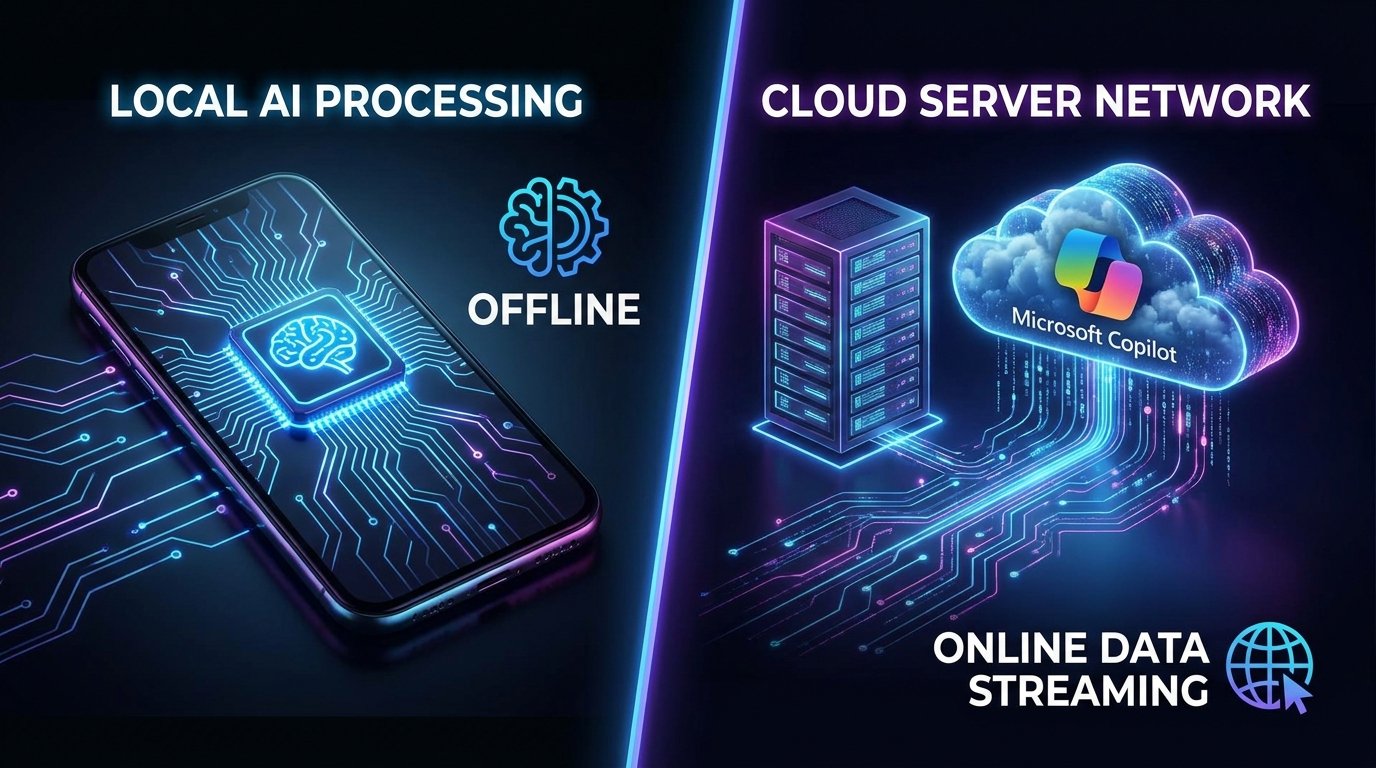
- Microsoft AI super app vs local AI agent is a route decision: use the cloud/account assistant for Microsoft workspace tasks, web help, search, documents, and connected services.
- Use a phone AI agent when the task must happen on the Android phone, such as opening apps, preparing messages, checking notifications, starting navigation, or confirming device-side actions.
- FoneClaw is independent from Microsoft and should be understood as an Android phone AI agent for supported actions, not a Copilot replacement, Microsoft product, or universal offline system.
Start With the Route, Not the Brand
If you are choosing between a Microsoft Copilot-style AI super app and a local AI agent on Android, the first question is not which assistant sounds smarter. The useful question is where the task needs to happen. If the work lives in Microsoft 365, web search, documents, meetings, or account-connected services, the Copilot route is strong. If the task must happen on the phone itself, such as opening an app, preparing a message, checking notifications, or starting navigation, a phone AI agent has a different job.
That difference matters because a super app tries to become one assistant surface across many services. It can remember preferences where supported, help with web tasks, connect to work data, and bring AI into familiar account workflows. A local phone-side agent focuses on the Android device in front of the user: app state, permissions, notifications, settings, voice commands, and visible confirmation before sensitive actions.
FoneClaw should be positioned only in the second route. It is an independent Android phone AI agent for supported actions. It is not a Microsoft product, not a Copilot replacement, and not a universal controller for every app. The comparison is useful because it helps users decide whether they need cloud/account intelligence or practical Android app control.
What an AI Super App Really Means
An AI super app is not just a chatbot with a larger text box. In practical terms, it means one account, one assistant experience, many connected services, and a growing set of actions. Microsoft Copilot points in that direction through its presence across web, Windows, Microsoft 365, Edge, and work experiences. The official Microsoft Copilot product direction shows the broad ambition: AI as a companion for search, work, writing, meetings, and connected tasks.
The attraction is convenience. A user can ask for a document summary, a meeting recap, a draft response, or research help without manually pulling every source together. For a company already using Microsoft 365, that route can feel natural because the assistant is close to the account, files, meetings, and enterprise policy.
The limitation is that a super app still may not be the best place to complete phone-specific work. Asking Copilot to reason about a travel plan is different from asking the Android phone to open a ride app, show the route, check location permissions, and prepare a message to a contact. The closer a task gets to device state, the more a phone-side agent matters.
Reported Project Aion and Copilot OS ideas fit this broader direction, but they should be treated as unconfirmed reporting, not as shipping facts. For readers tracking that OS-level angle, Microsoft Aion Copilot OS analysis gives related context without changing the practical decision here.
Why a Local Phone Agent Is a Different Tool
A local AI agent on Android starts from a different center of gravity. It is concerned with the user’s phone: what app is open, what notification arrived, what permission is available, what setting can be changed, and what action requires confirmation. A cloud assistant may explain how to do something. A phone AI agent should help perform supported phone-side steps safely.
Consider a simple request: “Tell Jordan I will be ten minutes late and start directions home.” A cloud assistant can draft the wording and reason about the route. A phone agent must handle the Android work: identify the contact, prepare the message, open or call the navigation app where supported, and wait before sending. That requires app access, phone context, and user-visible controls.
This is where agentic AI on a phone becomes a practical idea rather than a slogan. The agent is not only answering. It is coordinating supported actions on a personal device. That demands stricter boundaries than a general web assistant because messages, contacts, settings, and location can affect the user immediately.
Control Is the Trust Test
The most important design lesson from Microsoft’s ecosystem is not that AI should appear everywhere. It is that users need control when AI observes, summarizes, or acts. Recent reporting on Teams AI controls is a useful example: Windows Central reported that Teams is rolling out controls so licensed meeting organizers can disable meeting AI tools such as Copilot, Facilitator, and Intelligent Recap, with admin policy still shaping availability.
That lesson carries directly to phones. If an Android AI agent can read notifications, prepare a reply, open an app, or change a setting, users need obvious switches and confirmations. “AI is enabled” is too broad. The user should know whether the agent is listening, reading, drafting, waiting, or acting. Admin policies matter in the workplace; on personal phones, visible user consent matters just as much.
Control should also be task-specific. Summarizing a notification is different from opening the message thread. Drafting a reply is different from sending it. Finding a setting is different from changing it. A trustworthy phone AI agent separates those steps so users can approve the sensitive one without blocking every helpful suggestion.
Which Route Fits Common Phone Tasks?
The fastest way to compare Microsoft AI super app vs local AI agent is to map task type to route. Some tasks want cloud context. Others want phone context. A good assistant strategy may use both, but users should know which system is doing what.
| Task | Microsoft-style AI super app | Local Android phone agent |
|---|---|---|
| Document search or meeting recap | Strong fit when the work lives in Microsoft 365 or connected services | Less central unless the result needs a phone-side action |
| Shopping or web action partners | Useful when the assistant has supported online actions and account context | Useful when the task must open a phone app or confirm on-device steps |
| Sending a message | Can help draft wording | Better fit for preparing the message in the phone workflow and waiting for approval |
| Opening apps and settings | May explain instructions | Better fit when app opening or setting navigation is supported |
| Navigation and location tasks | Can reason about options | Better fit for launching the phone route with permission and confirmation |
| Private phone workflows | Depends on connected services and data sharing | Better fit when the task depends on device context and visible user control |
The matrix is not a ranking. It is a routing guide. Use the super app when cloud identity and work services are the center of the task. Use the phone agent when the action belongs on the Android device.
Where FoneClaw Fits Without Overclaiming
FoneClaw’s role is specific: an independent Android phone AI agent for supported actions. It should not be called a Microsoft product, a Copilot replacement, a universal offline system, or a way to bypass Android permissions. Its value is closer to practical phone operation: voice-first commands, clear app context, visible permissions, and confirmation before sensitive steps.
For example, FoneClaw can be framed around tasks such as summarizing missed notifications, opening a relevant app, preparing a reply, navigating to a setting, or starting a route where supported. The user should still see what the agent understood and approve important actions. That is the difference between useful automation and risky silent control.
Microsoft’s route also matters because it shows that the industry is moving toward agents rather than passive chat. Microsoft Build 2026 AI agents fits that broader trend. FoneClaw’s separate opportunity is to make the same agent shift practical on Android phones, where device permissions and real app workflows are the hard part.
A Practical Checklist Before You Choose
Choose the AI super app route when the task is mainly about Microsoft workspace content, web research, meetings, document generation, search, or account-connected services. That route is strongest when the needed data already lives in the cloud service and the user accepts the account connection.
Choose the local phone agent route when the task needs voice control, Android app context, device state, notifications, messaging, settings, navigation, or a confirmed phone-side action. That route is strongest when the user wants fewer app switches but still needs visible permission and control.
- Where is the task data: Microsoft account, web, or Android device?
- Does the assistant need to act on the phone or only generate an answer?
- Can the user see what context the AI is using?
- Does the system pause before sending, changing, buying, deleting, or sharing?
- What happens when the network is weak or the app is unavailable?
- Can the user review completed actions afterward?
- Does the product avoid promising universal app control or perfect privacy?
Sources: this article uses Microsoft’s public Copilot product direction, reporting on Teams AI controls, and unconfirmed reporting about Project Aion and Copilot OS. These sources support the route comparison; they do not imply Microsoft endorsed FoneClaw or that leaked material is confirmed product direction.