
WorkBuddy vs FoneClaw: Desktop Office Agent or Android Phone Agent?
Compare WorkBuddy and FoneClaw by execution surface: desktop office files, remote messenger dispatch, Android phone actions, permissions, model setup, and the tasks each agent fits best.
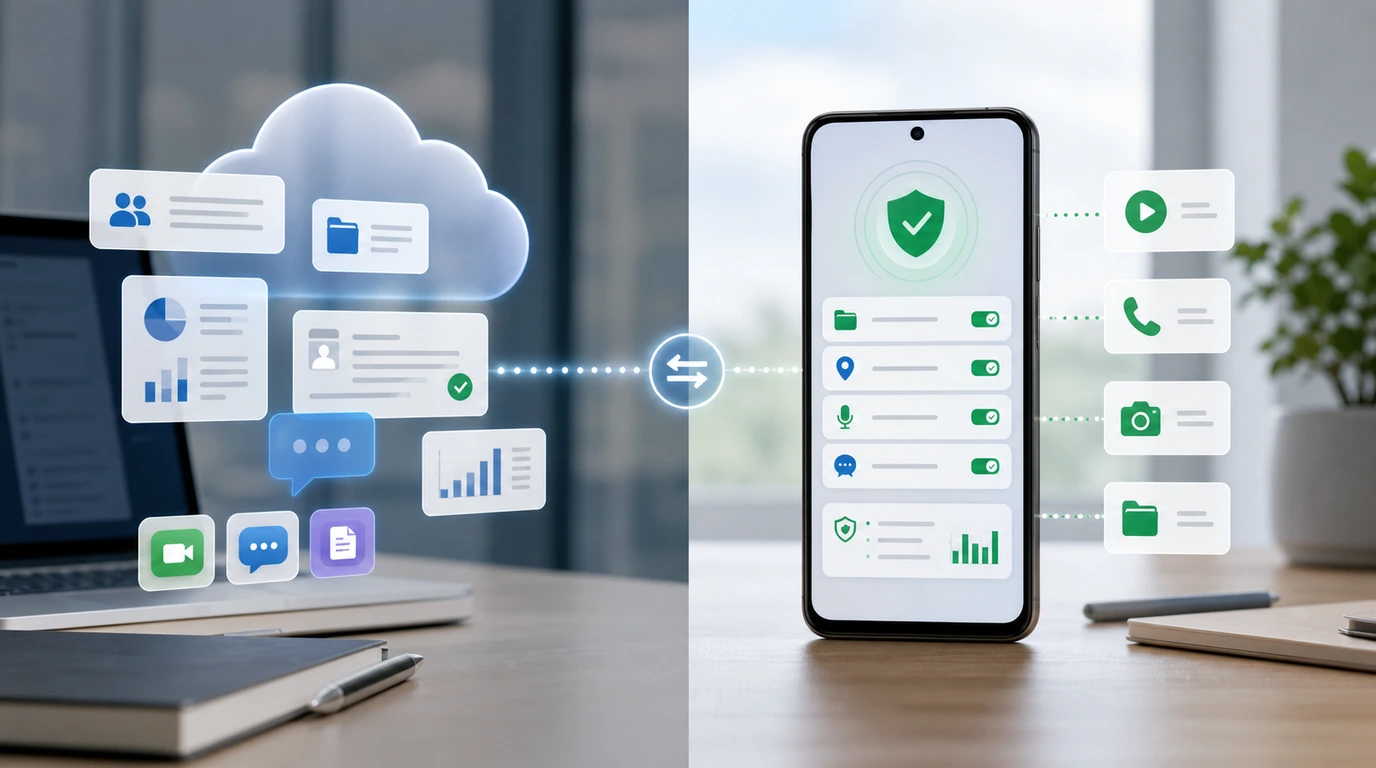
- WorkBuddy is presented as a Windows and macOS office AI agent for desktop work, authorized local folders, common office files, skills, and multi-step task execution.
- WorkBuddy remote Assistant triggers through Slack, Telegram, or Discord dispatch work to the computer, while FoneClaw runs supported governed actions on the user's Android phone.
- FoneClaw is an Android phone-agent runtime: a configured model reasons inside the agent, while FoneClaw performs supported phone actions with permissions, approvals, visible results, and recovery.
- Choose by execution location and deliverable: WorkBuddy fits computer-based office work, while FoneClaw fits governed Android actions on the phone.
WorkBuddy or FoneClaw: The Short Answer
The short answer in WorkBuddy vs FoneClaw is platform and task. WorkBuddy is best understood as a desktop office AI agent for Windows and macOS work: authorized local folders, office documents, file-based deliverables, skills, and multi-step tasks on a computer. FoneClaw is an Android phone-agent runtime for supported phone actions: app tasks, visible phone state, communication steps, permissions, approvals, and results on the device.
That distinction also answers the WorkBuddy Android question. A phone can be used to send a remote instruction through Slack, Telegram, or Discord when that route is supported, and the dispatched work runs in WorkBuddy on the computer. Android-local execution is a different surface: opening phone apps, checking phone state, requesting Android permissions, and performing supported actions on the phone itself.
At FoneClaw, we make the comparison by execution surface instead of brand size. If the job ends as a spreadsheet, document, slide, report, or file change on a computer, WorkBuddy is the more natural category. If the job needs to happen on the Android device, FoneClaw is the relevant category.
| Need | Better starting point | Why |
|---|---|---|
| Office files and desktop deliverables | WorkBuddy | It is presented around Windows, macOS, local folders, skills, and office tasks. |
| Remote instruction from chat to a computer | WorkBuddy | Slack, Telegram, or Discord can dispatch work that runs on the computer. |
| Android phone-side action | FoneClaw | FoneClaw governs supported Android tools, permissions, approvals, and visible results. |
What WorkBuddy Does on a Computer
WorkBuddy's documented role is a computer-based office agent. The WorkBuddy official overview presents it as an AI agent tool for office work, while the Tencent Cloud WorkBuddy guide describes Windows and macOS support, authorized local folders, common office files, skills, and multi-step task execution. Those facts point to a desktop work surface with files, folders, and office deliverables.
The phrase authorized local folders is important. Desktop office work usually depends on files the agent can reach: PDFs, documents, spreadsheets, slides, notes, exported reports, and project folders. A useful office agent can help find materials, summarize them, transform them, create a deliverable, or break a larger request into steps. The computer is the execution environment because that is where the files and office tools live.
Skills give WorkBuddy a repeatable workflow shape. Instead of treating every request as a blank chat, a skill can encode a task pattern such as extracting information, producing a report, processing files, or completing a structured office routine. Multi-step execution then lets the agent move from analysis to output without asking the user to manually perform every intermediate step.
That makes WorkBuddy valuable for office-heavy work, especially when the task starts from folders and file formats rather than from phone state. A desktop AI agent and a phone agent may both use model reasoning, but they act through different environments: WorkBuddy through the computer workspace, FoneClaw through supported Android actions on the user's phone.
Does WorkBuddy Have Android Phone Control?
For WorkBuddy Android searches, the answer needs a careful split. The documented remote Assistant route can use Slack, Telegram, or Discord as a way to send work to WorkBuddy. That can make WorkBuddy feel reachable from a phone, because those messenger apps may be installed on Android. The work itself is dispatched to WorkBuddy on the computer.
A messenger trigger is a remote command channel. It can ask the desktop agent to process files, create office output, or continue a workstation task. Android-local execution means something else: the agent runs against the phone's app state, Android permissions, notifications, settings, installed apps, contacts, location surfaces, or visible screen context. That is the FoneClaw product surface.
So the practical answer is: WorkBuddy can be useful from a phone as a remote way to reach desktop work, where supported. FoneClaw is the Android phone-agent route for supported on-device actions. If a user asks from Telegram on Android, "prepare the office report from my desktop folder," WorkBuddy is doing the desktop job. If the user asks, "open this Android app, prepare a reply, and stop before sending," that is a FoneClaw-style phone-agent job.
The deciding factor is where the action executes, what permissions are required, and where the final result appears. A phone can start a desktop task through a messenger, while an Android phone agent performs supported work on the phone itself.
How FoneClaw Handles Android Phone Actions
FoneClaw starts with the Android device. A user makes a request by voice or another supported input. A configured model reasons inside the FoneClaw Agent, then FoneClaw checks whether the requested phone action is supported. If it is, FoneClaw invokes governed Android tools, guides permissions on demand, applies approval behavior, and shows the result on the device.
That path is different from a desktop office agent. Phone actions are close to personal state: app sessions, notifications, messages, contacts, location, camera, system settings, and account surfaces. Some steps are low-risk, such as opening an app or showing a screen. Others need more care, such as sending a message, changing a setting, deleting data, sharing location, or touching account-related information.
FoneClaw supports this through a governed tool model. FoneClaw's 100+ built-in tools cover practical Android action areas while keeping scope, permissions, and approval behavior visible. FoneClaw focuses on supported Android actions, governed tools, visible permissions, and approvals: the model plans, FoneClaw checks the supported tool path, Android permissions are handled in context, and the user can inspect what happened.
Interaction priority also matters on phones. FoneClaw is designed around voice first, buttons second, and touchscreen third. That keeps quick tasks fast while preserving a visible surface for confirmation and correction. For the full request-to-action architecture, AI Agent Phone Control: How Android Phone Agents Turn Intent Into Action explains how a phone agent differs from a chatbot or desktop assistant.
WorkBuddy vs FoneClaw Comparison by Task
The cleanest comparison is a task matrix. WorkBuddy and FoneClaw can both use model reasoning, but they execute through different environments. One is aligned with desktop office work. The other is aligned with governed Android phone actions.
| Decision area | WorkBuddy | FoneClaw |
|---|---|---|
| Primary platform | Windows and macOS computer. | Android phone. |
| Best input context | Authorized local folders, office files, desktop work materials. | Phone state, supported Android tools, app tasks, voice requests, and device permissions. |
| Remote use | Messenger dispatch through Slack, Telegram, or Discord can start computer-side work. | Phone tasks run through the Android agent runtime on the device. |
| Typical output | Reports, documents, summaries, transformed files, or office deliverables. | Opened apps, prepared messages, phone-side follow-ups, settings paths, location tasks, and visible Android results. |
| Permission model | Desktop file authorization and app or account context. | Android permissions, tool enablement, approval controls, and visible result handling. |
| Model role | Reasoning and task decomposition for office workflows. | Reasoning inside FoneClaw, with FoneClaw governing supported phone execution. |
| Boundary to keep clear | Messenger access starts desktop work. | Phone-agent execution runs on supported Android actions. |
Two mixed examples make the boundary easier to apply. First, suppose a user wants a weekly office report from a folder of spreadsheets. WorkBuddy is the natural starting point because the files, output, and execution environment are on the computer. If the same user later wants a phone reminder to check the report before a meeting, that follow-up becomes a FoneClaw-style Android task.
Second, suppose a user is commuting and wants to prepare a message, open a maps route, and stop before sending the message. The task depends on Android app state, phone context, permissions, and confirmation. FoneClaw is the relevant surface. For broader product selection beyond this pair, Top 10 AI Agents in 2026: Best Tools by Task and Trust helps compare agent categories by task and trust model.
Which AI Agent Should You Choose?
Choose WorkBuddy when the work belongs on a computer. The strongest signals are office files, authorized local folders, desktop applications, multi-step document processing, or a deliverable that should be saved back to the workstation. A remote message from Slack, Telegram, or Discord can be useful when you are away from the desk, and the job still lives on the computer.
Choose FoneClaw when the work belongs on the Android phone. The strongest signals are app state, notifications, phone-side communication, navigation, settings, visible screen context, Android permissions, and a need for user confirmation before consequential actions. If the user wants less tapping and clearer phone task control, a phone agent is the right category.
Some workflows can use both categories as adjacent stages. A desktop agent can prepare an office deliverable. A phone agent can help with the Android follow-up. A model can reason in either environment, but execution still belongs to the product that controls the relevant surface.
For model-layer comparisons, keep reasoning separate from action. A powerful model can improve planning, but the runtime determines what can actually happen. Readers evaluating Tencent model capability for phone-agent use can read Tencent Hunyuan Hy3 for Phone Agents: Model Power vs Android Actions, which keeps model strength separate from Android execution.
Start a Governed Android Phone-Agent Workflow
If your WorkBuddy vs FoneClaw decision ends with an Android phone-action need, start small. Use FoneClaw's free default model first, or configure a compatible model with API Base URL and API Key if you have a specific endpoint requirement. Model choice affects reasoning quality and latency. FoneClaw still governs supported Android execution.
The current FoneClaw release information describes per-tool management, approval overrides, permission recovery, and stronger failure handling. That makes first-run testing more practical: users can inspect tools, enable or disable specific capabilities, and decide how approval should work for the tasks they trust.
A good first test is low risk. Ask FoneClaw to open an app, prepare a message without sending it, summarize visible non-sensitive context, or guide a settings path. Check which tool is used, whether permission is requested in context, whether the result is visible, and whether the workflow stops before a consequential step.
Then try a short multi-step routine. For example, ask FoneClaw to prepare a reminder after a message review or open a navigation flow after confirming a destination. Automate Android Tasks With One Voice Command shows how governed Android workflows can chain steps while keeping user control visible. The practical rule is simple: let the model plan, but let FoneClaw decide how supported Android actions are performed, approved, and recovered.