

Download Full APK
Complete features.
FoneClaw · Android
Download the latest Android build and let FoneClaw keep the version details current.
Complete features.
Lite features, Play updates.
The newest public build appears first. Review release notes, file details, and earlier versions.
Released 2026-09-23
Lite features, Play updates.
Verify the package, install it, choose a model, then grant access as your tasks require it.
Use the verified APK download above to get the current Android build.
If Android asks, allow this browser or file manager to install the APK.
Launch the app and choose the interface language.
Use the free default model or configure an online or compatible on-device model.
FoneClaw will prompt for and guide you to enable a permission when that task needs it.
Start with FoneClaw's free default model or add your own compatible model configuration.
Start immediately without supplying your own API credentials.
Add an OpenAI-compatible model with an API Base URL and API Key.
Use the in-app Hugging Face import path for a compatible local model.
FoneClaw asks for Android permissions because it performs real phone actions, not just chat replies.
Clear answers before you install the Android APK.
Yes. FoneClaw is completely free today. We may add paid advanced features later, but the current core phone-agent experience is free to try.
FoneClaw is designed for Android 9 or later and works best on phones with at least 3 GB of RAM. Compatibility can vary by brand permissions and system settings.
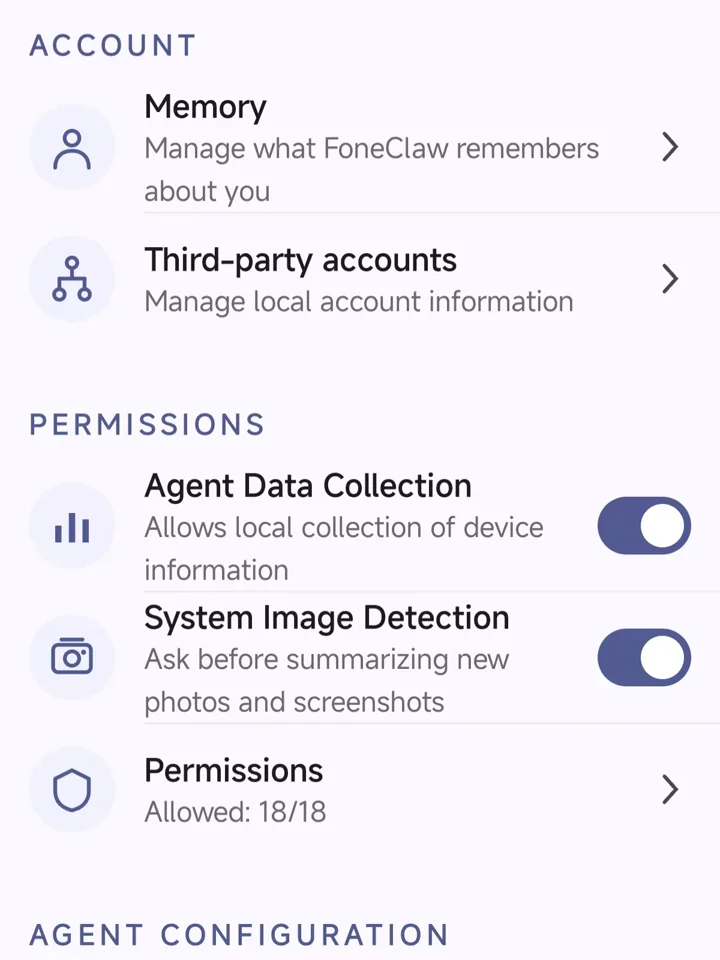
FoneClaw Settings provide controls for local memory, locally managed third-party account information, Agent Data Collection, image detection, and Android permissions. Network use also depends on the model and services you configure.
Use the APK download button on this page, then follow Android’s installation prompt. Some features require permissions such as microphone, notifications, accessibility, or overlay access.
Download FoneClaw, start with the free default model or configure your own, and approve permissions only when a task needs them.