
OpenAlly vs FoneClaw: Android Agents, Aster, Models, and Phone Actions Compared
Compare OpenAlly and FoneClaw by current Android status, Aster setup, real phone actions, model routes, reusable work, approvals, recovery, and first tests.
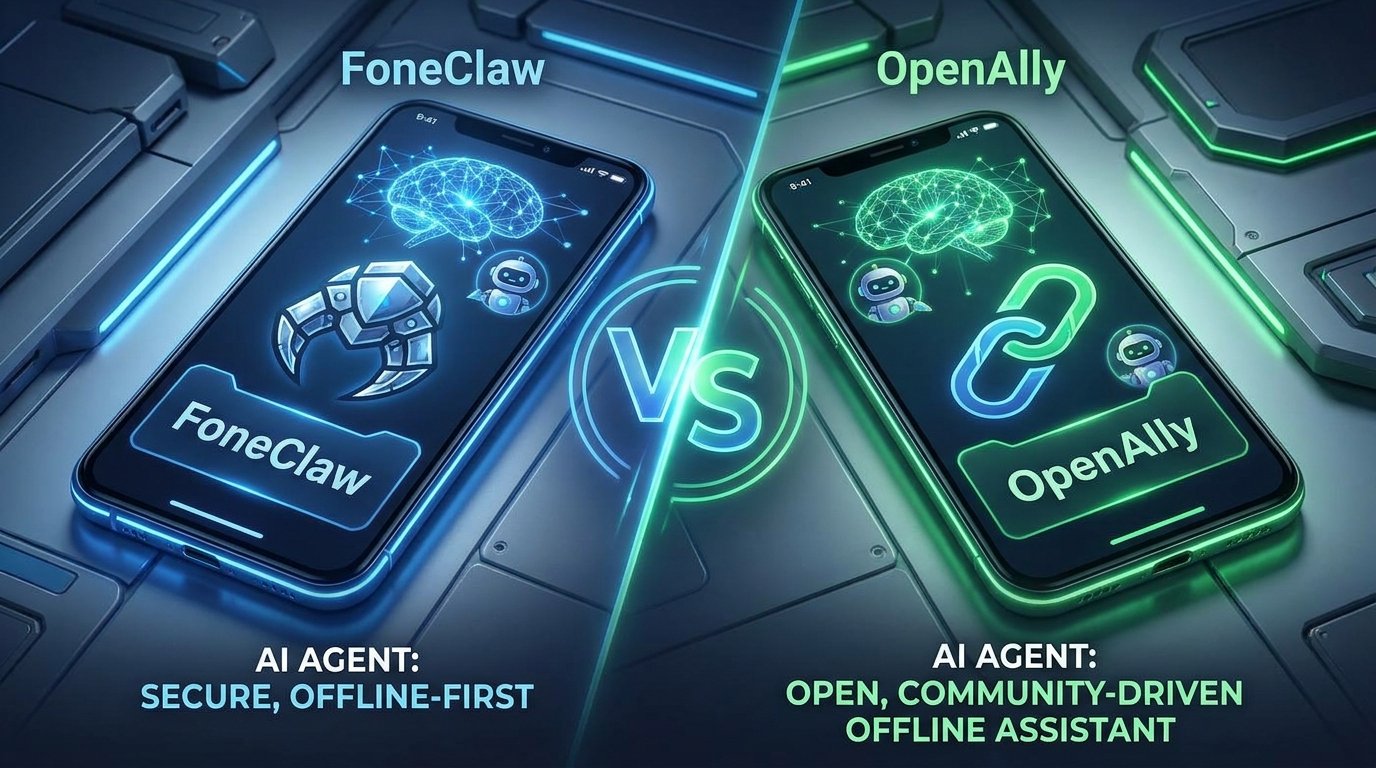
- OpenAlly presents an Android agent path through its app, Aster companion, model routes, agents, Skills, tools, and channel options, with some product areas labeled by current status or coming-soon availability.
- FoneClaw connects a configured reasoning model to governed Android tools, visible task state, approvals where required, recovery paths, Skills, Workflows, plugins, voice input choices, memos, and the Information Inbox.
- The practical comparison is whether a request stops at a model response or continues into a completed, inspectable phone result with the right permission, target, and recovery state.
- The safest decision test is reversible: choose one low-risk Android task, verify setup, run it through each product's documented route, and inspect the final phone-side result.
Current OpenAlly and FoneClaw Status
The OpenAlly vs FoneClaw choice starts with status, because an Android agent is useful only when the product route for the user's task is actually available. OpenAlly's official product overview presents OpenAlly as an Android-available AI agent system with Aster-related phone capabilities, agents, Skills, model choices, tools, and channels. Its page also uses status language for specific areas, so readers should treat current labels and coming-soon labels as part of the setup decision.
FoneClaw approaches the same phone-agent problem from our shipped Android runtime. A configured model handles understanding, reasoning, and planning inside FoneClaw. FoneClaw then routes supported Android work through governed tools, visible task state, approvals where the task calls for them, and recovery paths when Android permissions or app state interrupt execution. Users can start with the free default model or configure compatible endpoints when they want a different reasoning route.
The visible distinction is model response versus completed phone result. A model can write, summarize, infer, or plan. A phone result changes what the user can see or do on Android: a screen opened, a contact prepared, a memo created, a message drafted for review, a setting inspected, or a workflow waiting at an approval point. That distinction keeps the comparison concrete.
For a meeting-delay example, OpenAlly users should confirm whether Aster can perform the documented call, text, or screen-driven step in their setup. FoneClaw users should confirm whether the intended Android step is in the governed tool path and whether the app, account, and permission state are ready. The winning criterion is not the more impressive answer; it is the route that produces the intended, reviewable phone outcome.
OpenAlly Aster and FoneClaw Setup
Setup is where the two products begin to feel different. OpenAlly brings together its Android app, Aster companion, model route, agents, Skills, tools, and channel options. The OpenAlly Android app listing is the Android availability checkpoint, while the official overview and architecture pages explain the product components that sit behind the app experience.
Aster matters because OpenAlly attributes phone-side capabilities such as calls, texts, and screen-driven tasks to that companion route. A practical setup check should therefore include the app install path, the active account, the selected model route, the enabled agent or Skill, the channel used to send requests, and the Aster capability required by the task. If one of those pieces is not active for the user's current device, the model may still respond while the phone action remains unfinished.
FoneClaw setup is centered on the Android runtime and its action surface. Users can start with the free default model, then add a compatible model endpoint when they want more control over the reasoning path. FoneClaw also provides Skills, saved Workflows, plugins, voice input choices, a movable floating assistant, deliberate current-screen attachment, the Information Inbox, memos, and approved contact creation with duplicate checks. The live FoneClaw built-in tools catalog is more useful than a frozen count because supported tools, policy wording, and capability areas should be checked against the current product surface before a task is planned.
A good setup test is deliberately small: open one safe screen, create one harmless memo, or prepare one draft that remains reviewable. The setup has succeeded when the product shows the target, the permission state, the pending action, and the result instead of leaving the user to infer what happened from a chat reply.
Android Phone Actions Comparison
Android phone actions should be compared by the same stages: target, permission, action, confirmation, result, and recovery. OpenAlly's current materials connect phone capability to Aster, so an OpenAlly action test should verify that Aster can reach the intended Android surface in the user's current configuration. A call, text, or screen-driven task should show enough state for the user to know which contact, app, or screen is involved.
FoneClaw's action model is built around governed Android tools. The configured model can interpret a request such as, "Find the message from Maya, prepare a reply, and stop before sending." FoneClaw then keeps the supported phone work visible: the target context, the drafted content, the task state, and any approval point. Where screen context matters, the Android floating AI assistant guide explains how current-screen attachment and overlay behavior help the model reason from what the user is actually viewing.
The boundary becomes clearer in multi-step work. If a user asks for a phone number to be contacted, a model response might identify the likely contact and suggest wording. A completed phone workflow has more checkpoints: contact resolution, duplicate handling if a new contact is being created, Android permission, message or dialer preparation, user review, and visible outcome. FoneClaw is designed to keep those steps inspectable in supported workflows rather than collapsing them into a single promise.
| Decision point | OpenAlly | FoneClaw |
|---|---|---|
| Android entry | Android app availability plus Aster-related capability setup | Android phone-agent runtime with governed tool execution |
| Phone action route | Documented Aster calls, texts, and screen-driven tasks | Supported built-in tools, Workflows, Skills, and approved plugin routes |
| Screen context | Evaluate through the documented screen-driven task behavior | Deliberate current-screen attachment from the floating assistant |
| Result check | Inspect whether the Aster route reached the intended Android state | Inspect visible task state, target, approval, result, and recovery path |
The useful comparison is not how many actions sound possible in a product description. It is whether one real task reaches a phone result the user can inspect, stop, correct, or continue.
AI Model Routes and Privacy
Model route and data path should be evaluated together. OpenAlly's under-the-hood architecture page describes runtime and model choices, including local, cloud, provider, subscription, and self-hosted directions. The important reading habit is to separate what is active for the current task from what is planned or route-dependent. A product can run parts of an agent locally while a selected model, connector, channel, or service still uses a network path.
FoneClaw also separates reasoning from Android execution. A user can use the free default model or configure a compatible endpoint. That endpoint choice affects where request context is processed and how the model behaves. Phone permissions remain a different layer: model credentials do not grant Android access, and Android permissions do not decide which inference provider processes the prompt. Readers who want endpoint-level setup can use our guide to connect an AI model to an Android phone agent before comparing privacy and performance on a real task.
For both products, privacy should be checked across the complete workflow. Ask what the model receives, which screen or file context is attached, which account is active, whether a channel forwards the request, which tool performs the phone step, and what record remains after completion. A self-hosted reasoning route may reduce dependence on an external inference provider, while the final Android action may still involve a carrier, messaging account, cloud drive, calendar service, or website.
In FoneClaw, our forward direction is to keep these layers explicit: model configuration for reasoning, governed tools for supported Android actions, user-visible state for task progress, and recovery for interrupted flows. That lets users decide with evidence instead of treating "local" or "cloud" as one broad label.
Agents, Skills, Workflows, and Channels
Reusable work is where architecture becomes a daily habit. OpenAlly presents agents, Skills, tools, and channels as ways to organize repeated behavior and reach the assistant from different surfaces. That can be valuable when the user wants named agents, selected instructions, or a preferred communication route for initiating work. The practical check is whether the selected agent, Skill, channel, model route, and Aster capability all line up for the same Android outcome.
FoneClaw organizes reusable work around Skills, Workflows, built-in tools, and plugins. A Skill gives the assistant reusable guidance. A Workflow saves a repeatable multi-step Android routine. Built-in tools provide the supported phone operations underneath. Plugins add separate capability packages through visible proposals and their own setup. This separation helps users know whether they are changing instructions, saving a sequence, enabling a core action, or adding an extension.
Consider a field-sales routine. The user might ask for a morning brief, search recent messages, open a route, create a follow-up memo, and prepare a contact update. In FoneClaw, the model interprets the request, a Skill can shape how the summary is written, a Workflow can preserve the sequence, and governed tools perform the supported Android steps. If the routine needs the current screen, the floating assistant can attach it deliberately. If a contact is created, duplicate checks and approval keep the result reviewable.
OpenAlly's channels may suit users who want to start agent work from a preferred communication surface. FoneClaw's Workflows suit users who want repeatable phone-side sequences with visible state and recovery. The right test is to build one reusable routine in each product and inspect how easily the user can revise the instructions, confirm the phone target, pause at a waiting point, and understand the final result.
Permissions, Approvals, and Recovery
Approval and recovery decide whether an Android agent remains usable after the easy path breaks. A phone task can fail because the wrong account is selected, a permission is missing, a screen changed, a contact is ambiguous, a network route is unavailable, or the user needs to approve a consequential step. The product should make the blocked state visible and preserve the valid parts of the request.
For OpenAlly, evaluate this behavior through the Aster capability you plan to use. A call-related task, a text-related task, and a screen-driven task may expose different Android permissions and recovery states. During a first test, deny a noncritical permission or switch away from the expected screen, then inspect whether OpenAlly shows what is waiting, what can be retried, and what the user needs to do next.
FoneClaw's current Android experience is built around visible task state, applicable approvals, stopping controls, task isolation, and permission recovery. The movable floating assistant and Home continuity keep a running or waiting task reachable while the user moves through Android. Voice input choices help start work quickly, while visible controls let the user stop, correct, or continue when speech recognition or screen state changes the task.
The difference between approval and interruption is worth keeping clear. Approval is the user's review point before a meaningful supported action proceeds. Recovery is the path back from a missing permission, changed screen, unavailable app state, or incomplete route. We build FoneClaw so both states remain visible: the user can see what is being approved, what is waiting, and what result was produced.
A practical recovery test is simple. Ask for one low-risk phone action, interrupt it by moving to Home or withholding a permission, then return to the task. FoneClaw should preserve the task state and guide the next step. OpenAlly should be judged by the same standard inside its documented Aster route.
OpenAlly or FoneClaw Decision
The best OpenAlly or FoneClaw decision comes from the user's first real workflow, not from a generic feature list. Start with OpenAlly when its current Android app, Aster companion, agents, Skills, channels, and model-route choices match the way the user wants to organize assistant work. That is especially relevant when OpenAlly's documented Aster actions cover the phone result and the selected model route is central to the workflow.
Start with FoneClaw when the priority is governed Android execution across supported tasks: visible tool state, a free default model or compatible configured endpoint, floating assistant access, current-screen attachment, Skills, Workflows, plugins, Information Inbox, memos, voice input choices, applicable approvals, recovery, and result verification. We are building FoneClaw toward more dependable phone-side workflows where users can see the target, approve meaningful steps, and recover from Android interruptions without rebuilding the request from scratch.
A reversible first test keeps the decision honest. Use the same harmless task in both products: open a visible screen, prepare a message draft without sending, create a test memo, or build a short routine with one waiting point. Record how the request enters, which model route is used, what Android capability performs the action, where permission appears, how the user can stop, and what proves completion.
| User priority | Product to test first | Low-risk test |
|---|---|---|
| Aster capabilities, OpenAlly agents, or channel-based entry | OpenAlly | Run one documented Aster task and verify target, permission, and result states. |
| Governed Android execution with visible approvals and recovery | FoneClaw | Attach the current screen, request one supported action, then stop or resume it from the floating assistant. |
| Model-route control and data-path evaluation | Compare both | Use one harmless prompt and document which provider, account, channel, or endpoint receives context. |
| Reusable phone-side work | Match the reusable layer | Create one agent or Skill in OpenAlly and one Skill or Workflow in FoneClaw, then revise each after a test run. |
Readers comparing this with broader Android agent architecture can continue with AI Agent Phone Control: How Android Phone Agents Turn Intent Into Action. The final choice should rest on a completed, inspectable phone result: the right target, the right permission state, the right user approval point, and a recovery path that remains understandable when the task does not finish on the first attempt.