
Mobile Agent Control: Why the Phone Is Becoming the AI Agent Command Center
Mobile agent control is moving AI agent work from the desktop into phone workflows. Learn how approval loops, permissions, cloud agents, and Android phone agents fit together.
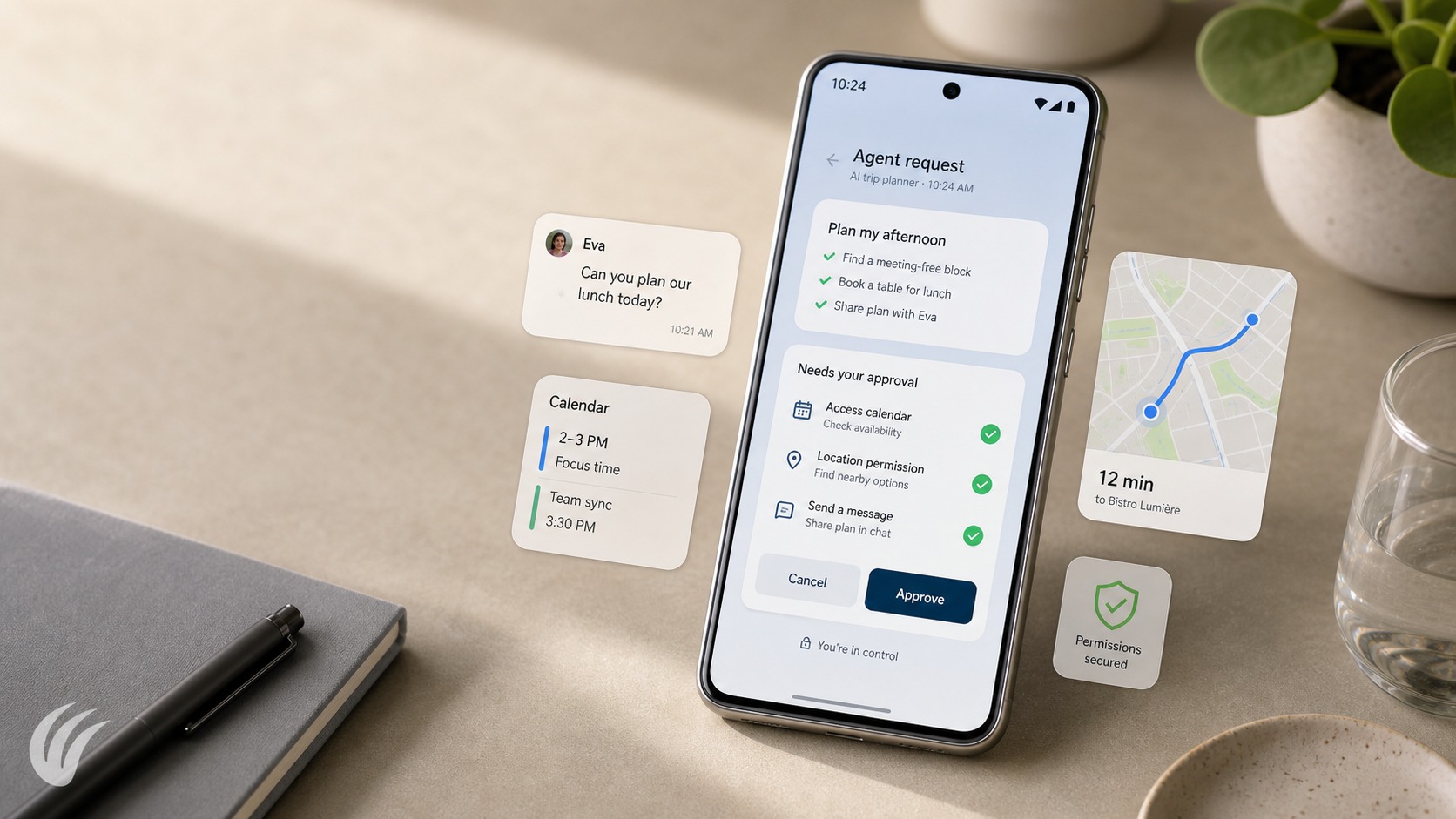
- Mobile agent control turns the phone into a place to start, monitor, approve, and interrupt agent tasks.
- Cloud agent control and local phone agents are different categories, so trust depends on matching the job to the right control model.
- The safest mobile AI agent app is one that makes permissions, approvals, visible actions, and user takeover easy to understand.
Mobile agent control is becoming a practical product question, not only a technical one. If an AI agent can research, code, compare options, prepare a message, or operate a supported phone workflow, the next question is where the human should supervise it. For many daily decisions, the answer is no longer limited to a laptop screen.
The shift does not automatically make every task should run unattended from a phone. It means the phone can become the place where a person starts work, checks progress, approves a step, rejects a risky action, or takes over when context changes. That is a different idea from a chatbot in a mobile app. It is closer to a phone agent command center built around control, visibility, and interruption.
Agent work is leaving the desk
The important change for users is timing. A task may begin while you are at your desk, but the approval moment often arrives later: during a commute, between meetings, or while you are standing in line. A useful AI agent mobile app lets that decision follow you without forcing the whole workflow back onto a desktop.
A July 1, 2026 industry report discussed OpenClaw and Cursor mobile apps as signals that agent workflows are entering the pocket. That signal matters because it points to a broader pattern: agent work is being split into remote execution, mobile notifications, review screens, approvals, and manual takeover. The phone is not replacing the full workspace. It is becoming the place where the user keeps authority over work that may be happening elsewhere.
For readers still sorting out the broader category, Agentic AI on Phone: What an Agentic Phone Can Do is a useful next step because it separates ordinary voice assistance from agents that can plan and act inside phone workflows. That distinction matters before deciding how much control belongs on mobile.
The phone becomes a command center
A phone command center is not just a smaller dashboard. It needs to answer six questions quickly: what is running, what changed, what needs approval, what data is being used, what action will happen next, and how can the user stop it. If those answers are hidden, mobile agent control becomes a source of anxiety instead of convenience.
Picture an agent preparing a follow-up message after a missed call. The user should be able to read the proposed message, see the recipient, edit the tone, approve sending, or cancel the action. The value is not that the phone performs magic. The value is that the phone turns a half-finished agent task into a clear decision at the moment the user has enough attention to make it.
This is also where mobile control has limits. Small screens are good for decisions, confirmations, status checks, and short edits. They are weaker for long investigations, complex comparisons, and tasks that need many sources open at once. The best phone agent command center should make it easy to resume a larger workspace when the phone is not the right surface.
Mobile control depends on approval loops
The approval loop is the core user experience. A mobile AI agent approval flow should not ask for trust in vague terms. It should show the action, the reason for the action, the affected app or account, and the consequence of approving it. A notification that says "Approve task" is too thin. A notification that says what will happen next gives the user a real choice.
Good approval loops also separate low-risk and high-risk actions. Checking a status, drafting text, or summarizing a screen may need lighter confirmation. Sending a message, changing a setting, making a purchase, deleting content, or sharing personal data should require more explicit approval. The goal is not to slow every workflow. The goal is to put friction where a mistaken action would matter.
Human approval for AI agents becomes especially important on mobile because context changes fast. A user may approve one step while walking, postpone another until later, and take over when the task becomes sensitive. Mobile control is strongest when it accepts that pattern instead of pretending every task can run smoothly to completion.
Cloud agent control and local phone agents solve different jobs
Cloud agent control and local phone agents are often discussed together, but they solve different problems. A cloud agent may run research, coding, document preparation, or server-side workflow tasks while the phone acts as the monitoring and approval surface. A local phone agent is closer to the device: it can operate supported Android workflows, respond to visible phone context, and help with actions that live on the handset.
That difference should guide expectations. If you want to check a long-running remote job, review a generated result, or approve a cloud task, the phone is a control surface. If you want help navigating supported phone actions, filling fields, handling app steps, or using device context, you are closer to a phone agent. For a deeper comparison, Cloud vs Local AI Agent in 2026: Which Route Is Better for Your Phone? walks through the tradeoffs between remote agent execution and device-level assistance.
The safest product strategy is not to claim one model wins everywhere. Cloud workflows can be powerful, but they may feel distant from the phone. Local phone agents can feel immediate, but they need strict boundaries around permissions and supported actions. Mobile agent control works best when the interface makes that distinction obvious.
Permissions and visible actions decide trust
AI agent permissions are the trust layer of mobile control. A user should know what an agent can see, what it can touch, and what it cannot do without approval. Permission prompts that only appear once during setup are not enough for agentic workflows because the risk is tied to the specific action, not only to the app install.
Visible actions are just as important as permissions. If an agent opens an app, reads a screen, drafts a reply, or prepares a change, the user should be able to inspect the step before it becomes final. Logs, previews, reversible actions, and pause controls make mobile agent safety concrete. They turn trust from a brand promise into something the user can verify.
This is also why security comparisons should focus on boundaries rather than fear. Why FoneClaw Is Building an AI Phone Around the Phone Agent is relevant when evaluating how visible phone-level controls and narrower action scopes can reduce risk, especially when compared with broader agent environments. The practical question is simple: can the user understand and stop the next action?
Where FoneClaw fits in the phone-agent stack
FoneClaw fits into this stack as an independent Android phone agent focused on supported phone actions. That positioning matters. FoneClaw focuses on supported Android phone actions with visible results, permission-aware flows, user confirmation, and practical fallback. Its role is better understood through the phone-agent lens: helping users handle practical Android workflows with visible permissions and user control.
For a person comparing tools, the key question is whether they need an answer assistant, a cloud agent monitor, or a phone-action agent. An answer assistant can explain, summarize, and suggest. A cloud agent monitor can help supervise work running elsewhere. A phone-action agent should be judged by what supported actions it can perform on the device, how clearly it asks for approval, and how easily the user can interrupt it.
That distinction is especially useful when comparing Android experiences. Gemini Intelligence vs FoneClaw: Android Phone Agent Comparison helps frame the difference between general intelligence features and a phone agent designed around supported real phone actions. The better question is not which product sounds more advanced, but which one matches the job and control level the user needs.
What to check before trusting a mobile agent app
Before trusting a mobile AI agent app, look past the demo and inspect the control model. Can you see what the agent is doing before it acts? Can you approve sensitive steps one by one? Can you pause, cancel, or take over? Can you limit permissions by action type instead of granting broad access forever?
Also check how the app handles failure. A good phone agent command center should explain when a task is blocked, uncertain, unsupported, or waiting for the user. It should not hide ambiguity behind confident language. If the agent cannot complete a phone action, the interface should say so and hand control back cleanly.
The final test is whether the app respects the phone as a personal device. Mobile agent control touches messages, apps, settings, notifications, and daily routines. The best experience is not full autonomy. It is a clear partnership: the agent handles supported steps, the phone shows what matters, and the user remains the final authority.