
Android AI Assistant Choice: What Open Access Means for Phone Agents
Understand the EU Android AI interoperability decision, rival assistant access, consent requirements, rollout timing, and what it means for permission-aware phone agents like FoneClaw.
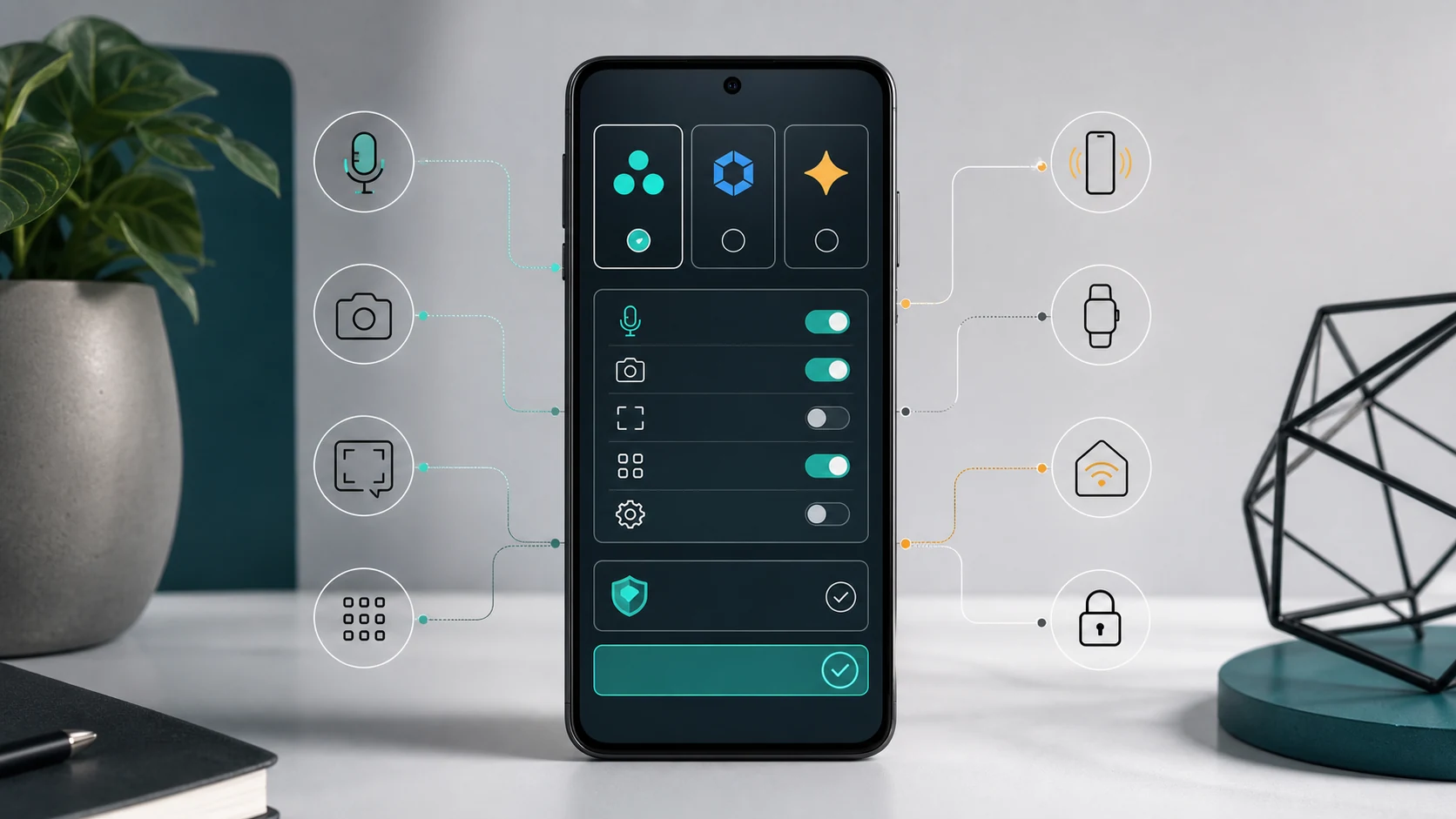
- Android AI assistant choice is becoming a phone-agent issue because assistant access is moving from simple app launch into voice activation, device context, app actions, system settings, and hardware resources.
- The European Commission issued binding measures for Google on July 16, 2026, covering Android AI interoperability and a separate Google Search data-sharing track under the Digital Markets Act.
- The decision points toward more access for competing AI services, while user consent, certification, security review, and staged Android implementation remain central to the rollout.
- FoneClaw’s product view is that model choice should drive understanding and planning inside the phone agent, while supported Android actions stay visible, permission-aware, and confirmable.
Why Android AI Assistant Choice Now Matters
Android AI assistant choice is no longer only about which chatbot answers a question. The new platform question is whether a user-selected assistant can be invoked naturally, understand what is happening on the phone, and carry out approved actions across apps and Android itself. That turns assistant choice into a phone-agent issue: the user is choosing a way for intent to become visible work on the device.
On July 16, 2026, the European Commission press release on Android AI interoperability said it issued binding specification measures for Google under the Digital Markets Act. One track covers AI interoperability on Android; another covers Google Search data sharing. For Android, the Commission says the aim is to let competing AI services get effective access to Android features that Google services such as Gemini can use.
The practical signal is bigger than a competition-law headline. If rival assistants can reach voice activation, device context, app actions, and system resources with the user’s consent, then phone agents become a mainstream Android design problem. FoneClaw’s product stance fits this shift: users should be able to choose the model that drives understanding and planning inside the phone agent, while supported Android actions remain visible, permission-aware, and confirmable. For readers who want the broader mechanics of intent becoming phone work, AI Agent Phone Control: How Android Phone Agents Turn Intent Into Action gives the adjacent FoneClaw context.
What Actually Becomes Available
The Commission’s Q&A breaks the Android measures into 11 features, grouped around invocation, context, actions in apps and the OS, and access to resources. In plain English, that means a competing AI assistant may be able to start from more places, understand more of the current phone situation, perform approved tasks in apps, adjust certain Android settings, and access specific hardware or software resources. The source-backed topic is access design, not automatic control of every screen.
The European Commission Q&A on Google Android AI interoperability lists examples such as invoking a preferred AI service through voice, asking it to perform actions across apps, offering live translation, making proactive suggestions with consent, using sensor or screen context, structured app integration, screen automation, system integration, and access to on-device AI models. The same decision also includes a separate Search data-sharing specification, which matters for search-enabled assistants but belongs to a different access track.
Industry coverage shows why people are paying attention. The Hacker News report on Android rival AI assistants highlights camera, microphone, screen context, structured app integration, background task work, and system integration as high-impact areas. For phone agents, those categories map directly to daily requests: “read what is on screen,” “send this message,” “turn on do not disturb,” “open the delivery app,” or “use my usual details.” The opening is meaningful because it gives rival assistants a path toward useful Android work, while the action still has to be supported, consented to, and handled in a way the user can follow.
What Still Needs Consent and Review
The most important guardrail is explicit user choice. The Commission Q&A says users must be able to explicitly consent to access for the AI assistants they choose to install. That turns assistant access into a user-approved relationship, not a silent platform shortcut. It also means a phone agent needs to explain what it wants to access and keep sensitive steps understandable at the moment they happen.
Timing matters too. The Q&A says implementation is due in Android 18 by August 1, 2027, while concurrent hotword detection is due in Android 19 by August 1, 2028. Those dates point to future Android releases and staged implementation. The current signal is regulatory direction plus implementation schedule. Users, developers, and enterprises should track device updates, regional availability, certification terms, and final product behavior as the rollout approaches.
Security and privacy are part of the product design, not afterthoughts. Reports such as Computerworld on rival AI agents on Android highlight enterprise concerns because a more capable assistant can touch sensitive device context and business data. The right phone-agent model is therefore consent plus visible action. When a request affects messages, files, app state, payment, location, account data, or system settings, the user should see what is happening and confirm the important step. FoneClaw’s approach uses permissions, visible Android results, confirmations for sensitive actions, and recovery paths when a requested action is outside the supported set.
Assistant Choice Is Different From Completed Phone Actions
Choosing an assistant is one decision. Giving that assistant context is a second decision. Letting it complete a phone action is a third. The EU Android AI assistant choice signal touches all three, which is why the topic can be easy to overread. A user may choose an assistant as a preferred entry point, allow it to understand screen or sensor context, and then approve a concrete action such as sending a message, scheduling a meeting, or changing a setting.
This distinction matters for every Android phone agent. Invocation answers “How do I start it?” Context answers “What can it understand about my phone right now?” App and OS actions answer “What can it do for me?” Consent and confirmation answer “Who approves the final step?” A strong assistant experience needs all of these, but each one should be evaluated separately. Notebookcheck on Android and third-party AI assistants frames the change around rival assistants receiving privileges comparable to Gemini, including voice commands and app control. For users, the practical test is still what the assistant can do on the specific phone, in the specific app, with the permissions the user has granted.
FoneClaw is built around the same separation. A configurable model drives understanding and planning inside the FoneClaw phone agent. FoneClaw then performs supported Android actions through visible workflows. If readers want a closer comparison between a general voice assistant and a phone agent built for Android actions, FoneClaw vs Google Assistant: Voice Assistant or Android Phone Agent? is the natural next step.
FoneClaw’s View: Model Choice With Visible Android Actions
At FoneClaw, we see Android AI assistant choice as a product-design shift toward configurable intelligence and accountable phone actions. The model should help the agent understand what the user means, reason through the task, and plan the next supported move. The phone agent should then handle Android actions in a visible environment where permissions, status, and final approval are clear.
This is especially important as Android assistant access expands. A user may want one model for writing, another for reasoning, another for multimodal work, and another for personal preference. In FoneClaw, model choice is not a side-by-side app routine. The selected model drives the FoneClaw agent. FoneClaw remains the action environment for supported Android tasks: opening app paths, preparing messages, reading visible state where supported, adjusting available settings, and confirming steps that affect people, private information, location, accounts, or money.
The EU signal also makes app integration more important. Structured app capabilities help phone agents act through clear app-supported routes instead of guessing at every screen. Our article on App Intents and Machine-Callable Apps for AI Agents explains why apps that expose clear actions can make phone agents more reliable. For Gemini-specific Android voice context, Gemini Voice Control on Android: What It Can Do and When FoneClaw Fits Better helps readers compare model-driven assistance with supported phone-agent action flows.
Checklist for Judging Any Android AI Assistant Promise
Use this checklist when evaluating an Android AI assistant or phone-agent access claim. First, identify the region and timing. The EU decision is a European Commission action under the Digital Markets Act, with Android 18 and Android 19 deadlines in 2027 and 2028. Second, separate assistant selection from actions. Being able to choose or invoke an assistant is different from giving it context or letting it complete work in apps.
Third, ask what context the assistant can access. Screen contents, app data, microphone, camera, sensors, and on-device data all carry different privacy expectations. Fourth, check which actions are structured and supported. Sending a message, creating a note, scheduling a meeting, using a delivery app, or changing an Android setting should happen through a clear action path. Fifth, look for consent and confirmation. The user should approve assistant access and confirm sensitive final steps.
Sixth, judge the product by recoverability. A good phone agent has a supported next step when the action is unavailable, the permission is missing, or the app state changes. Seventh, check the model story. In FoneClaw, a configurable model drives understanding, reasoning, and planning inside the phone agent; FoneClaw performs supported Android actions with visible results and permissions. That is the practical standard Android AI assistant choice should meet: user choice at the assistant level, clear consent at the access level, and confirmable work at the action level.