
Phone Agent Model Routing: Kimi, DeepSeek, GLM, Cost, and Android Actions
Choose AI models for Android phone agents by reliability, latency, cost, context, privacy, fallback behavior, and real FoneClaw action evidence instead of one static winner.
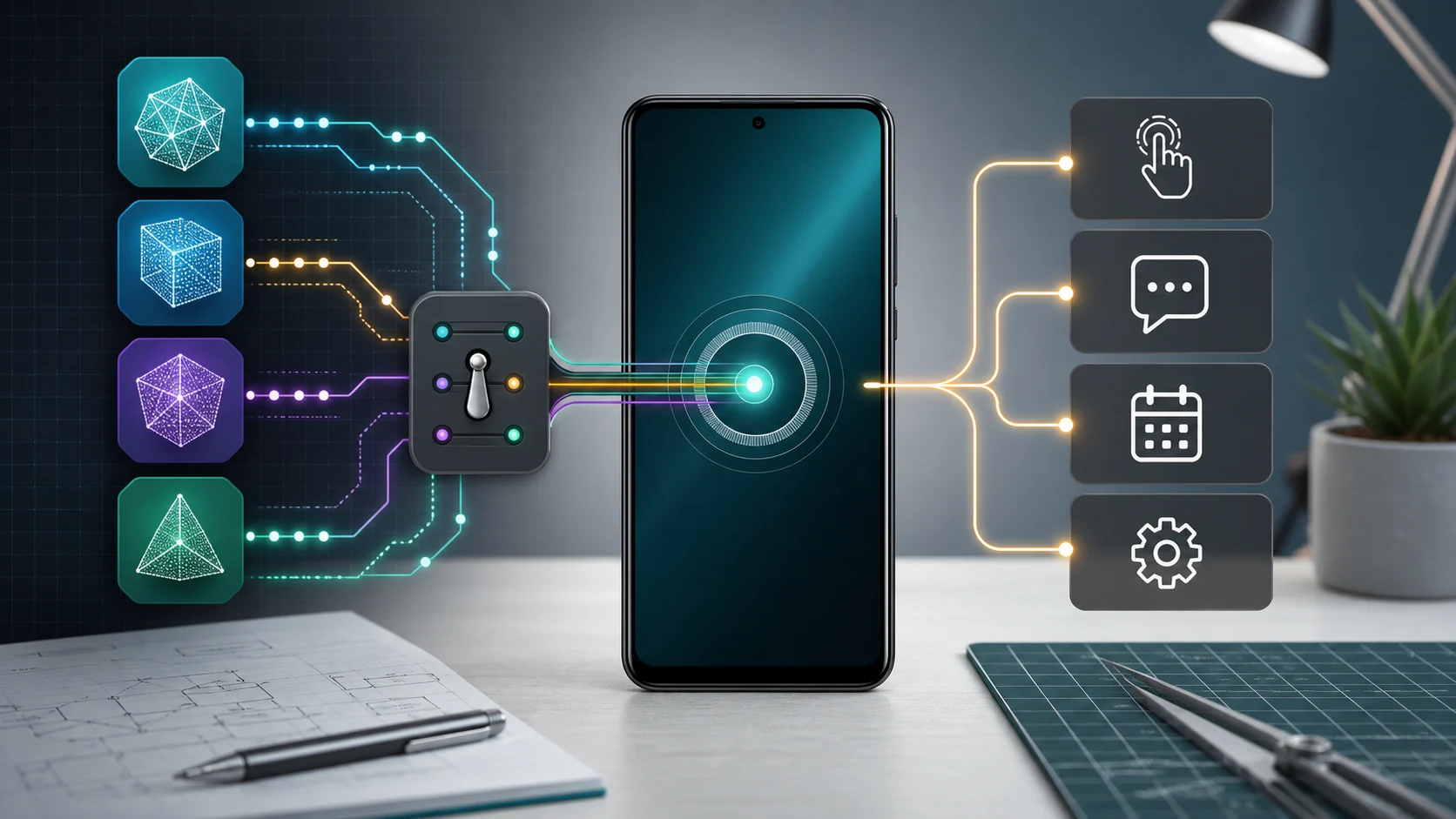
- Phone agent model routing means choosing the right reasoning route for each Android task instead of naming one permanent model winner.
- Reliable routing weighs structured tool-call behavior, latency, cost, usable context, privacy needs, fallback rules, and what happens on the exact phone.
- Kimi, DeepSeek, and GLM are useful current examples, but provider availability and benchmark strength still need Android action testing before they drive real workflows.
- FoneClaw lets users start with the default model or configure compatible model routes while FoneClaw governs supported Android execution with visible results, approvals, stopping, and permission recovery.
Choose a Route, Not One Permanent Model
Phone agent model routing is the decision layer that chooses which AI model should understand, plan, or check a phone task before the Android action layer runs. The right answer is rarely one permanent winner. A phone agent may use a fast route for simple app opening, a stronger reasoning route for messy multi-step planning, a long-context route for reading a large conversation, and a more private route when the task touches sensitive local context.
Static model rankings are useful background, but they do not prove task success on a real Android phone. A model can score well in text, coding, or math and still produce unstable tool arguments, miss a permission boundary, overrun latency expectations, or fail to recover when the screen state changes. For a phone agent, the model's answer is only one part of the loop. Execution is a separate layer with app state, permissions, UI visibility, confirmation, and result checking.
That is why we treat Kimi, DeepSeek, GLM, and other current models as routing candidates rather than trophies. The practical question is: which route gives this user the most reliable result for this task, on this device, at an acceptable cost and delay? If the answer changes by task, the routing policy is doing its job.
Route by Reliability, Latency, Cost, Context, and Privacy
A durable AI model routing policy starts with five signals: reliability, latency, cost, context, and privacy. Each signal should be measured inside the phone-agent workflow, not only inside a chat transcript. The model needs to understand the user, choose the right capability, prepare valid arguments, respect approval boundaries, and help recover when Android state does not match the plan.
| Routing signal | What to measure | Phone-agent decision |
|---|---|---|
| Reliability | Instruction following, structured output, stable tool arguments, refusal or clarification when inputs are missing. | Use the route for Android actions only after it handles the same schema and edge cases repeatedly. |
| Latency | Time from user request to plan, confirmation screen, or visible result. | Prefer faster routes for phone-in-hand tasks where delay feels like broken automation. |
| Cost | Expected token use, repeat frequency, fallback rate, and the cost of retries. | Use lower-cost routes for routine planning when they meet the reliability floor. |
| Context | How much screen, file, conversation, or task history the model actually needs. | Send large context only when it improves the decision; excess context can add delay and noise. |
| Privacy | Whether the task includes personal messages, contacts, location, account data, screenshots, or sensitive app content. | Choose a route that matches the data sensitivity and keeps approval separate from capability matching. |
Structured tool calls deserve special attention. A phone agent needs arguments that remain valid under pressure: one recipient, one number, a clear date, a supported setting, a known app, or a safe stop when the input is ambiguous. A cheap model that guesses can cost more than a stronger model if it creates retries, wrong drafts, or confused recovery. A large-context model can also be wasteful if the task only needs a short command.
The online-versus-local choice fits inside the same matrix. Online routes may offer stronger reasoning, fresher provider options, and larger context. Supported on-device routes can reduce data movement and improve availability for selected tasks, but they may have tighter limits on speed, memory, context, or multimodal capability. For readers focused on endpoint setup, Connect an AI Model API to an Android Phone Agent in FoneClaw explains the configuration path while this guide focuses on the routing decision.
Kimi, DeepSeek, and GLM as Routing Candidates
Kimi, DeepSeek, and GLM are useful examples because they represent different routing instincts. Kimi is a current signal for broad model availability: the GitHub changelog for Kimi K3 in Copilot shows Kimi becoming selectable in a mainstream model picker. That matters because model choice is becoming a normal product control. It does not, by itself, prove Android tool reliability, so a phone-agent team still has to test Kimi on the exact tool schemas, prompts, and recovery states used in the Android workflow.
DeepSeek is a good example for cost-sensitive and reasoning-heavy routing conversations. In the current comparison base for this page, DeepSeek V4 Pro is positioned around coding, long-context relevance, and cost efficiency. That kind of profile can be valuable for repeated planning, app-state interpretation, or developer-style workflows where the same class of task runs often. The routing question is not whether DeepSeek is cheap in the abstract; it is whether it clears the reliability floor for the task before cost savings matter.
GLM brings a different profile. The NIST CAISI assessment of GLM-5.2 gives current context for GLM as an open-weight model with strong capability claims and important security and safeguard findings. For phone agents, open-weight availability can support more controlled deployment choices, but deployment control still has to be paired with action testing, permission boundaries, and result checks.
The older model-comparison framing for this URL included Kimi K3, DeepSeek V4 Pro, GLM-5.2, Qwen, and Tencent Hunyuan examples. We keep the useful part: model diversity is real, and routes can differ by context length, speed, cost, modality, language fit, ecosystem, and governance. We remove the weaker habit of turning that diversity into a fixed leaderboard. The model that writes a great answer is not automatically the model that should prepare a call, draft a message, or change an Android setting.
Handle Price and Availability Changes Without Breaking Tasks
Model routing becomes more important when prices, availability, and provider terms change. Google Cloud's unified API for AI model routing announcement is an infrastructure signal: product teams increasingly want managed ways to reach multiple providers through one routing surface. For a phone agent, that kind of infrastructure helps only when the task policy stays stable across providers.
A routing policy should define price triggers before switching models. For example, routine summaries, app-opening plans, and low-risk classification may move to a lower-cost route once it passes the reliability floor. Sensitive actions, ambiguous recipients, account changes, payment-related steps, or private data workflows should use stricter routes and keep user approval visible. Switching for cost should not silently weaken confirmation behavior.
Availability also needs a fallback plan. If the preferred route is unavailable, the agent should know whether to retry, downgrade to a cheaper planning route, escalate to a stronger model, ask the user to continue manually, or stop. A fallback model should be tested against the same schema and phone-state cases before it is trusted. The failure modes to record are practical: invalid JSON, wrong contact choice, too much context omitted, slow response, unsupported tool selection, missing clarification, or a plan that cannot be executed on the current device.
Cost control is therefore a policy, not a race to the cheapest API call. Our AI Agent Token Cost: Why Local Phone Execution Can Save Money guide covers the deeper cost side. The short version for routing is simple: lower cost is useful when task success, latency, privacy, and recovery stay within the product standard.
Measure Quality Inside the Android Action Loop
Phone-agent model quality should be measured in the Android action loop: user intent, context intake, plan, capability choice, arguments, approval, execution, visible result, and recovery. A correct natural-language answer can still fail as a phone action. The model may know what should happen but choose the wrong tool, miss a permission state, select the wrong contact, or continue when it should ask a clarifying question.
Start with a reversible task on the exact device. A good test is: read the current screen, identify one low-risk follow-up, prepare a calendar reminder, and stop before changing anything sensitive. Record whether the model understood the current-screen context, selected a supported capability, produced valid arguments, showed the planned result, and recovered when a permission was missing. Then run the same task across two model routes under the same phone state.
Failure-driven testing is more useful than a perfect demo. Try ambiguous contact names, missing app permissions, locked-screen conditions, changed app layouts, long messages, mixed-language instructions, and incomplete dates. A reliable route should ask for missing information instead of inventing it. It should keep capability matching separate from authorization. It should preserve the approval point when the action sends, shares, calls, deletes, posts, pays, or changes account or device state.
For broader execution scoring, Android Phone Agent Benchmark Guide: Reliability, Safety, and Task Success gives a fuller benchmark pattern. The key here is that AI model routing must be validated where the Android work happens. Text quality is helpful; task completion proves whether the route belongs in the phone-agent policy.
How FoneClaw Governs Model-Driven Android Execution
At FoneClaw, we separate model reasoning from Android execution because that split makes phone work testable. Users can start with the free default model or configure a compatible online or supported on-device route. The chosen model helps interpret requests, reason over available context, and prepare the next step. FoneClaw supplies the governed Android action layer with 100+ built-in tools, visible results, approvals, stopping, task continuity, and permission recovery.
That structure shapes how we think about the best model for Android agent work. A model route earns trust by helping FoneClaw choose a supported capability, prepare clean arguments, and explain uncertainty at the right time. Capability routing is not permission to execute. AutoAttach, Suggest, and Fallback-style routing help identify useful context or a likely path, while FoneClaw keeps consequential actions visible and approval-aware.
For example, a user may ask FoneClaw to summarize a current screen and prepare a reply. A lower-latency route might be enough for a short draft. A stronger context route may fit if the screen contains a long thread or mixed details. FoneClaw then handles the phone-side part: show the draft, keep the recipient visible, use granted permissions, and wait for confirmation before sending. If the device lacks permission or the task is outside the supported route, FoneClaw provides a recovery step instead of pretending the model has hidden phone authority.
We built this way because model progress moves fast and phone execution needs stable rules. Kimi, DeepSeek, GLM, Qwen, Hunyuan, and future models can all be evaluated as reasoning routes. The Android action standard should remain consistent: visible, permission-aware, confirmable, and recoverable. Current user-facing capabilities are summarized on FoneClaw Features, and AI Agent Phone Control: How Android Phone Agents Turn Intent Into Action explains the broader action architecture behind that product choice.
A Practical Phone-Agent Routing Policy
Build the routing policy from tasks, not model names. First, classify the task: information lookup, screen understanding, draft preparation, app navigation, communication, settings, calendar, file work, or another supported Android action. Second, set the quality floor. For phone work, the floor should include stable arguments, correct capability selection, clarification when needed, visible results, and a clean stop for unsupported states.
Third, set the cost ceiling. Routine, repeated, low-risk work can use a cheaper route after it proves reliable. Long-context, multimodal, private, or consequential work deserves a route chosen for the job, not only for price. Fourth, define the fallback. If the preferred model fails, decide whether the agent retries, switches to a stronger model, asks the user for clarification, or stops with a manual path.
Finally, run a reversible test before trusting a route with sensitive Android actions. Use one device, one account, one app state, and one task. Compare two routes on the same request. Record latency, cost, invalid arguments, clarification quality, permission handling, approval placement, visible result, and recovery. The model that wins this test is the right route for that class of phone task today. Recheck when model availability, price, provider behavior, or the Android workflow changes.