
AI Recorder MCP: How Meeting Notes Become Confirmed Phone Actions
See how recorder transcripts and action items can inform reminders, messages, calls, and other confirmed Android actions through a phone agent.
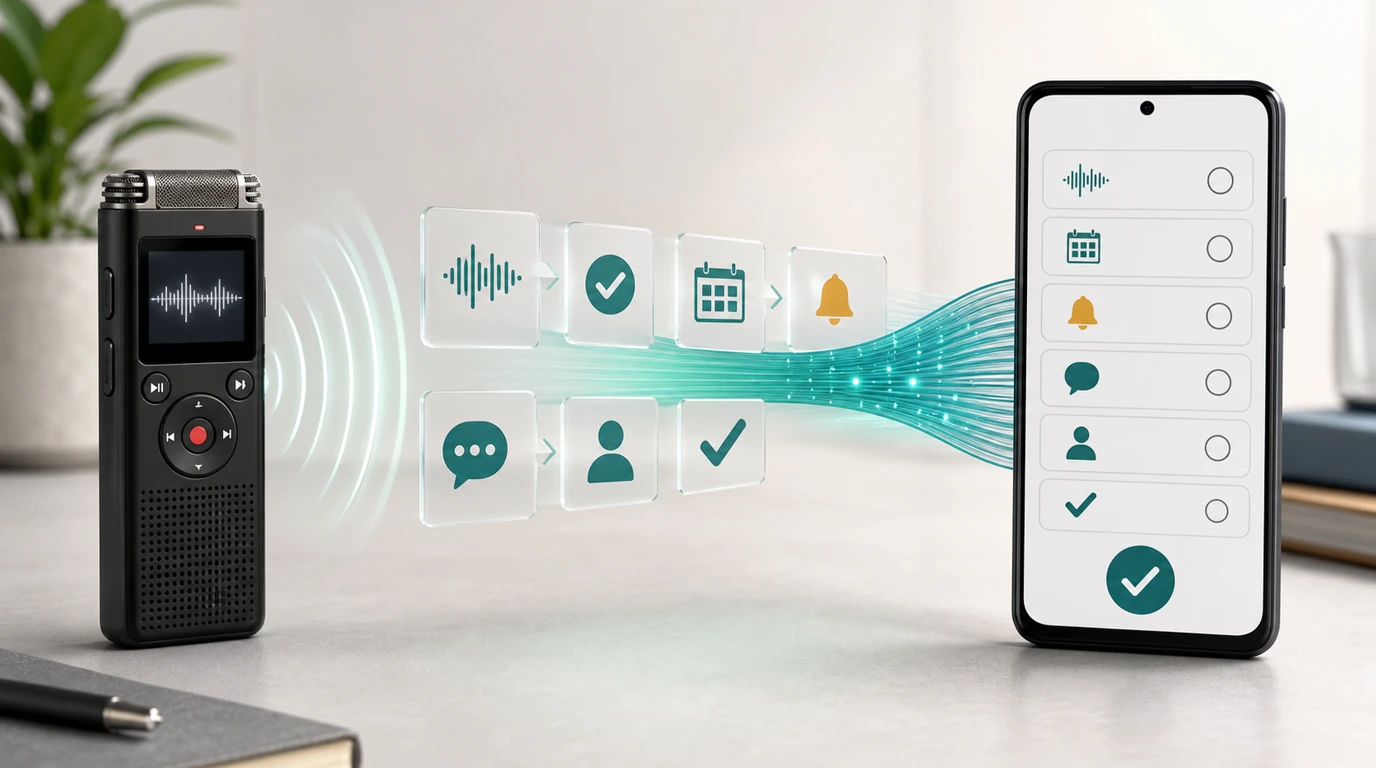
- An AI recorder MCP can make recordings, transcripts, summaries, and action items available as structured context for compatible AI tools.
- Meeting context becomes useful to a phone agent only after the intended task, recipient, timing, source, permissions, and current Android state have been checked.
- Action items can lead to reminders, calendar events, message drafts, calls, and follow-up sequences, with sensitive steps held for user confirmation.
- In FoneClaw, a configured model handles understanding and planning while FoneClaw performs supported Android actions with visible results and practical recovery when a requested path is unavailable.
Why AI Recorders Are Becoming Agent Inputs
The important change in AI recording is no longer transcription quality alone. Recordings are becoming organized context that another AI tool can search, interpret, and turn into a proposed next step. That moves an AI recorder from the end of a meeting workflow toward the beginning of an agent workflow.
Plaud provides a current example. Its MCP support documentation says compatible AI assistants can list recordings, search for a particular meeting, retrieve the full transcript, and retrieve AI-generated summaries and action items. A user can ask for the stand-up from Tuesday, find where a budget was discussed, or request a follow-up draft without manually copying the meeting notes into another tool.
The Plaud MCP and CLI launch article, published May 13, 2026, extends that idea to daily task lists, follow-up documents, and multi-service workflows. Its examples show meeting context being used to prepare emails, collect to-dos, create tasks, and update business systems. The recorder is supplying memory; the connected AI tool decides how to use it.
Plaud's third-anniversary ecosystem overview places MCP alongside recorder hardware, mobile and desktop software, transcripts, summaries, Device SDK and API access, and CLI tools. Together, these pieces illustrate a wider shift: spoken decisions can become machine-readable work context rather than remaining inside an audio file.
For a phone agent, that context is valuable because many meeting outcomes eventually become mobile tasks. A promised callback may become a reminder and a call. A delivery update may become a message draft. A confirmed appointment may become a calendar event. The recorder contributes the source material, while the phone-side workflow still needs to establish exactly what should happen.
What a Recorder MCP Actually Makes Available
Model Context Protocol provides a standard way for an AI application to connect to external information and tools. The official MCP introduction describes connections to data sources, tools, and reusable workflows. In the recorder case, the most relevant resource is meeting context that the user has authorized the client to retrieve.
Plaud's documented MCP functions support four practical stages of retrieval. First, the client can list recent recordings. Second, it can search for a recording by details such as date or subject. Third, it can fetch the complete transcript. Fourth, it can obtain the generated summary and action items.
| Recorder resource | What it contributes | What must still be decided |
|---|---|---|
| Recording list | Available meetings and calls | Which recording belongs to the current request |
| Search | A way to locate a meeting by topic or time | Whether the match is specific enough to use |
| Transcript | Detailed wording and surrounding discussion | Who made the commitment and whether it was final |
| Summary | A shorter account of the meeting | Whether omitted detail changes the intended task |
| Action items | Structured candidates for follow-up | Owner, recipient, deadline, channel, and approval |
This distinction matters because retrieval is not the same as phone authority. Finding “Send Maya the revised estimate on Friday” provides useful context. It does not by itself select the right Maya, verify the attachment, choose a messaging service, grant contact access, or authorize the final send.
The AI application needs to treat every action item as a proposed task whose details may require clarification. Names should be matched to the correct contact. Relative dates such as “next Friday” need a concrete date. A draft should preserve the meaning of the meeting without inventing commitments. The current phone state then determines whether a supported action can proceed.
Readers who want a deeper treatment of what context deserves to influence mobile tasks can continue with Personal Context AI Agent for Phone Actions: What Matters. For the separate question of persistent memory, retention, and service availability, see Hy-Memory Server Status vs Local Agent Memory: What Phone Users Should Know.
From Meeting Action Items to Android Tasks
The best recorder-to-phone workflows begin with a clearly stated meeting outcome. “Follow up with Jordan” is too broad. “Draft a message to Jordan confirming the Tuesday site visit and show it before sending” identifies the recipient, purpose, date, channel, and review point.
Several common meeting outcomes translate naturally into Android tasks:
- Reminders: Create a reminder to call a client, review a document, or check a delivery before a stated deadline.
- Calendar events: Prepare an event with a confirmed date, time, title, location, and attendees.
- Message drafts: Turn a decision into a concise follow-up text while leaving the recipient and wording visible for review.
- Calls: Find the intended contact and prepare or place a supported call after the user confirms the person.
- Navigation: Use a confirmed meeting location to prepare a maps route for the appropriate time.
- Multi-step follow-up: Combine a reminder, draft, calendar entry, or call into an ordered workflow when each step is supported.
The planning model should preserve the difference between an idea, a commitment, and a final instruction. A transcript may contain brainstorming, objections, corrections, and abandoned options. The action should come from the final decision or an explicitly assigned task, not simply the first imperative sentence found in the recording.
Recipient resolution deserves special care. Two contacts may share a first name, a company may have several phone numbers, and a meeting participant may not exist in the phone's contacts. A useful workflow presents the likely match and requests a selection rather than silently choosing.
Timing requires similar precision. “Remind me after lunch” may be clear to the speaker in context but ambiguous to a scheduling system. The phone agent can turn that phrase into a proposed time, display it, and let the user confirm or adjust it. Calendar conflicts and time zones may also affect the final event.
A recorder-derived task can become part of a longer mobile sequence. Our guide to Automate Android Tasks With One Voice Command explains how several supported actions can be coordinated while keeping the result understandable to the user.
Consent, Context, and Proof Before a Phone Acts
Reliable phone actions need evidence at both ends of the workflow. At the recording end, the system needs approved access to the meeting material. At the Android end, it needs the permissions and current device state required for the chosen action.
Recording practices begin before capture. Participants should understand that a recording is taking place and how the resulting transcript or summary will be used. Organizations may also set their own retention, access, and sharing policies. Those choices determine whether meeting context is appropriate for an AI client, a phone workflow, or both.
Source provenance becomes important once multiple meetings are searchable. A proposed task should retain enough information to answer: Which recording produced this instruction? When did the meeting occur? Who was speaking? Was the item taken from a full transcript, a generated summary, or an extracted action list? This makes it easier to resolve uncertainty before the phone changes anything.
Android contributes another set of checks. A reminder needs access to the relevant reminder or calendar path. A call needs a resolved contact and supported calling route. A message requires the correct conversation, recipient, and content. The target app may be signed out, showing an unexpected dialog, or waiting for a permission request. Current state matters as much as the original plan.
Visible results close the loop. After a reminder is created, the user should be able to see its title and time. A calendar event should show its date, guests, and location. A message should remain reviewable before sending when the content or recipient is sensitive. If the requested route is unavailable, the workflow can preserve the draft or task details and offer a supported next step.
For a deeper look at granting capabilities to connected tools, read AI Agent Skill Security Needs Phone Permission Checks. Identity and action records are covered separately in AI Agent Identity, Permissions, and Audit Trails: The Safety Stack Phone Agents Need.
How FoneClaw Turns Approved Context Into Phone Actions
FoneClaw's role begins when approved context needs to become a supported Android task. A user configures a supported model inside FoneClaw, and that model supplies language understanding, reasoning, and planning for the phone agent. FoneClaw manages the phone-side action path, including Android permissions, current app state, visible results, and confirmation where needed.
Consider a meeting action item that says, “Send Priya the revised agenda tomorrow morning.” The configured model can identify the intended action, recipient, document reference, and timing. It can also notice missing information: which Priya, which agenda version, what time counts as morning, and which messaging channel should be used.
Once those details are resolved, FoneClaw can proceed with supported Android actions. A practical flow might look like this:
- The approved meeting context is presented to the configured model.
- The model extracts the proposed task and identifies missing details.
- The user selects the contact, attachment, channel, or schedule where clarification is needed.
- FoneClaw checks the required Android permissions and current app state.
- The phone agent prepares the supported action and displays the important details.
- The user confirms a sensitive or externally visible step.
- FoneClaw performs the action and shows the result.
- If the route is unavailable, the task is preserved as a draft, reminder, or clear next step.
The same pattern works for lower-risk actions. A confirmed action item can become a reminder with a visible date and title. A meeting location can become a prepared route. A callback request can become a scheduled reminder followed by a supported call action at the appropriate time.
This design keeps context and action connected without treating them as the same capability. MCP can make relevant material available to a compatible client. The configured model can reason over that approved material. FoneClaw then carries out supported Android phone actions in a way the user can see and control.
The result is one coherent phone-agent workflow: the model drives understanding and planning inside FoneClaw, while FoneClaw handles the supported phone actions. That structure lets users benefit from richer meeting memory while retaining practical control over what happens on the device.
A Practical Recorder-to-Action Checklist
Before connecting meeting context to a phone workflow, evaluate the entire path rather than only the recorder or model. A polished transcript cannot compensate for an unclear task, unresolved recipient, missing Android permission, or invisible result.
| Check | Question to ask | Useful outcome |
|---|---|---|
| Recording approval | Was the conversation captured and shared under the appropriate meeting rules? | Approved context enters the workflow |
| Source | Can the action be traced to a specific recording and final decision? | The user can verify intent |
| Task quality | Are the owner, recipient, deadline, channel, and expected result clear? | The model receives an actionable instruction |
| Context choice | Does the task require the transcript, summary, or action-item list? | Only the necessary material is used |
| Phone support | Is the requested Android action supported in the current workflow? | The plan maps to a real phone step |
| Permissions | Has the user granted the required contact, calendar, phone, or app access? | Android can carry out the approved action |
| Confirmation | Will the user review recipients, content, payments, or other sensitive details? | Important consequences remain controlled |
| Result | Can the user see whether the reminder, event, message, or call was completed? | The workflow ends with evidence |
| Recovery | What happens when the app state or action path is unavailable? | The task remains usable as a draft or next step |
Start with a narrow workflow, such as converting explicit action items into reviewable reminders. Once names, dates, permissions, and results are consistently correct, add message drafts or calendar events. Calls and multi-app sequences should follow after the simpler actions are dependable.
An AI recorder MCP phone-agent workflow succeeds when each component has a clear responsibility. The recorder captures and organizes the conversation. MCP makes approved context available. The model interprets the task. FoneClaw connects that plan to supported Android actions, visible results, permissions, confirmation, and a practical path forward when circumstances change.