
Claude Opus 5 for Android Phone Agents: Model Power vs Phone Actions
Learn where Claude Opus 5 improves Android phone-agent reasoning, planning, and verification, and how FoneClaw turns that model output into supported phone actions.
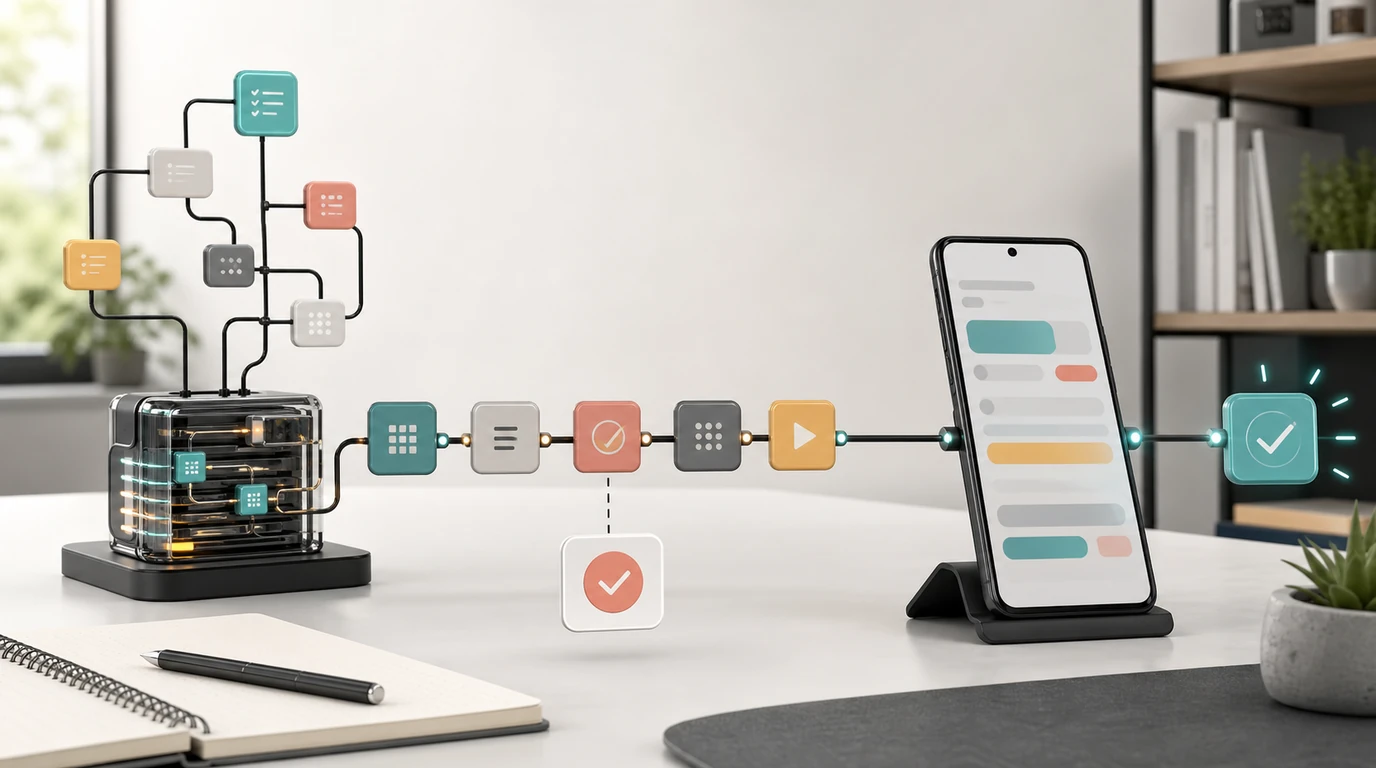
- Claude Opus 5 can supply understanding, reasoning, planning, tool selection, and verification for a phone-agent workflow, but the model itself does not receive Android permissions or perform system actions.
- Anthropic released Opus 5 on July 24, 2026 and positions it for complex agentic coding, enterprise work, long-running tasks, and careful verification.
- A user-configured Opus 5 model can drive FoneClaw's agent reasoning, while FoneClaw performs supported Android actions with visible results, permissions, confirmation, and fallback.
- Anthropic-reported computer-use and automation results are useful model signals, not proof that every Android app or phone task is supported.
- Opus 5 is most valuable when a phone workflow is ambiguous, long, exception-heavy, or important enough to justify additional reasoning time and model cost.
Can Claude Opus 5 Control an Android Phone?
Claude Opus 5 can drive the reasoning behind an Android phone agent, but model access and phone control are different capabilities. Opus 5 can interpret a request, resolve ambiguity, create a plan, select an available tool, and verify returned information. It does not gain Android permissions or system actions simply because it performs well on computer-use evaluations.
A complete Claude Opus 5 Android phone-agent workflow therefore needs an action environment. The model decides what should happen within the authority and tools it has been given. The phone agent performs supported Android actions, reads the resulting state, presents confirmation when needed, and returns evidence that the task succeeded or stopped.
FoneClaw provides that Android action path. A user-configured Opus 5 model supplies language understanding, reasoning, planning, and verification inside FoneClaw's agent workflow. FoneClaw supplies supported phone actions, visible state and results, permission-aware operation, user confirmation for consequential steps, and practical fallback when direct handling is required.
This is one agent workflow driven by the configured model. The configured Opus 5 model supplies reasoning inside the FoneClaw agent workflow, while FoneClaw supplies the supported Android execution path. Signing in to Claude or selecting Opus 5 in a chat interface provides model access, while supported Android execution depends on the phone-agent environment. For adjacent account and app access details, see Claude AI Login on Android: Google Sign-In, Mobile Access, and Phone Control Limits.
The short answer is: Opus 5 can be the reasoning engine for supported FoneClaw Android workflows. The exact action still depends on FoneClaw support, the current phone and app state, available permissions, required confirmation, and a usable recovery path.
What Changed with the Opus 5 Release
Anthropic announced Claude Opus 5 on July 24, 2026 and said it was available that day. The company describes it as a thoughtful, proactive model intended for everyday use, with improved performance at the same base cost as Opus 4.8.
Within Anthropic's consumer plans, Opus 5 became the default model for Claude Max and the company's strongest model on Claude Pro. Anthropic also made the model available through the Claude API under the claude-opus-5 identifier. Its current model documentation positions Opus 5 for complex agentic coding and enterprise work.
Effort controls are especially relevant to agent design. Anthropic says customers can adjust effort to trade intelligence against speed and token use. A phone-agent workflow can apply that idea by reserving greater effort for ambiguous, multi-stage, or consequential planning while using a lower setting for routine classification and straightforward steps.
Anthropic reports strong Opus 5 results on Frontier-Bench, CursorBench, AutomationBench, and OSWorld 2.0. These evaluations cover areas such as software engineering, business-task automation, and computer use. They are Anthropic-reported launch results based on particular tasks and harnesses, so they should guide evaluation rather than stand in for testing on a real Android workflow.
The more practical launch claim is that Opus 5 is stronger at checking its work and iterating until it succeeds. Anthropic's early-access examples focus mainly on coding and knowledge work, where the model plans across longer tasks, tests assumptions, and revises the result. A phone agent can benefit from the same reasoning habits when it must verify app state or recover from an unexpected response.
Opus 5 belongs in the model part of the stack. Readers comparing it with other reasoning options can use Top AI Agent Models 2026: Capability Guide for Real Agents; this article stays focused on connecting that model to Android actions.
Where Model Reasoning Ends and Android Action Begins
What does computer use mean for Android actions? Anthropic's computer-use documentation describes a tool pattern in which Claude can receive screenshots and request interface actions through a developer-provided environment. The documentation defines how the model and action tool communicate; it does not turn the model into an Android system service.
A useful phone-agent architecture separates six responsibilities:
| Responsibility | Opus 5 contribution | Phone-agent contribution |
|---|---|---|
| Understanding | Interpret the user's goal, constraints, and language | Supply relevant device and workflow context |
| Planning | Break the request into ordered steps and branches | Expose only supported Android actions |
| Tool selection | Choose an appropriate available action | Define the action schema and validate parameters |
| Permission | Reason about why access is needed | Use Android permissions actually granted by the user |
| Execution | Request a supported action | Perform it and report the resulting state |
| Verification | Compare the result with the intended outcome | Provide visible status, errors, and result evidence |
Android permissions belong to the action environment, not the model. Access to contacts, notifications, files, location, microphone, phone functions, or accessibility-related capabilities must come through the applicable Android and application controls. Opus 5 can decide that a task needs contact data, but it cannot create that permission.
App state also comes from the device. The model needs current evidence showing whether the correct account is active, a form loaded, a setting changed, or a result appeared. A strong plan based on stale state can still choose the wrong next step, which is why FoneClaw keeps supported execution and results visible.
Confirmation is a separate boundary. The model can prepare a message, checkout, account change, or deletion and explain the intended effect. The user remains the authority for consequential supported steps. AI Agent Phone Control: How Android Phone Agents Turn Intent Into Action explains this model-to-action boundary in more detail.
How Opus 5 Drives a FoneClaw Phone Workflow
What does an accurate FoneClaw plus Opus 5 workflow look like? It begins by configuring Opus 5 as the reasoning model inside FoneClaw. The user selects a supported Opus 5 configuration to drive FoneClaw's understanding and planning, and FoneClaw connects that reasoning to its supported Android action set.
1. Request: The user states the outcome in natural language. A request might ask FoneClaw to find a particular conversation, prepare a reply from supplied context, adjust a supported setting, or complete another supported multi-step Android workflow.
2. Interpretation: Opus 5 identifies the goal, target, constraints, missing details, and consequential decisions. If two contacts or accounts match, the model can ask for clarification instead of making an unsupported assumption.
3. Plan: The model maps the request to actions FoneClaw supports. It can identify preconditions, expected state changes, confirmation points, and fallback routes. Unsupported actions remain outside the executable plan.
4. Android action: FoneClaw performs the supported step using the current phone state and relevant permissions. It returns visible state so the model can determine whether the expected result occurred.
5. Confirmation: Before a consequential supported action, FoneClaw presents the target and effect for user approval. The confirmation applies to the actual current action, not merely to the user's earlier high-level request.
6. Verification and result: Opus 5 compares the returned state with the intended outcome. FoneClaw shows the available result, such as a prepared draft, changed state, opened destination, completion record, or an explanation of what remains.
7. Fallback: If an app changes, a permission is missing, or a step is outside the supported action path, FoneClaw stops at a meaningful checkpoint. The user can continue directly, provide additional information, or revise the request without losing the useful context.
This architecture is different from the mobile workspace interaction covered in Claude Cowork on Phone: Why Mobile Control Is the New AI Agent Interface. Here, Opus 5 is configured as the reasoning model inside FoneClaw's Android phone-agent workflow.
When Opus 5 Is Worth Using for Phone Tasks
When does a powerful model improve a phone workflow enough to justify its additional latency or cost? Opus 5 is most useful where the reasoning problem is harder than the tap sequence.
Long-horizon planning matters when the agent must maintain the goal across several applications or state changes. Examples include collecting information, comparing alternatives, preparing a structured response, and returning to the original app with the right details. The model must remember why each step exists rather than treating every screen independently.
Ambiguity handling helps when a request contains incomplete names, several matching accounts, flexible dates, or conditional preferences. Opus 5 can identify the missing decision and ask a focused question before FoneClaw performs an action. That is more useful than attempting a plausible but wrong target.
Verification becomes valuable when a task can appear complete without producing the required outcome. A button press is not the same as a submitted form, and an opened conversation is not proof that a message was sent. Opus 5 can compare the visible result with explicit completion criteria and request another supported check when needed.
Exception-heavy workflows benefit from careful branching. The model can reason about an expired session, unavailable option, duplicate record, changed total, missing permission, or partial result. FoneClaw then carries out the supported recovery step or provides direct fallback.
Simple tasks may not need maximum effort. Opening a known destination or applying a clear supported setting can favor faster, lower-effort reasoning. More effort is justified when misunderstanding would cause repeated actions, wasted time, or an incorrect consequential step. The model setting should match the decision complexity rather than the number of taps.
Teams may also route different tasks to different models according to cost, speed, and difficulty. Kimi K3 vs DeepSeek V4 vs GLM-5.2 for Phone Agents: Routing, Cost, and Android Actions provides the adjacent routing framework. Opus 5 becomes one configurable option within that broader decision.
How to Configure and Evaluate the Workflow
How should Opus 5 be evaluated before it drives a real Android workflow? Start with one bounded task and document the expected result. A useful test specifies the starting app state, required account, input values, permitted actions, confirmation point, and visible evidence of completion.
| Check | Question | What to verify |
|---|---|---|
| Model configuration | Is Opus 5 selected with an appropriate effort level? | Model identifier, access path, latency, and token use |
| Supported actions | Can FoneClaw perform every planned Android step? | Action availability and valid parameters |
| Permissions | Which Android capabilities does the workflow require? | Only the relevant permissions are enabled |
| Current state | Can the model distinguish the correct account and screen? | Visible labels, target identity, and preconditions |
| Confirmation | Which step has a consequential effect? | Target and effect are shown immediately before approval |
| Observability | Can the user follow the workflow? | Progress, current step, waiting state, and result |
| Retry behavior | Could a repeated action create a duplicate? | Retry rules and completion checks |
| Fallback | What happens outside supported scope? | Clear handoff with the current context preserved |
Run the task once with low-risk sample data, then vary a single condition. Change the account, reorder the list, deny a permission, delay the app response, or remove a required value. The goal is to test whether Opus 5 reasons from current evidence rather than reproducing the original path mechanically.
Measure more than success rate. Record clarification quality, unnecessary steps, confirmation accuracy, latency, token use, retry count, and whether the final evidence matches the requested outcome. A higher-effort model is worthwhile when it reduces wrong branches or improves recovery enough to offset the extra processing.
Finally, define a model fallback. Straightforward tasks may use a faster model, while difficult planning or verification can route to Opus 5. If model access changes, FoneClaw's supported action boundaries, permissions, user confirmation, and visible fallback remain the stable controls of the Android workflow.