
FoneClaw vs Siri: Which Phone Assistant Fits Your Workflow?
Compare FoneClaw vs Siri for iPhone and Android voice assistant workflows, including Siri AI, hands-free tasks, app actions, permissions, and verified phone results.
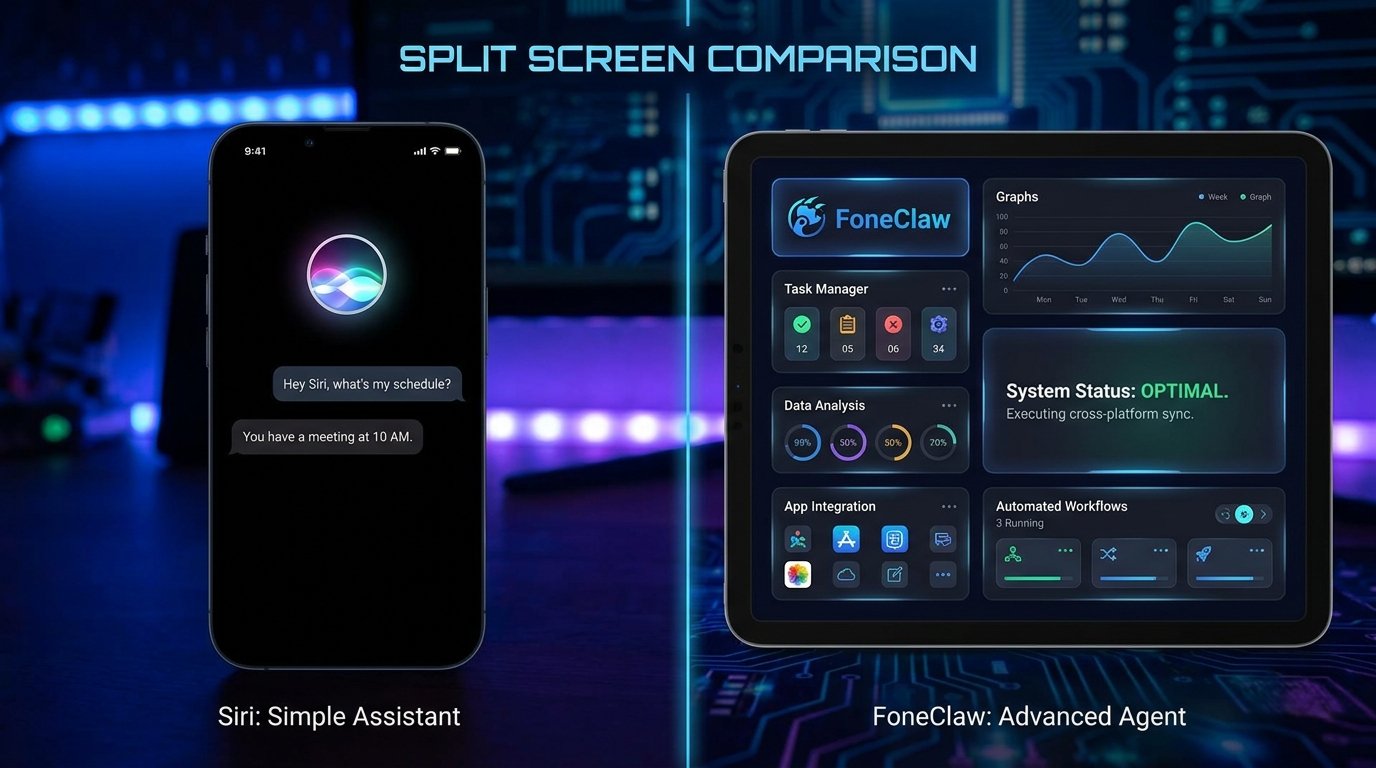
- Start with your phone: Siri provides native assistance and supported actions on Apple devices, while FoneClaw connects configured-model reasoning to supported Android tools.
- Existing Siri activation and everyday actions are available separately from the upcoming Siri AI experience, whose English beta is scheduled for September 14, 2026.
- FoneClaw supports voice-led Android workflows using current-screen context, selected messages, memos, communication tools, permissions, connected accounts, and configurable approval settings.
- Judge a multi-step task by the actual saved or changed result, and recover only the blocked step when an account, permission, target, or supported action is missing.
Choose by Phone and Task
The practical FoneClaw vs Siri decision begins with the phone in your hand. Siri is Apple’s native assistant for supported actions and information on iPhone and other Apple devices. FoneClaw is our Android phone agent, combining reasoning from a configured model with governed tools for supported Android tasks. Both can connect a request to phone actions when the platform, target app, account, and permissions provide a valid route.
For an iPhone owner, Siri is the natural starting point for calls, messages, timers, reminders, directions, and other Apple-supported experiences. New Siri AI capabilities are expanding that role with personal context, onscreen awareness, longer conversations, and app-provided actions. Those upcoming capabilities are distinct from the ordinary Siri features already available today.
For an Android owner, FoneClaw can use voice or text requests, selected phone information, current-screen context, and 100+ built-in tools to carry supported work forward. Relevant tasks include reviewing selected notifications or messages, preparing communication, saving memos, working with configured email, checking calendars, navigating, and adjusting supported system settings. Android permissions, connected accounts, enabled tools, and the configured approval policy determine what can proceed.
The best comparison starts with an outcome rather than an assistant name. Decide whether you need a summary, an unsent draft, a saved memo, a phone setting change, navigation, or another visible result. Then check which assistant has the supported action path on your device.
Separate Siri Today From Siri AI
Existing Siri already supports everyday Apple actions. Depending on the device and settings, users can activate Siri by voice or with the relevant button, then request supported tasks such as starting a call, sending a message, setting a timer, creating a reminder, or opening directions. Apple’s guide to turning on and activating Siri on iPhone explains the current activation choices.
Siri AI is a separate expansion under Apple Intelligence. Apple has described personal context, onscreen awareness, dedicated conversations, broader knowledge, and actions that participating apps make available. Its Siri AI announcement outlines that more contextual assistant experience. These capabilities add to Siri’s direction rather than redefining every existing Siri action as part of the new beta.
As of September 10, Apple has scheduled the free iOS 27 update and English Siri AI beta for September 14, 2026. The beta is therefore still upcoming, and access will depend on the eligible device, software, feature, language, account, and region. Apple plans French, Japanese, Korean, Portuguese, and Spanish Siri AI support in October. That five-language plan is separate from the broader Apple Intelligence language list.
The new hardware launch does not require every compatible existing owner to upgrade. Check the exact iPhone against Apple’s current eligibility information and verify the feature state on the device. Apple’s iPhone 18 Pro and iOS 27 announcement provides the scheduled release context, while Apple’s current Apple Intelligence overview covers feature and availability conditions.
For a focused rollout guide, iOS 27 Siri AI: Release Date, Eligibility, and App Actions helps readers check the scheduled beta, compatible hardware, language, region, and app support before relying on a new capability.
Connect Android Voice Input to Actions
FoneClaw uses voice as one way to start an Android task. The spoken request becomes input for the configured model, which interprets the goal and selects an available tool path. The tool then performs the supported phone-side step under the relevant Android permission, account, and approval settings. Keeping these layers separate makes it easier to understand what happened when a task succeeds or stops.
Voice input is different from an always-listening wake-word service. In FoneClaw, the user deliberately starts voice input or uses another available entry point. Text, a selected screenshot, current-screen context, and information from configured sources can continue the same task. This is useful when speaking the goal is faster but visual or account context is needed for accurate execution.
Suppose the user says, Review the selected message, save its checklist as a memo, and prepare a short reply for me to review. Voice captures the instruction. The configured model identifies the requested steps. FoneClaw then uses the selected message context and supported memo or communication tools, with each phone-side action governed by the applicable permissions and approval policy.
Visible task progress helps the user see whether FoneClaw is reading available context, waiting for a target, requesting permission, preparing content, or completing an approved tool step. When a message, account, or destination is ambiguous, the task can pause for the specific sender, time range, memo title, or reply recipient instead of acting on a guessed target.
Readers who want to configure voice-led Android routines can use the Android Voice Control Guide: Setup, Hands-Free Tasks, Permissions, and FoneClaw Workflows to choose an input method and prepare the permissions needed for supported actions.
Check Which App Actions Are Supported
An assistant’s language ability and its available actions are separate. Siri may understand a request while the operating system and participating app determine whether it can find, create, update, or send the requested item. Apple’s App Intents documentation explains how developers expose structured app content and actions to Apple system experiences.
An app can expose one operation without exposing every related operation. A task app might allow Siri to create and complete items, while another app offers only search or viewing. A messaging action may require a selected recipient and confirmation. Personal context can help identify relevant information, but the destination action still needs an available system or app route.
FoneClaw uses its enabled Android tools as the execution layer. Calendar, memo, SMS, configured email, navigation, device-status, current-screen, and supported system-control tools each have defined inputs and permission requirements. The user’s connected accounts and phone configuration decide which information and destinations are available for a particular request.
Approval is configurable rather than identical for every operation. FoneClaw provides a global approval mode together with per-tool controls, allowing the user to match review behavior to the task. A routine read can follow one policy while a communication or data-changing action follows a stricter setting. Selecting the actual message, memo, recipient, account, or calendar keeps execution attached to the intended target.
For a broader platform comparison beyond Siri alone, FoneClaw vs Apple Intelligence: Android Agent or Siri AI? explains the difference between Apple’s wider system intelligence layer and FoneClaw’s governed Android action route.
Turn a Selected Message Into Follow-Up
Consider a hypothetical message from a project organizer. It asks the recipient to bring an identity document, arrive 20 minutes early, and confirm attendance by the following afternoon. The user wants to save those instructions as a visible memo and prepare a polite acknowledgment without sending it yet.
On an iPhone, ordinary Siri or the upcoming Siri AI experience may help according to the information and actions available through Apple and the relevant apps. The user can begin with the selected message, verify the sender and instructions, then request a note, reminder, or draft through a supported route. Creating or sending anything remains a separate result from understanding the message.
On Android, a scoped FoneClaw request could be: Use the selected message from the project organizer. Extract only the preparation checklist, propose a memo titled Project visit checklist, and draft a reply confirming that I received the instructions. Save the memo according to my approval settings, but leave the reply unsent.
If the source is SMS, use an approved current message query tied to the relevant sender and time range, or work from the exact message already returned in the current result. If the source is configured email, select the correct account and current message. Reading a selected full email follows an approval-required policy by default and marks that email as read on its server. Actual prompting follows the current global and per-tool approval configuration, so understand the server-side read consequence before proceeding.
Review the extracted checklist before memo creation. The memo should contain only the requested preparation details, not unrelated conversation history. Creating the memo is a phone-side write governed by tool enablement and the configured approval policy. After creation, search or open the saved memo and confirm its title and contents. The visible saved record establishes that this step completed.
The reply follows a separate path. Check the recipient and draft text, then leave it unsent as requested. Sending an SMS or email is an external communication action and requires its own supported route and applicable approval. A drafted acknowledgment is complete when the text is visible for review; it is not evidence that a message was delivered.
If memo creation succeeds but the reply step cannot find the correct account, preserve the memo and recover only the blocked communication step. Select or configure the intended account, regenerate the draft if necessary, and compare it with the existing draft before attempting another action. If task completion is unclear, inspect the memo and draft first to avoid duplicate records or messages.
For workflows that begin with a busy notification stream, AI Notification Summary on Android: Prioritize Alerts and Follow Up explains how to narrow alerts before turning one selected item into a supported follow-up task.
Separate Data Flow, Permissions, and Approval
Three controls shape an assistant workflow: model data processing, operating-system permission, and action approval. They answer different questions. Model processing determines how submitted context is interpreted. A phone permission determines whether an app can access a resource such as messages, notifications, contacts, location, or a calendar. Approval policy determines how an available tool proceeds with a specific action.
Apple describes applicable Apple Intelligence requests as using on-device processing and Private Cloud Compute. Its privacy features overview explains that approach. Users should still consider the selected feature, app, information source, and permission when personal messages, files, photos, or account context are involved.
In FoneClaw, the configured model and provider determine the reasoning route. Selected text, screenshots, images, or account context may be processed by that provider, so review its configuration and data terms before supplying sensitive material. Minimize the submitted context to what the task needs: one selected message and a short checklist are preferable to an unrelated conversation history.
Android permissions govern the phone-side tools separately. SMS access supports selected message operations; notification access supports relevant notification workflows; calendar permission enables calendar actions; and location supports navigation. Configured mail uses the selected mail account and its connection settings. Local memo actions use FoneClaw’s enabled memo tools and configured approval policy.
The global approval mode and per-tool settings then govern execution. For a consequential step, review the actual target and payload under the chosen policy: recipient and message before sending, memo content before saving, destination before navigation, or the exact setting before changing phone state. This makes control specific to the action instead of treating voice input itself as permission to complete every downstream step.
Choose a Practical First Task
Use the following decision table to choose a first route based on your current device and desired result.
| Your situation | Starting point | First verification |
|---|---|---|
| You use an iPhone and need an existing Siri action | Activate Siri through the configured voice or button method. | Inspect the call, reminder, message, route, or other result in its destination. |
| You want an upcoming Siri AI capability | Check device, feature, language, account, and regional eligibility when the beta reaches its scheduled stage. | Confirm that the specific context or app action appears on your phone. |
| You use Android and need a supported phone workflow | Configure FoneClaw’s model, required tools, accounts, permissions, and approval policy. | Start with a reversible task and inspect the saved or changed phone state. |
| A required action is unavailable | Keep completed results and identify the missing app route, account, permission, or target. | Retry only the blocked step or complete it manually. |
A selected-message summary followed by one memo is a practical first FoneClaw task. It exercises voice or text input, configured-model reasoning, message context, an approved Android write, and saved-result verification. Add an unsent reply only after the correct recipient and source message are clear.
For iPhone owners, ordinary Siri actions remain the appropriate starting point today. The English Siri AI beta is scheduled for September 14, while French, Japanese, Korean, Portuguese, and Spanish support is planned for October. Existing compatible owners can evaluate their current hardware before considering an upgrade, and regional eligibility remains a separate check.
The final choice should match the platform and action path. Siri brings native Apple activation and supported Apple actions. Siri AI expands the planned contextual and conversational experience. FoneClaw gives Android users a voice-capable phone agent with configured reasoning, supported tools, visible progress, Android permissions, connected accounts, and configurable approval.
Our FoneClaw Features page shows current Android capability areas, and FoneClaw Download provides the supported installation options.