
Gemini Intelligence Supported Devices: Phones, App, Chrome, Wear OS, and FoneClaw
Check Gemini Intelligence supported devices, ordinary Gemini app eligibility, Chrome and Wear OS availability, and the FoneClaw Android agent setup route.
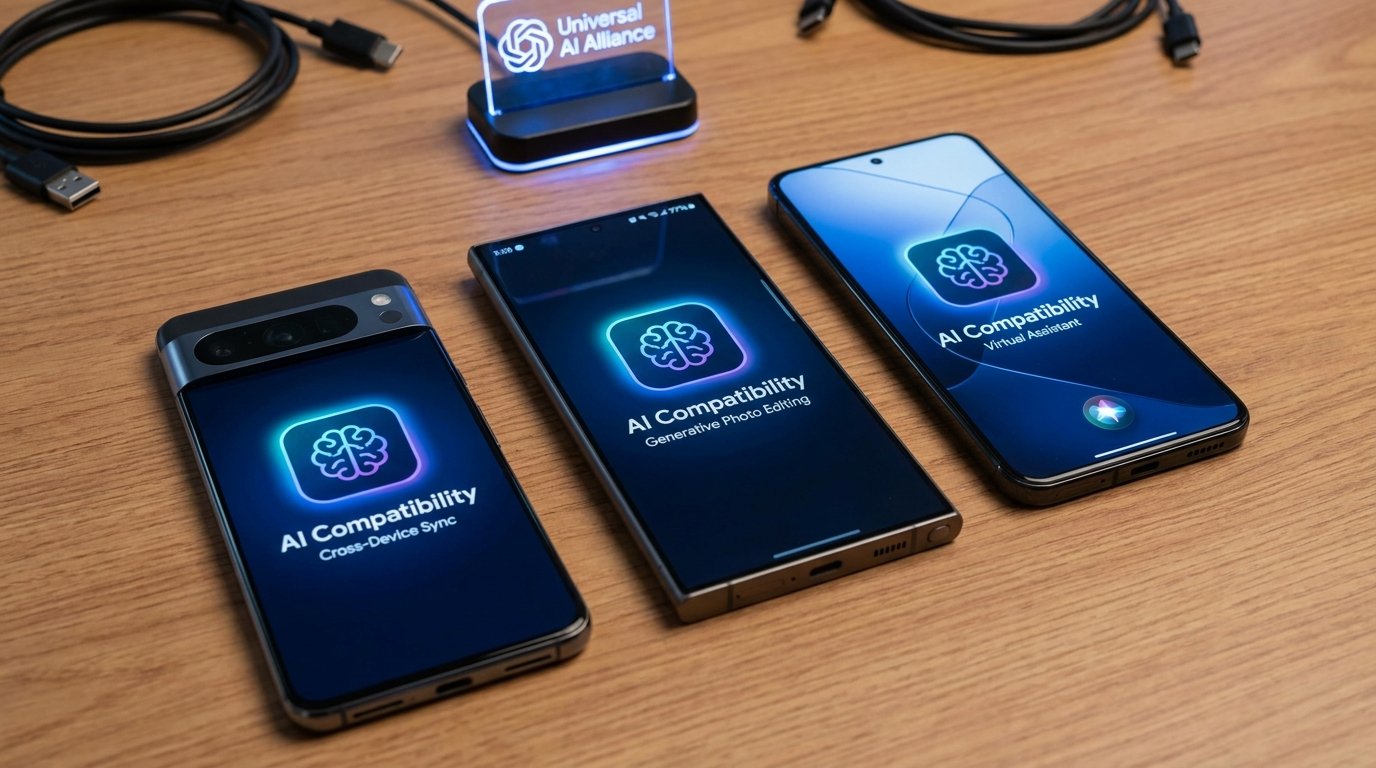
- Gemini Intelligence supported devices are a narrower phone group than the ordinary Gemini mobile app, so start by identifying the exact Gemini surface you want to use.
- Google currently lists the Pixel 11 family plus Galaxy Z Fold8, Galaxy Z Fold8 Ultra, and Galaxy Z Flip8 for Gemini Intelligence, with 12 GB or more RAM and qualified hardware requirements.
- The Gemini mobile app, Gemini screen automation, Gemini in Chrome, and Gemini on Wear OS each have separate account, language, region, device, and rollout checks.
- FoneClaw gives Android users a separate agent route with Android 9+, recommended 3 GB RAM or more, no root, a default model route, optional compatible API setup, and governed Android actions.
Gemini Compatibility in 60 Seconds
The fastest answer is this: Gemini Intelligence supported devices, the ordinary Gemini mobile app, Gemini screen automation, Gemini in Chrome, and Gemini on Wear OS are separate compatibility questions. A phone can run the Gemini app and still miss Gemini Intelligence. A phone can support Gemini Intelligence and still not match the separate beta screen automation list. A watch can receive Gemini support without matching the phone hardware list. Chrome can add a Gemini surface with its own browser, account, language, and rollout rules.
Start by naming the surface. If you want Gemini Intelligence on a phone, check Google’s current phone list and hardware requirements first. If you want the Gemini mobile app, check the app’s Android, account, language, and location availability. If the task starts in Chrome, use Chrome-specific availability. If the task starts on a watch, check Wear OS support and the rollout for that watch family.
This distinction matters because the Gemini name now appears across several products. Treating every Gemini feature as one device list creates bad troubleshooting. We use the same habit when building FoneClaw: first identify where the result must happen, then check whether the device, account, model route, permissions, and action path are actually available.
| What you want | Compatibility question | Best first check |
|---|---|---|
| Gemini Intelligence on a phone | Does this phone meet the current Gemini Intelligence hardware list? | Phone model, RAM, qualified SoC, country, language, and feature availability. |
| Ordinary Gemini app | Can this Android device use the Gemini mobile app? | Android 9+, 2 GB RAM or more, not Android Go, plus account, language, and country checks. |
| Gemini screen automation | Is this beta available for this separate device and account set? | Listed Pixel or Galaxy model, age, account, country, language, rollout, and app support. |
| Gemini in Chrome | Is the desktop browser feature available for this account and computer? | Chrome version, sign-in, computer type, language, region, age, managed-account settings, and rollout status. |
| Gemini on Wear OS | Does this selected watch support Gemini and have the rollout? | Watch model, Wear OS version, paired phone or LTE, account, country, language, and updates. |
| FoneClaw with a model | Can FoneClaw use a default or compatible model route for Android actions? | Android version, recommended RAM, optional model endpoint setup, permissions, and supported tools. |
Current Gemini Intelligence Phones and Hardware Requirements
For Gemini Intelligence, use Google’s phone list rather than the broader Gemini app requirement. Google’s current Gemini Intelligence supported phones page lists the Pixel 11 family and Samsung’s Galaxy Z Fold8, Galaxy Z Fold8 Ultra, and Galaxy Z Flip8. Google also states that Gemini Intelligence requires 12 GB or more RAM, a qualified SoC, and advanced on-device AI and media-processing capabilities.
That hardware line is the practical reason this feature should not be merged with ordinary Gemini app eligibility. Gemini Intelligence depends on a device class that can run advanced on-device work and media processing. A recent Android phone may be excellent for normal Gemini app use, web search, messaging, and assistant prompts while still sitting outside the current Gemini Intelligence phone group.
Use this matrix for the current high-level decision:
| Device family | Gemini Intelligence status | What to verify on the device |
|---|---|---|
| Pixel 11 family | Listed by Google for Gemini Intelligence. | RAM, country, language, software update, account state, and feature rollout. |
| Galaxy Z Fold8 | Listed by Google for Gemini Intelligence. | RAM, regional software, Samsung and Google account setup, and available AI features. |
| Galaxy Z Fold8 Ultra | Listed by Google for Gemini Intelligence. | RAM, language, country, device update, and feature visibility. |
| Galaxy Z Flip8 | Listed by Google for Gemini Intelligence. | RAM, regional availability, app updates, and account eligibility. |
| Other Android phones | Use the ordinary Gemini app and feature-specific checks. | Do not infer Gemini Intelligence eligibility from flagship branding alone. |
Compatibility still has a second layer after hardware. Google says availability can vary by country, language, and device type. That means a listed phone is the right starting point, while the actual feature test still belongs on the device with the current system update, Google account, app state, and language settings in place.
Gemini screen automation is a different beta feature with a different list. Google’s Gemini screen automation help lists Pixel 10, Pixel 10 Pro, Pixel 10 Pro XL, Galaxy S26 series, Z Flip8, and Z Fold8; users must be 18 or older, use a personal account, be in the United States or South Korea, use English or Korean, and receive the feature through gradual rollout for select apps. The listed Pixel 10 family is not supported in Korea. Users can view progress and stop tasks, but take control is unavailable on the Pixel 10 family and Galaxy S26 series. Do not merge this beta list with the Gemini Intelligence phone list.
Once your phone passes the device gate, Gemini on Android: Features, Live, and Phone Actions is the better next guide for the feature map. This page stays focused on whether the device and surface are eligible before you spend time on feature workflows.
Ordinary Gemini Android App Eligibility
The ordinary Gemini mobile app has broader availability than Gemini Intelligence, but it still has its own rules. Google’s Gemini mobile app availability help says eligible Android phones and tablets need Android 9 or later and 2 GB of RAM or more, and Android Go is excluded. Country, account, and language conditions remain separate.
A practical app check takes less than a minute. Open the Play Store or the Gemini app entry available for your region, confirm the Google account you plan to use, check the phone language and location settings, and update the Google app, Play services, and system software. If the app installs and opens, you have answered the mobile app question. If a specific action is missing, move to the feature’s own requirements instead of assuming the whole device is unsupported.
Feature-specific actions are another separate layer. Some Gemini actions depend on account settings, rollout, connected services, or device role. That does not make every Android app controllable and does not turn the Gemini app requirement into Gemini Intelligence eligibility. It simply means some actions have their own availability path.
Voice adds still another setup branch. If your main question is speaking to Gemini, invocation, transcription, and app-limit behavior, use Gemini Voice Control on Android: Actions, Fixes, Live Help, and Phone-Agent Limits after you confirm the device and app surface.
Chrome and Wear OS Availability
Chrome and Wear OS should be checked as their own Gemini surfaces. Google’s Gemini in Chrome computer availability help is for computers: Chromebook Plus, Mac, or Windows with the latest Chrome, signed in and not in Incognito, in a supported country and language, and meeting the minimum age requirement of 13 or the applicable age in the user's country. For managed work or school accounts, users 18 or older need administrator enablement.
The right Chrome test is specific. Update Chrome, confirm the Google account in the browser, check the language and region attached to the feature, then look for the Gemini entry point inside Chrome. If the feature is absent, the cause may be browser version, account state, rollout timing, region, language, age, managed-account policy, or computer class. Treat this as a desktop Chrome rule; it does not establish Android Chrome feature availability.
Wear OS follows a watch-first path. Google’s Gemini on Wear OS setup help describes Gemini for selected Wear OS 4+ watches with a Google Account and internet through a paired phone or LTE. Some features are unavailable over LTE, and users should check manufacturer, country, and language availability. TalkBack users need TalkBack 12.1 or later for compatibility.
A watch is also a different interaction surface. It is useful for short prompts, quick answers, reminders, and small handoffs. Longer reviews, message approval, account changes, or settings work often belong on the phone because the larger screen makes details easier to inspect. When watch behavior is missing, check the watch model, Wear OS version, paired phone or LTE state, account, country, language, accessibility software, and available updates before blaming the phone.
Verify Compatibility Before Troubleshooting or Buying
Before buying a phone or spending an afternoon troubleshooting, verify the exact device and exact feature. Gemini compatibility is now a set of surface checks, not one permanent badge attached to a brand name.
- Name the surface: Gemini Intelligence, Gemini mobile app, Gemini screen automation, Gemini in Chrome, Gemini on Wear OS, or FoneClaw with a compatible model route.
- Check the device family: For Gemini Intelligence, compare the phone against Google’s current listed families and hardware requirements.
- Check memory and hardware: Gemini Intelligence currently requires 12 GB or more RAM plus qualified hardware; the app, browser, and watch surfaces use their own requirements.
- Confirm account state: Personal account, age requirements, managed account rules, and sign-in status can change what appears.
- Check language and country: Google states availability can vary by country, language, and device type.
- Update the right software: System update, Google app, Gemini app, Chrome, Play services, watch app, and Wear OS can each affect visibility.
- Run a reversible test: Ask a question, open the app, check a supported screen automation route, invoke the watch surface, or try a browser feature without changing data.
Use the result to classify the problem. Unsupported hardware means the feature is outside the current device line. A missing account toggle may mean configuration or rollout. A failed action may mean app support, region, or permission. A watch feature may require watch-side software even when the phone is current.
Model announcements should be read separately from device eligibility. A stronger model does not automatically expand the Gemini Intelligence phone list, Chrome rollout, screen automation beta list, or Wear OS support for a specific device.
Choose a FoneClaw Android Agent Setup Route
At FoneClaw, we separate the model from the Android action runtime because that is what makes phone-agent behavior predictable. A model can reason, summarize, plan, and interpret a request. FoneClaw supplies the governed Android route: supported tools, permissions, visible progress, approvals, result checks, and recovery when a step cannot complete.
For many users, the starting route is simple: use FoneClaw with the default model route and test a supported Android action. That keeps setup short while you learn how the agent behaves on your phone. FoneClaw supports Android 9+, recommends 3 GB RAM or more, and does not require root. The RAM note is a recommendation, not a hard minimum. Those requirements belong to the FoneClaw Android agent route, not to Google’s Gemini Intelligence eligibility.
For users who want a compatible external model inside FoneClaw, use the configurable model route. Where the model provider supports the necessary API style, FoneClaw can be configured with an API Base URL, API Key, and model identifier. Eligible Google AI Pro and Ultra developer benefits can include Google Cloud credits after activation, as Google explains in its developer benefits announcement, but Gemini app access and a configured API credential or billing route are still separate setup questions. The model helps with reasoning and planning inside the FoneClaw agent, while FoneClaw continues to handle supported Android actions through its own permission-aware tools.
The first test should be modest. Ask the configured model a basic reasoning question, then try a reversible Android action such as opening an app, inspecting visible screen context, checking a device state, preparing a draft for review, or starting a workflow that shows progress. If a permission is needed, grant it in context. If the action changes something important, review the approval before completion. Approval behavior depends on global and per-tool policy, and configured online models may process supplied context.
FoneClaw Features keeps the current user-facing capability map, including governed Android actions and 100+ built-in tools. For the detailed configuration path, Connect an AI Model API to an Android Phone Agent in FoneClaw walks through the model setup and staged testing process.
If your decision is really Gemini versus FoneClaw for Android task control, Gemini vs FoneClaw: Android Tasks, Screen Actions, and Setup gives that side-by-side view. The compatibility question here is narrower: first decide which Gemini surface your device can use, then decide whether you need a FoneClaw Android agent workflow for supported phone execution.
Make the Final Device Decision
Make the final call by matching device, surface, and task. Choose Gemini Intelligence when your phone is on Google’s current supported list, meets the hardware requirements, and the feature is available for your country, language, account, and device type. Choose the ordinary Gemini mobile app when your goal is conversation, answers, and supported app experiences on a broader Android device set.
Choose Gemini screen automation only when your device, account, country, language, rollout, and selected app match the separate beta requirements. Choose Gemini in Chrome when the work starts in the desktop browser and the Chrome feature appears for your account. Choose Gemini on Wear OS when the task is short enough for a selected watch and your watch has the rollout. Choose FoneClaw when the job is governed Android execution: opening apps, using supported tools, reviewing permissions, tracking progress, and verifying phone-side results.
Before buying or switching setup, run one visible test for the exact outcome you care about. Ask a question, use a supported app action, check Chrome, invoke the watch, or complete a low-risk FoneClaw action. The best compatibility answer is the one proven on the same device, account, language, region, and workflow you plan to use.
Sources: Google’s Gemini Intelligence supported phones help, Gemini mobile app availability help, Gemini screen automation help, Gemini in Chrome computer availability help, Gemini on Wear OS setup help, Google’s developer benefits announcement for Google AI Pro and Ultra subscribers, and the FoneClaw Features page.