
AI Notification Summary on Android: Prioritize Alerts and Follow Up
Learn how to summarize Android notifications with AI, prioritize what matters, choose time-range briefings, review permissions, and use FoneClaw for visible follow-up.
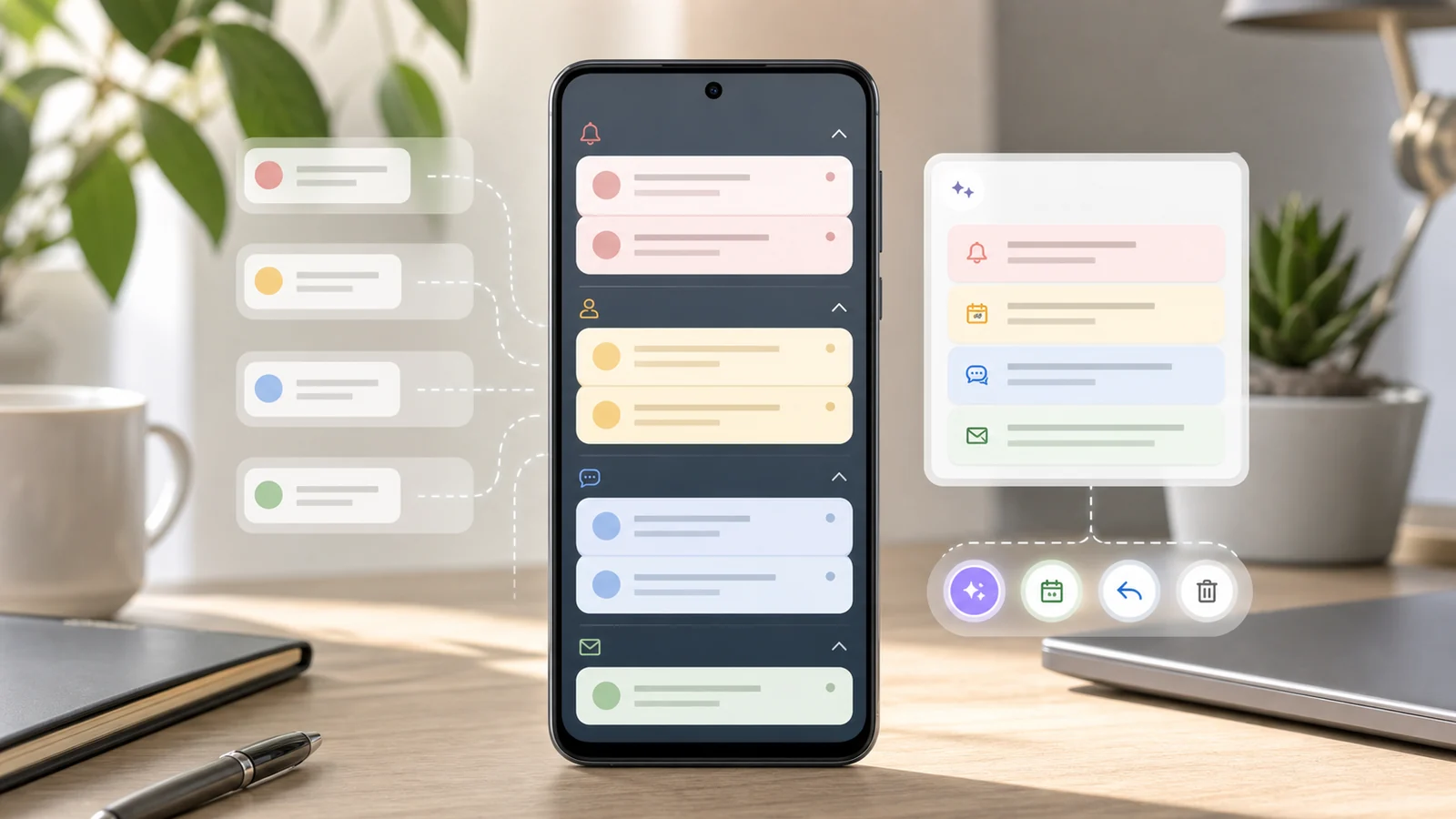
- An efficient AI notification summary answers four questions: what changed, what needs attention now, what can wait, and which visible action should happen next.
- Notification prioritization works best when it weighs sender, app, time window, consequence, repetition, and the user’s current context instead of relying on alert counts alone.
- FoneClaw can summarize bounded notification ranges and connect the result to supported Android follow-up actions such as opening an app, preparing a reply, saving a reminder, or creating a task.
- Notification access, model routing, and follow-up permissions should be reviewed separately so summaries reduce noise without turning every alert into automatic action.
Define an Efficient Android Notification Summary
An AI notification summary on Android should do more than count alerts. A raw list tells you that your phone was busy. A useful briefing tells you what changed, which source matters, what can wait, and what action is worth taking next.
We build FoneClaw around that practical difference. Notifications arrive from people, apps, services, and system events, but the user needs a decision path. A good summary preserves the source app, the time window, the priority signal, and the next step. If ten social alerts repeat the same event, they belong together. If one school message changes pickup time, it deserves to stay visible. If a download completed, the user may only need to know that it finished.
The four useful questions are simple: what changed since the chosen time, which items need attention now, which items can be reviewed later, and what follow-up is available. This keeps the summary short enough to act on. It also keeps the assistant honest, because the answer stays tied to a bounded range instead of pretending to understand the whole day from a vague pile of alerts.
A bounded request might be: summarize my notifications from 8 a.m. to noon and separate urgent messages, calendar changes, completed downloads, and low-priority app noise. That request gives the assistant enough structure to brief the user without reading every notification as if every alert carried the same weight.
Turn Notification Volume Into a Decision Model
The first lesson we learned from building notification workflows is that volume is a weak signal. Sixty repeated reactions can be less important than one missed call. Three delivery alerts may describe the same package. A banking alert may need careful review even if it arrived alone. Efficient AI notification management starts by turning volume into decisions.
The reusable model has four lanes: now, later, archive, and action needed. The now lane is for messages or changes that affect the next few minutes or hours: a meeting move, family logistics, travel changes, customer escalation, school updates, or an on-call issue. The later lane is for useful but non-urgent items: shopping status, package movement, routine work updates, newsletters from trusted sources, and reminders that fit a planned review time.
The archive lane keeps low-value repetition out of the way. Promotions, duplicate social activity, passive app nudges, and completed background tasks can be grouped and summarized briefly. The action-needed lane is different from urgency. An alert can wait and still need a step, such as saving a reminder, replying after lunch, checking an account manually, or opening a specific app to verify details.
Priority depends on sender, app, time, consequence, and context. The same chat app can contain a manager request, a family message, and a casual group thread. The same shopping app can show a harmless promotion or a delivery failure. The same alert can be urgent during a commute and irrelevant during a meeting. For a deeper look at how approved user and task context shape phone decisions, our guide to Personal Context AI Agent for Phone Actions: Context, Memory, Control explains the broader context stack behind this kind of prioritization.
We avoid a single universal priority score because real users do not live by one score. A parent, freelancer, nurse, driver, student, and small business owner will all rank the same notification stream differently. The right model gives the user clear lanes and lets the routine improve as the user’s preferences become clearer.
Build Useful Time-Range Notification Briefings
Time range is the simplest way to make a notification briefing useful. Asking for everything on the phone invites noise. Asking for what happened since breakfast, during a meeting, during a commute, after school pickup, or from midnight to the start of work creates a clear boundary.
A morning briefing should emphasize schedule changes, missed calls, urgent people, weather or commute changes if those alerts are present, and messages that need a same-day response. A shift briefing should focus on work messages, calendar moves, task changes, and any family or logistics alert the user marked as important. A commute briefing should be shorter: urgent messages, route-related changes, and reminders that can wait until arrival.
For school and family routines, the summary should keep exceptions visible. A normal school newsletter can sit in later. A pickup change, payment deadline, health note, or teacher message belongs in now or action needed. Shopping and delivery briefings work the same way: group routine shipping updates, lift delivery failure or pickup-window changes, and keep payment or account issues separate for manual review.
Work briefings should avoid turning every app into a loud channel. A useful notification briefing might group messages by client, teammate, project, or deadline. It can say that two clients need replies, one calendar event moved, four low-priority app alerts were batched, and one invoice reminder should be checked later. That gives the user a plan before opening any app.
Repeated alerts need compression, but exceptions need preservation. If an app fires twenty notifications for one thread, the summary should say so once and highlight the newest meaningful change. If one alert from that same app contains a deadline, recipient, location, payment, safety, or account consequence, it should remain visible as its own item. This is where AI notification summary on Android becomes practical: it reduces repetition while keeping the next decision clear.
Move From Summaries to Visible Follow-Up
A summary is only the first half of the workflow. The next step is follow-up: open the relevant app, prepare a reply, save a reminder, create a memo, place a call through the dialer, or leave the item for later review. At FoneClaw, we keep that transition visible because summarizing a notification does not authorize every possible action behind it.
Low-risk follow-up can be direct and simple. If a calendar alert moved a meeting, the user may ask FoneClaw to open the calendar or prepare a reminder. If a package update arrived, the user may open the delivery app. If a completed download matters, the user may open the relevant file or app path. These steps help the user continue without manually hunting through notification shade history.
Communication needs a stronger review point. A reply to a coworker, teacher, client, friend, or family member should be drafted visibly before it is sent. The user should see the recipient, the app route, and the actual wording. The same principle applies to deleting messages, changing account settings, dismissing high-value alerts, or touching money, health, school, work, or travel information. The assistant can prepare the next step; the user controls the consequential result.
Visible follow-up also improves recovery. If the current app state changes, if a notification disappeared, or if Android requires a permission, the user should see where the workflow paused. FoneClaw is designed around supported Android actions with visible state, permission recovery, interruption, retry, and practical fallback. The broader execution model is covered in AI Agent Phone Control: How Android Phone Agents Turn Intent Into Action, which explains how intent, supported tools, permissions, and confirmation fit together on a phone.
The product direction we keep building toward is straightforward: a notification should become a reviewable decision, not another buried interruption. When the assistant cannot complete a supported step, the better result is a clear handoff rather than a hidden attempt.
Set Up Notification Access and Privacy Controls
Notification summaries require access to notification content. On Android, that access is granted by the user through system settings. Treat it as a specific permission for a specific job: reading and summarizing alerts so the user can decide what to do next. It is not blanket approval to send replies, delete messages, change account settings, or act inside every app.
Start by reviewing which apps create the most useful and most sensitive notifications. Messaging, email, calendar, school, banking, work, delivery, health, and travel apps can all expose private details. A practical setup asks: which apps should appear in briefings, which apps should stay manual, and which apps should be muted or batched in Android’s own notification settings?
Model routing matters too. FoneClaw lets users work with supported model choices, and configured online services can require network transfer. That means the user should choose a model route that matches the sensitivity of the notification stream. For low-risk social and shopping summaries, the tradeoff may be acceptable. For sensitive work, account, school, health, or financial notifications, users should think carefully about what they include in the request and which model route they use.
Permission review should be separate from follow-up approval. Notification access lets the assistant read the alert stream for summarization. Microphone access supports voice interaction. Contacts, phone, SMS, calendar, location, or accessibility-related permissions serve different follow-up jobs. Keeping these separate makes the workflow easier to trust: the user grants only the access needed for the current task.
FoneClaw guides permissions on demand and keeps approval behavior configurable for supported actions. Readers who want to inspect the current supported capability surface can review the FoneClaw Features page. For users who prefer hands-free interaction, Android Voice Control Guide: Setup, Hands-Free Tasks, Permissions, and FoneClaw Workflows covers the voice setup layer without changing the notification-permission decision.
Use a Repeatable FoneClaw Notification Workflow
The safest way to start is small. Choose one low-risk time window and one clear question. For example: summarize my notifications from the last two hours and group them into now, later, archive, and action needed. Avoid starting with every app, every day, or sensitive accounts. A narrow first run shows whether the grouping matches how you think.
After the summary appears, inspect the lanes. Did urgent people land in now? Did repeated social or promotional alerts compress into archive? Did calendar or delivery changes keep their source app and next action? Did the summary preserve enough detail to make a decision without opening five apps? If the answer is mixed, adjust the request instead of assuming the assistant should guess your routine.
Then choose one visible follow-up. Open the source app for a single item, prepare a short reply for review, save a reminder for later, or create a memo that captures the action needed. Keep the first follow-up reversible. A good test is one where nothing important is sent, purchased, deleted, or changed without review.
A repeatable FoneClaw workflow can look like this:
- Pick a bounded range, such as since lunch, during my meeting, overnight, or the last hour.
- Ask for a decision summary, not a full transcript of every alert.
- Require source app, sender or category, priority lane, and next action for important items.
- Group repeated low-value alerts and preserve exceptions that affect time, money, people, location, or account access.
- Choose one supported follow-up and keep it visible until the result is clear.
- Review Android notification settings after the test so noisy apps move into the right lane next time.
FoneClaw supports notification summaries and governed Android follow-up through its phone-agent runtime and 100+ built-in tools. In practice, that means the assistant can help with supported app opening, reminders, calendar actions, phone-side context, messages prepared for review, and other visible workflows when permissions and app state allow. We do not design notification management as silent background control. We design it as a clearer path from interruption to decision.
End the first week with a simple audit. Which alerts did the summary lift correctly? Which apps stayed too noisy? Which people or categories need a higher lane? Which follow-up actions saved time? That routine is how notification prioritization becomes personal without becoming opaque. The user keeps the judgment; FoneClaw helps make the phone’s alert stream small enough to act on.