
Hermes Agent vs OpenClaw vs FoneClaw: Which Route Fits?
A practical decision guide to Hermes Agent, OpenClaw, and FoneClaw by setup burden, control model, risk, and supported Android phone actions.
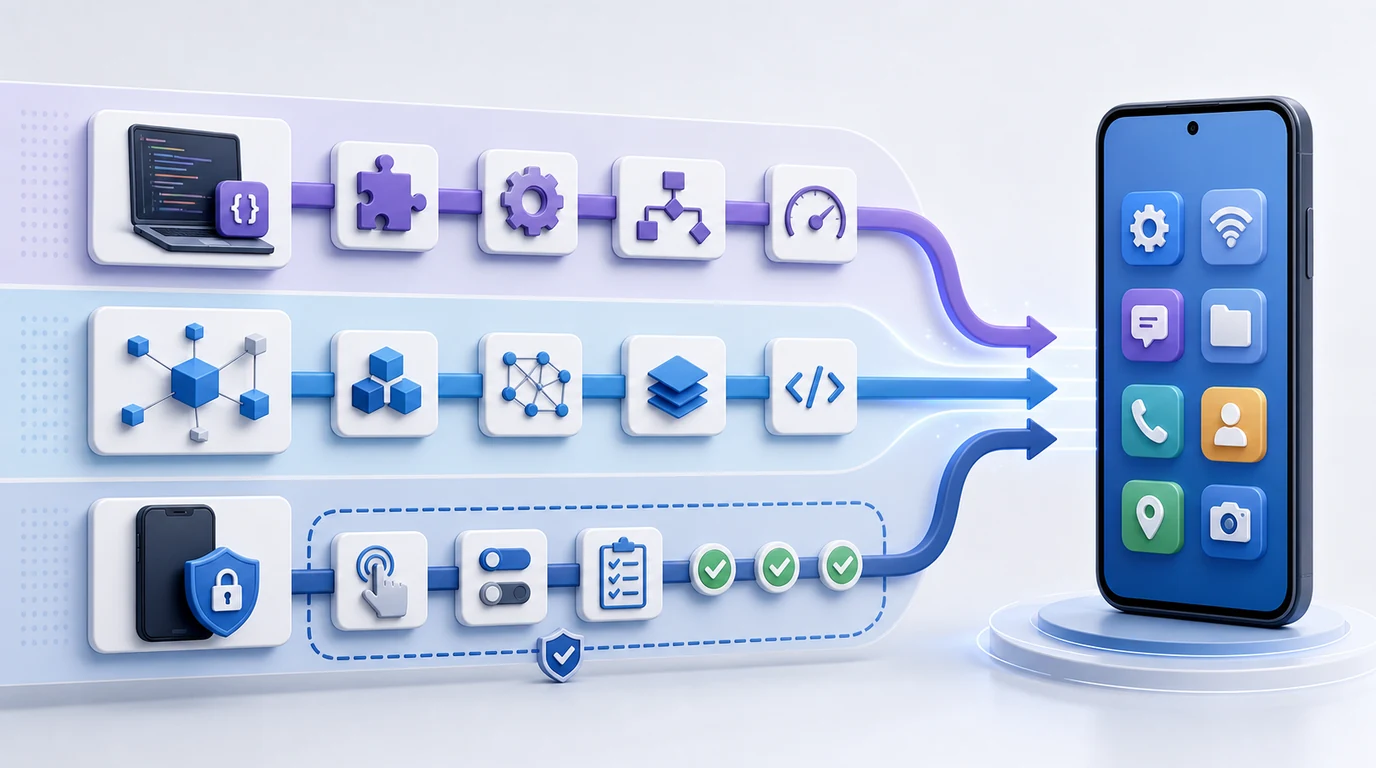
- Hermes Agent, OpenClaw, and FoneClaw represent three different agent routes rather than three versions of the same product.
- Hermes Agent fits users who are comfortable with developer-oriented automation workflows, while OpenClaw fits open-framework exploration and research-minded builders.
- At FoneClaw, our route is different: we focus on supported Android phone actions with visible results, permission-aware behavior, confirmation, and fallback.
- The right choice depends on setup burden, maintenance tolerance, control needs, and whether the user wants a framework or a practical phone-action assistant.
Quick Decision: Three Different Agent Routes
If you are comparing Hermes Agent vs OpenClaw vs FoneClaw, the fastest useful answer is route fit. Hermes Agent belongs in the developer and automation-workflow route. OpenClaw belongs in the open framework and research route. At FoneClaw, we take the Android supported phone-action route for users who want visible, permission-aware actions without maintaining a custom agent framework.
That distinction matters because these tools answer different problems. A builder may want control over workflows, tools, and deployment. A researcher may want an open environment to experiment with autonomous agent behavior. An Android user may simply want help with supported phone actions such as preparing a message, opening a relevant app flow, handling a reminder, or moving from visible context to the next step.
There is no affiliation implied among Hermes Agent, OpenClaw, and FoneClaw. We also do not claim that FoneClaw controls every Android device, every app, every permission, or every action. Our value is narrower and more practical: supported Android phone actions, visible execution, user confirmation where needed, and fallback when a task is outside scope.
The clean decision is this: choose Hermes Agent if you want developer automation and accept setup work. Choose OpenClaw if you want open-framework exploration and can manage governance. Choose FoneClaw if your priority is ordinary Android phone actions with clear boundaries.
Developer Agent, Open Framework, or Android Action Assistant
The developer-agent route starts from automation control. A user in that path is usually comfortable configuring workflows, connecting tools, managing credentials, and maintaining a system that may evolve with their own stack. The benefit is flexibility. The cost is that the user becomes responsible for setup, maintenance, failures, and safe operation.
The open-framework route starts from experimentation. OpenClaw is best treated at a high level as an open agent framework for builders, researchers, and technical users who want to explore autonomous agent behavior. This can be useful when the goal is testing ideas, studying agent patterns, or building something custom. It is less suited to a nontechnical Android user who just wants a safe phone task completed.
The FoneClaw route starts from the phone user's action. We do not ask users to configure a research framework before they can benefit from phone-agent help. We focus on supported actions on Android, not on broad framework ownership. If the user needs a basic phone-agent grounding, phone agent basics is the short background path; the choice here is specifically between developer control, open-framework flexibility, and supported phone actions.
Setup burden, permissions, and user control are the real separators. A framework gives more ownership, but also more operational responsibility. A supported-action assistant gives less framework control, but more immediate usefulness for everyday phone workflows.
Where Hermes Agent Fits
Hermes Agent fits best when the user is already thinking like a builder. If the goal is automation across workflows, custom setups, tool connections, or developer-owned task orchestration, a developer-oriented agent route can be appropriate. The user expects configuration, testing, iteration, and maintenance. That is a different job from asking a phone assistant to complete a supported Android action.
The main advantage of the Hermes route is control over the workflow shape. A technical user may want to decide what the agent can access, how tasks are queued, which external services are connected, and how results are reviewed. That can be valuable for teams with engineering capacity or founders testing a new agent pattern.
The tradeoff is operational burden. Developer automation does not remove the need to manage credentials, errors, tool reliability, data exposure, and human review. A custom workflow can be powerful, but when something fails, the builder has to diagnose the failure. For a casual Android user, that is usually more responsibility than the task deserves.
Hermes Agent therefore fits users who want to build or operate an automation workflow, not users who only want a phone action to happen safely. If the problem is app handoff, reminders, message preparation, or visible Android steps, a developer route may be too heavy.
Where OpenClaw Fits
OpenClaw fits a different technical profile. It is useful to discuss as an open framework and research route rather than as a direct ordinary-user phone assistant. The appeal is flexibility: builders can explore agent behavior, tool use, autonomy, memory, and task management in a more open environment. That makes sense for experimentation and learning.
The same flexibility raises the responsibility level. Open frameworks require users to think carefully about permissions, tools, credentials, files, logs, and safety limits. A framework does not become safer simply because it is open. It becomes safer when the person deploying it understands the system and sets boundaries correctly.
This guide does not duplicate a security deep dive. For that narrower discussion, OpenClaw security boundaries is the better place to examine risk in detail. Here, the decision point is simpler: OpenClaw is a good fit when the user wants to experiment with open agent infrastructure and has the skill to maintain it.
For an ordinary Android user, OpenClaw may be more tool than needed. If the user wants supported phone actions and does not want to own a framework, the open route can create unnecessary setup burden. The right question is whether the user wants to build the system or use a bounded assistant.
Where FoneClaw Fits for Android Phone Actions
At FoneClaw, we fit the practical Android phone-action route. We are not Hermes Agent, and we are not OpenClaw. FoneClaw focuses on supported Android phone actions with visible results, permission-aware flows, user confirmation, and practical fallback. We build for users who want supported phone actions to be easier without taking on developer setup or framework maintenance.
Our product stance is specific. We focus on supported Android actions with visible execution boundaries. That can include preparing a message draft, opening a relevant app flow, helping with a reminder, using visible context, guiding a settings handoff, or moving from notification to next step when the action is supported. We design for user awareness: what is being prepared, what needs confirmation, and where the assistant should stop.
FoneClaw focuses on supported Android phone actions with visible results, permission-aware flows, user confirmation, and practical fallback. Android phones differ by app, OEM behavior, OS version, granted permissions, and user settings. A useful phone assistant must respect those differences. The Android phone action layer explains the adjacent execution boundary; our point here is the route choice. FoneClaw is for the user who wants practical phone actions, not a custom automation stack.
That makes our route cleaner for everyday users. If the task is supported, we help move it forward. If the task is sensitive, we keep confirmation visible. If the action is unsupported, we clarify, hand off, or stop. The product value is not unlimited autonomy. It is reducing phone friction while keeping control understandable.
Decision Table: Setup, Control, Risk, and Phone Actions
The easiest way to choose is to map the route to the user's tolerance for setup and risk. A developer may accept configuration burden to gain control. A researcher may accept maintenance burden to gain openness. A phone user may prefer fewer moving parts and clearer action boundaries.
| Decision factor | Hermes Agent route | OpenClaw route | FoneClaw route |
|---|---|---|---|
| Best-fit user | Developer or builder who wants automation workflow control. | Researcher, technical founder, or framework explorer. | Android user who wants supported phone actions with visible control. |
| Setup burden | Higher, because workflows and tools need configuration. | Higher, because open frameworks require setup and governance. | Lower for supported actions, because we focus on phone-action use rather than framework maintenance. |
| Control model | User controls workflow architecture. | User explores or shapes framework behavior. | We define supported Android action boundaries and keep user confirmation visible. |
| Risk area | Credential handling, workflow errors, tool reliability. | Open-ended permissions, files, tools, and security design. | Device/app support limits, permission prompts, and sensitive action confirmation. |
| Phone-action fit | Only if the user builds the right phone workflow. | Only if the framework is adapted safely for phone tasks. | Direct fit when the task is a supported Android phone action. |
Use the table as a routing tool, not a ranking. Hermes Agent is not wrong because it is technical. OpenClaw is not wrong because it needs governance. FoneClaw is not a universal controller because it is easier for phone users. Each path is useful when matched to the right user and task.
Boundaries That Keep the Choice Realistic
A responsible agent comparison has to say what it does not claim. FoneClaw focuses on supported Android phone actions with visible results, permission-aware flows, user confirmation, and practical fallback. FoneClaw focuses on supported Android phone actions with visible results, permission-aware flows, user confirmation, and practical fallback. We do not turn this into an OEM or Xiaomi discussion.
We also do not claim FoneClaw controls every Android device, every app, every permission, or every action. Our route is supported Android phone actions. That means the phone, app, OS version, permission state, and user approval all matter. If a task touches private messages, account changes, payments, deletion, or sensitive settings, confirmation and user control matter more than speed.
The practical conclusion is straightforward. Pick Hermes Agent when you want to build and maintain developer automation. Pick OpenClaw when you want open-framework exploration and can manage the safety surface. Pick FoneClaw when you want the Android phone-action route: visible execution, permission-aware behavior, supported actions, and fallback. That is the route we build for, and the boundary we are comfortable owning.