
MiClaw vs FoneClaw: Which Phone-Agent Route Fits Your Android?
Compare Xiaomi's eligible Super XiaoAI Expert Mode route with FoneClaw's independent Android app. Check MiClaw's closed-test status, device access, and supported tasks.
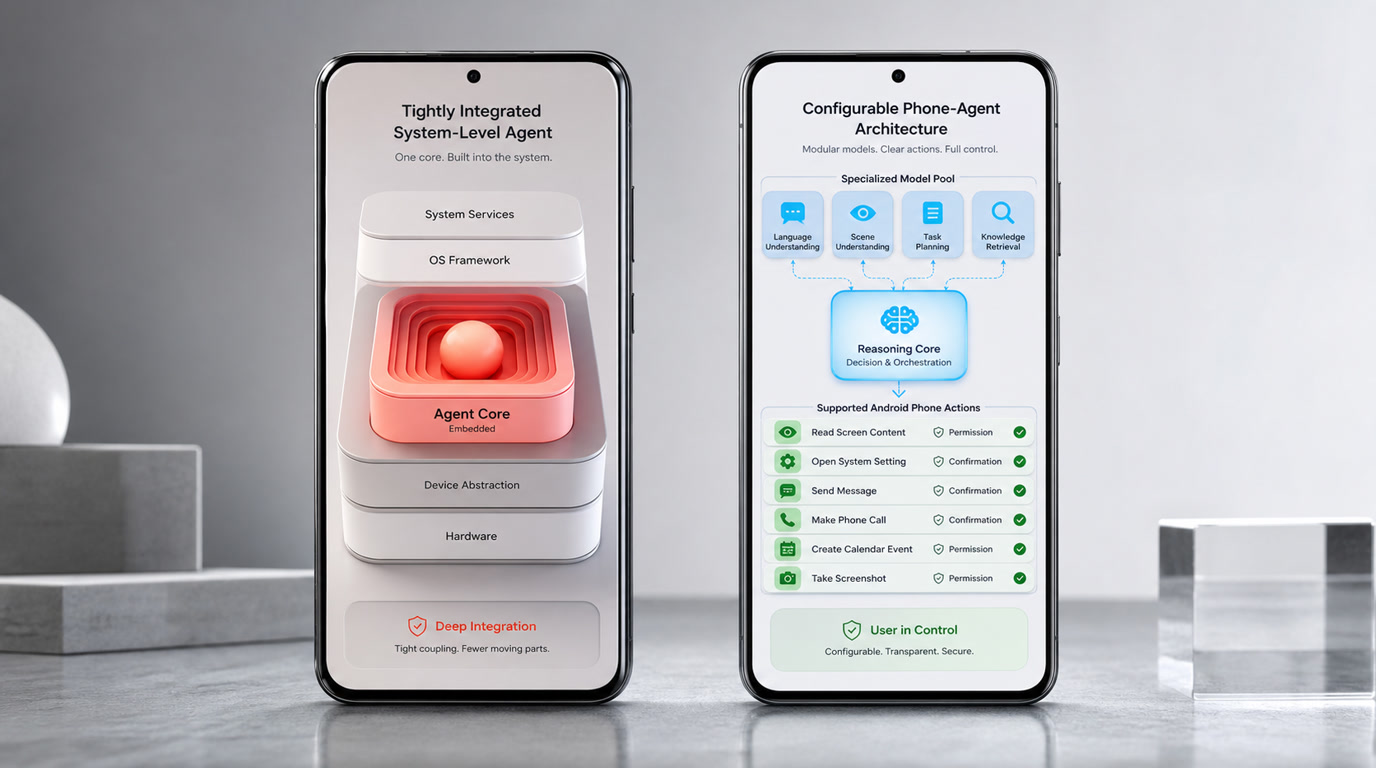
- On an eligible Xiaomi device in mainland China, check whether Super XiaoAI Expert Mode is available before choosing the native HyperOS route.
- On another Android phone, FoneClaw offers an independent route for supported tasks; it is not a Xiaomi system integration.
- Xiaomi's official notice set September 21, 2026 as the MiClaw test and service end date. That announced date has passed; check for an eligible Expert Mode entry on your device.
- Compare the same low-risk task by its input, permission request, confirmation, result, and recovery behavior rather than assuming the products support identical actions.
Choose by the Phone You Have
The MiClaw vs FoneClaw choice starts with your device, not a feature list. MiClaw was Xiaomi's closed-test system agent. For a current Xiaomi option, check Super XiaoAI Expert Mode on a supported HyperOS 4 device in mainland China. FoneClaw is a separate Android app for supported phone tasks; it does not install Xiaomi's assistant or connect to a Xiaomi-only agent API.
| Your situation | Route to check | First step |
|---|---|---|
| Eligible Xiaomi phone in mainland China | Super XiaoAI Expert Mode | Check the model, software, account, and whether Expert Mode appears in the assistant. |
| Other supported Android phone | FoneClaw | Check device requirements and the supported task on your phone. |
| Unsure whether your Xiaomi qualifies | Verify eligibility before choosing | Check Xiaomi's official availability information and the assistant on the device; evaluate FoneClaw separately if needed. |
The routes serve different needs. Xiaomi's advantage is its native assistant and system integration when the phone qualifies. With FoneClaw, we provide a model-guided route through supported Android tools, permissions, visible progress, and applicable approvals. Neither a Xiaomi brand name nor a working Android app guarantees that a particular task is available on your device.
What Changed After the MiClaw Test
Xiaomi described MiClaw as a MiMo-based system-level agent in its HyperOS agent ecosystem announcement. Its limited closed test began in March 2026. MiMo is the model foundation; MiClaw was the closed-test agent product. Super XiaoAI is Xiaomi's assistant, and Expert Mode is a feature within that assistant. These names should not be treated as one downloadable app.
A reproduction of Xiaomi's official closed-test notice set September 21, 2026 as the end date for the independent MiClaw test and service. That announced date has passed. The notice also says existing testers were invited to the HyperOS 4 beta without reapplying and that MiClaw does not run on HyperOS 4. For current access, check whether Expert Mode appears on an eligible device.

The notice's beta-benefit registration deadline has passed as well. It is not a current signup offer. For the fuller timeline and the distinction among Xiaomi's products, Xiaomi MiClaw Explained: Closed Beta, HyperOS 4, and Super XiaoAI Expert Mode covers the transition in detail.
Check Xiaomi Eligibility
Xiaomi's official HyperOS information describes a mainland-China route for compatible Xiaomi and REDMI phones and tablets running HyperOS 4 or later. Super XiaoAI 2.0 requires app version 8.1 or later, while Expert Mode is limited to selected models and the conditions shown in the assistant. Software version alone is not proof that the feature has reached your device.
Check the exact model, region, HyperOS version, Super XiaoAI version, signed-in Xiaomi account, and visible Expert Mode entry. Then check whether the particular action you want is supported. Gallery, trip-planning, smart-home, and cross-device functions also depend on their respective apps, devices, and permissions. Cross-device use requires compatible software and the same Xiaomi account; for the initial connection, the devices must be nearby and on the same network.
If the entry is missing, do not infer access from another Xiaomi owner's screenshot or from the old MiClaw test. Xiaomi says Expert Mode works within granted permissions and asks for confirmation before modification, deletion, or external sending. When the feature is available, inspect those prompts on your own phone.
Where APK and GitHub Searches Lead
A search for a MiClaw APK or GitHub repository is not an installation check. The Xiaomi sources here describe a controlled closed test, a HyperOS assistant route, and a developer platform for invited, screened participants. They do not provide a verified public standalone MiClaw APK or official source-code repository to recommend.
Use Xiaomi-controlled product and developer pages to verify any download or repository claim before trusting it. Developer access to Agent, Skill, or MCP tools is also separate from consumer Expert Mode eligibility. For device and installation checks, see How to Install Xiaomi MiClaw Safely: Current Access, Beta Transition, and HyperOS 4.
Compare the Two Execution Routes
On an eligible Xiaomi phone, Super XiaoAI Expert Mode is an OEM assistant route. Xiaomi describes system and application access within permissions, with confirmation before changes, deletion, or external sending. Its native position may matter for a task tied to supported HyperOS features, but the result still depends on the model, app, and device conditions.
FoneClaw takes an independent Android route. Our configured model plans a request, while FoneClaw supplies supported phone tools for work such as current-screen context, memo and calendar tasks, and communication preparation. You can begin with the free default model or configure a compatible model route. The phone's permissions, the target app's state, and any required approval determine whether a proposed action can proceed.
| Check | Super XiaoAI Expert Mode | FoneClaw |
|---|---|---|
| Access | Selected Xiaomi devices and software under mainland-China availability conditions. | Supported Android devices and FoneClaw task paths, subject to permissions and app state. |
| Execution | Xiaomi assistant access to supported system and app functions. | Governed Android tools for supported actions. |
| Confirmation | Xiaomi specifies confirmation before modification, deletion, or external sending. | Applicable approvals and visible progress for supported phone actions. |
| Result | Inspect the target Xiaomi feature or app. | Inspect the target app or device state after the tool runs. |
Both routes can involve confirmation; that is not an exclusive FoneClaw feature. The meaningful difference is which device and action path you can actually use. FoneClaw's supported capabilities are described on our Features page, without implying control of every Android app.
Try the Same Low-Risk Task
If both routes are available to you, compare a small task that each product actually supports. Use nonsensitive information, avoid sending anything during the first run, and inspect the target app rather than relying on the assistant's final sentence.
| Task to try | Input and permission | Preview and result | If it stops |
|---|---|---|---|
| Create a calendar item from an event poster | Provide the image through a supported route and check what image or screen access is requested. | Verify the event name, date, time, and calendar before approval; then check the saved event. | Check whether image access, calendar permission, or a missing detail blocked the action. |
| Prepare a message | Name a contact and provide harmless draft text. | Check the recipient and wording, and keep drafting separate from sending. Do not approve the send step in this trial. | Check whether contact access or the communication route is unavailable. |
| Deny permission or interrupt | Block a required permission or stop a task before completion. | Inspect the target app for any partial change, identify what remains pending, and check that the agent reports the interruption accurately. | Look for a clear recovery step rather than a claim that unfinished work succeeded. |
A poster-to-calendar request is only comparable when each route supports the required image and calendar actions on that phone. Otherwise, select another shared low-risk task. Xiaomi's confirmation prompt and FoneClaw's approval point should each be assessed in their own workflow. In FoneClaw, visible progress, stopping, retry, and permission recovery help you see where a supported task ended; the final check is still the actual phone state.
Choose Your Next Step
If your Xiaomi device meets the mainland-China, software, account, and model conditions, open the assistant and check Expert Mode for the task you need. The official HyperOS information is the starting point for availability; an old MiClaw beta notice is not a substitute for current access on your phone.
If you use another supported Android device, or prefer an independent route for supported actions, review the FoneClaw Features page and the current requirements on the Download page. For a closer comparison focused on Android alternatives, Best MiClaw Alternative for Android: Super XiaoAI Expert Mode or FoneClaw explains that choice.
When eligibility is uncertain, verify the Xiaomi route first and try one supported FoneClaw task separately. Choose the route that is available on your device and produces a result you can inspect.