
Samsung Health Assistant: Beta Status, Wellness Insights, and Android Actions
A practical guide to Samsung Health Assistant, current beta access, Connected Care direction, health foundation model research, and user-approved Android follow-ups with FoneClaw.
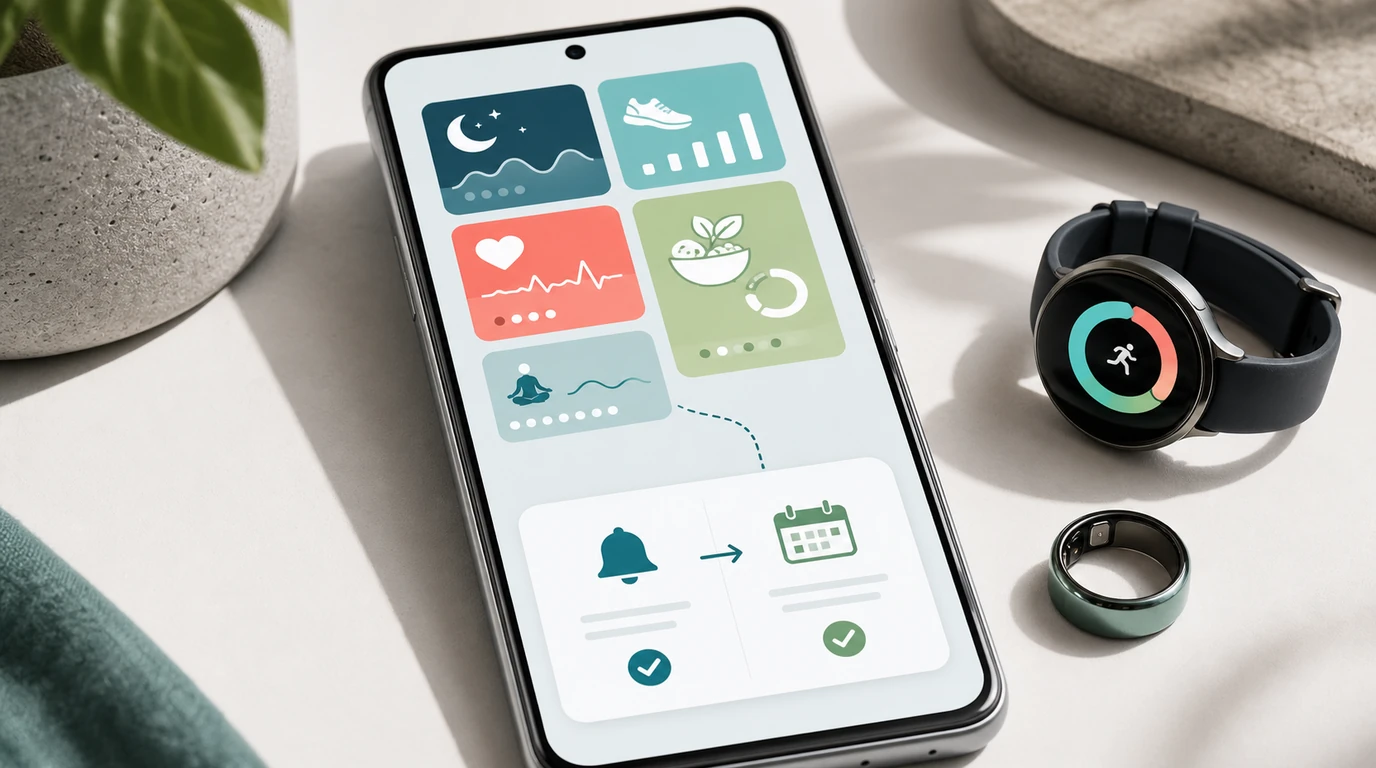
- Samsung Health Assistant is a Samsung Health beta for eligible U.S. users, focused on wellness guidance across sleep, activity, nutrition, mindfulness, and vitals.
- Samsung's Connected Care vision and August health foundation model research point toward richer future personalization, but they should be kept separate from what the beta currently ships.
- A wellness insight becomes useful on Android when the user reviews it, chooses a bounded next step, confirms the destination, and verifies the result.
- FoneClaw's role is the phone-side follow-up layer: it can turn user-supplied context into supported reminders, calendar items, notes, message drafts, or app openings with visible permissions and confirmation.
What Samsung Health Assistant Ships Today
Samsung Health Assistant is a beta feature inside Samsung Health, and the first practical point is availability. Samsung introduced the Samsung Health Assistant beta for eligible users in the United States. That status matters because readers should treat it as a real shipped beta with a defined initial audience, not as a global feature that appears on every Galaxy phone, wearable, account, or language setting.
The assistant is built around wellness guidance. Samsung describes it as connecting information across five pillars: sleep, activity, nutrition, mindfulness, and vitals. In everyday terms, the feature aims to help a person ask better questions about patterns already present in Samsung Health. A user might want to understand why their energy feels different this week, whether sleep consistency has shifted, or how routine changes relate to activity and recovery. That is different from a clinical decision, and the product language should stay in that wellness lane.
We also separate three evidence classes when we design phone-side follow-up workflows around this topic: what ships in the beta, what Samsung is describing as its Connected Care direction, and what Samsung Research has shown as health foundation model research. Keeping those lanes separate prevents a useful product story from becoming an overclaim.
| Evidence class | What it means for readers | How to use it |
|---|---|---|
| Current beta | Eligible U.S. users can access Samsung Health Assistant as a Samsung Health beta focused on wellness pillars and personalized guidance. | Check eligibility on the intended Samsung account, phone, app, wearable, language, and region. |
| Connected Care vision | Samsung's Connected Care discussion and AI-powered connected care vision describe broader ambitions around monitoring, daily action, partners, privacy, and behavior support. | Treat this as direction for where wellness experiences may go, not proof that every connected scenario is already available. |
| Research | Samsung Research describes xMAE and HiMAE in health foundation model research for wearable biosignals and future Connected Care possibilities. | Read it as technical research that may influence future products, not as a shipped Samsung Health Assistant feature. |
Readers comparing the Samsung ecosystem with an Android action runtime can use Samsung Galaxy AI vs FoneClaw: Device AI Features or Android Phone Actions? to separate built-in device intelligence from a phone agent that carries user-chosen tasks across supported Android tools.
How Health Signals Become Wellness Guidance
A wellness assistant becomes useful only when the reader can see where a conclusion comes from. The chain starts with measurements or records: sleep sessions, activity history, nutrition entries, mindfulness routines, vitals, and wearable signals when the user's devices and account support them. Those records then synchronize into Samsung Health, where context such as history, consistency, and recent change can be interpreted.
Energy Score is a good example because it makes eligibility concrete. Samsung describes requirements around a compatible Android phone, Samsung Health app version, Samsung account, synchronized Galaxy Watch or Galaxy Ring data, and enough prior activity, sleep, and sleeping heart-rate data. Availability may also vary by country, region, and language. That means a score or insight is not just a number floating in the air. It depends on a source device, account state, data history, and synchronization.
Once Samsung Health Assistant explains a pattern, the user still has a judgment step. "My sleep timing has been inconsistent" is a wellness observation. "I want a reminder to start winding down earlier on weekdays" is an action goal. We have learned from building FoneClaw that this distinction is where many phone-agent workflows either become trustworthy or become vague. The interpretation should stay visible, and the action should be a separately chosen phone task.
The August health foundation model research adds helpful future context. xMAE and HiMAE point toward better representation of wearable biosignals and possible smartwatch-class inference paths. That is important research, but it does not turn a consumer beta into a medical device or make every future care scenario available today. A reader should verify what the Samsung Health app can currently show on their own account before building any routine around it.
For workout-specific commands, timers, and hands-free exercise routines, Voice Fitness Control for Android: Hands-Free Workout Workflows goes deeper into the practical voice workflow. This article stays focused on the handoff from reviewed wellness insight to ordinary Android follow-up.
Turn a Reviewed Insight Into an Android Follow-Up
The right path from Samsung Health actionable insights to Android actions is deliberate: review the insight, choose a daily outcome, define the phone task, preview the exact details, approve execution, and verify the final state. The assistant can help a user understand a pattern, but the phone action should begin only after the user decides what they want to do next.
That action can be simple. A user may decide to create a reminder, add a calendar item, save a note, draft a message, or open a relevant app screen. Each of those choices has a destination. A reminder needs a time, label, recurrence, and reminder app. A calendar event needs a title, account, date, start time, duration, and conflict check. A message draft needs a recipient and wording. A note needs a title or body. An app opening needs the intended app or screen.
Health-data permission and task permission are separate choices. Permission to view or manage health and fitness data does not automatically grant permission to create calendar events, send communications, or change phone settings. Android's Health Connect documentation reinforces this separation by describing user-controlled access for declared health and fitness data types. We apply the same product principle on the phone-action side: the user should see the destination and approve the operation that will actually change something.
When FoneClaw participates, the user supplies or selects the context. For example, they might type a short summary from an insight, attach a screenshot they chose to share, or state the follow-up directly. That selected context gives the configured model enough information to plan an ordinary Android task, while FoneClaw keeps execution tied to the supported tool route, the relevant app permission, and a visible result.
For the deeper architecture behind intent, current phone state, proposal, confirmation, execution, and verification, read AI Agent Phone Control on Android: Intent, Confirmation, Action. The same loop applies here, with extra care because the starting context is wellness-related.
Five Reversible Android Follow-Up Scenarios
The best first follow-ups are practical and reversible. They organize a user's intention without turning wellness guidance into diagnosis, treatment, or automatic behavior control. In FoneClaw, we design these as bounded Android tasks: the user chooses the goal, the agent plans a supported route, the proposal shows the destination, and the result remains reviewable.
1. Create a wind-down reminder. A user reviews a sleep consistency insight and decides to protect bedtime preparation. The follow-up could be: create a weekday reminder at 9:45 p.m. labeled "Start wind-down routine." The proposal should show the reminder app, time, days, and label. After approval, the user checks the reminder list and can edit or delete it.
2. Add a calendar block for movement or meal planning. If an activity or nutrition pattern suggests a routine gap, the user can ask for a short calendar block. The preview should show the calendar account, title, date, start time, duration, recurrence, and conflicts. If the slot is busy, FoneClaw can present another time or open the calendar for manual selection. The action stays reversible because the event can be changed or removed.
3. Save a user-authored note for an appointment. A person may want to remember a question for a trainer, coach, or clinician. The Android follow-up is not interpretation; it is note capture. The note might say, "Ask about sleep timing and afternoon fatigue at my next appointment." The user reviews the wording before saving. This is a good pattern because it keeps health judgment with the person and the appropriate care relationship.
4. Draft a check-in message. A user might choose to ask a training partner to adjust tomorrow's session or tell a family member they are trying a new bedtime routine. FoneClaw can prepare a draft, but the recipient and message text should be visible before anything is sent. The user decides how much wellness context to include. If the action feels too sensitive, the safer fallback is to save the draft or open the messaging app without sending.
5. Open the relevant app or screen. Sometimes the cleanest action is no write action at all. A user may ask FoneClaw to open Samsung Health, a calendar, a reminder app, a notes app, or a workout app so they can inspect details directly. This reduces friction while leaving the final decision in the user's hands. For broader context choices, Personal Context AI Agent for Phone Actions: Context, Memory, Control explains how selected context can help a phone agent without turning every personal signal into general authority.
These five scenarios are intentionally ordinary. We build toward phone agents that make daily follow-through easier: fewer taps, clearer destinations, visible progress, and an exit path when the phone state changes. A manual handoff is a valid result when the requested app, account, permission, or workflow is not in a safe supported path.
Health Permissions and the Wellness Boundary
Health context deserves purpose-specific permissions. Before acting on an insight, the user should be able to identify the source, date, and meaning of the information they are using. A synchronized wearable trend, a Samsung Health Assistant explanation, a user-authored note, and a clinician's instruction are different kinds of context. They should not be blended into one automatic command.
Destination permission is the second decision. A reminder requires access to the reminder path. A calendar item requires the selected calendar account. A draft message requires a recipient and messaging surface. An app-opening request may need no content access at all. We design FoneClaw around this separation because it keeps authority tied to the action the user actually asked for.
Samsung frames Health Assistant as wellness guidance. That boundary is useful for readers and for product design. A wellness insight can support everyday routines: sleep hygiene, activity planning, meal preparation, mindfulness time, or questions to raise later. Clinical decisions, urgent symptoms, treatment changes, medication decisions, and diagnosis belong with qualified professional care and appropriate emergency services when needed.
Readers who want a deeper phone-health permission audit can continue with Android Phone Health Check AI: Battery, Permissions, and Alerts. That guide focuses on Android device state, app permissions, alerts, and practical review. Here, the narrower point is that health-data access and Android task execution should remain separate, visible, and easy to undo.
FoneClaw's Phone-Side Follow-Up Role
FoneClaw's role in this workflow is specific: we provide the user-triggered Android follow-up runtime. The user reviews a wellness insight somewhere they trust, decides on an ordinary next step, and gives FoneClaw the context they want to use. A configured model reasons through the request, while FoneClaw routes the task through governed supported Android tools.
That means FoneClaw can help with phone-side actions such as creating a reminder, preparing a calendar item, saving a note, drafting a message, opening an app, or using selected screenshots and attachments as user-provided context. The user can start with the free default model, and people who need a different compatible model can configure one. The important product behavior is not the model name; it is the control loop around the phone action.
We have shipped the foundations that matter for this kind of handoff: visible progress while tasks run, permission recovery when Android blocks a path, stop handling when the user cancels, final-state checks after supported actions, and clearer attachment handling when the user chooses to provide a screenshot or image for context. FoneClaw also exposes its supported capability surface through FoneClaw Features, including 100+ built-in tools for Android-side workflows.
In practice, the workflow stays anchored to the context the user selects or supplies. The configured model plans the bounded follow-up, and FoneClaw carries it out through supported Android tools with visible progress, applicable approval, and a result the user can review. When readers are ready to try that workflow, the FoneClaw Download page explains the available Android editions so they can choose the appropriate installation path.
A Six-Question Checklist Before Acting
Before turning Samsung Health actionable insights into phone tasks, use a short checklist. It keeps the workflow useful without pretending that one insight or one successful action proves broad reliability.
- What is the source? Confirm whether the information came from Samsung Health Assistant, a wearable-synchronized record, a user note, or another app.
- What is the status? Check whether the feature is available on the intended account, device, language, and region.
- What daily outcome do I want? Choose a concrete wellness-supporting action, such as a reminder, calendar block, note, draft, or app opening.
- What context is necessary? Share only the detail needed for the task, especially if the context is personal.
- Where will the action land? Review the destination app, account, recipient, schedule, title, and wording before approval.
- How do I verify or undo it? Open the completed reminder, event, note, draft, or app state and confirm that it can be edited or removed.
The best first test is low-risk and reversible. After reviewing a wellness insight, ask for one simple follow-up such as a wind-down reminder, inspect the proposed details, approve it only if the destination is correct, then verify the created result and delete it if you do not want to keep it.