
Summarize Text Messages on Android With AI: SMS Inbox Triage
Use AI to summarize Android SMS by time range, preserve sender and timing, find pending replies, review source threads, and choose safe next actions.
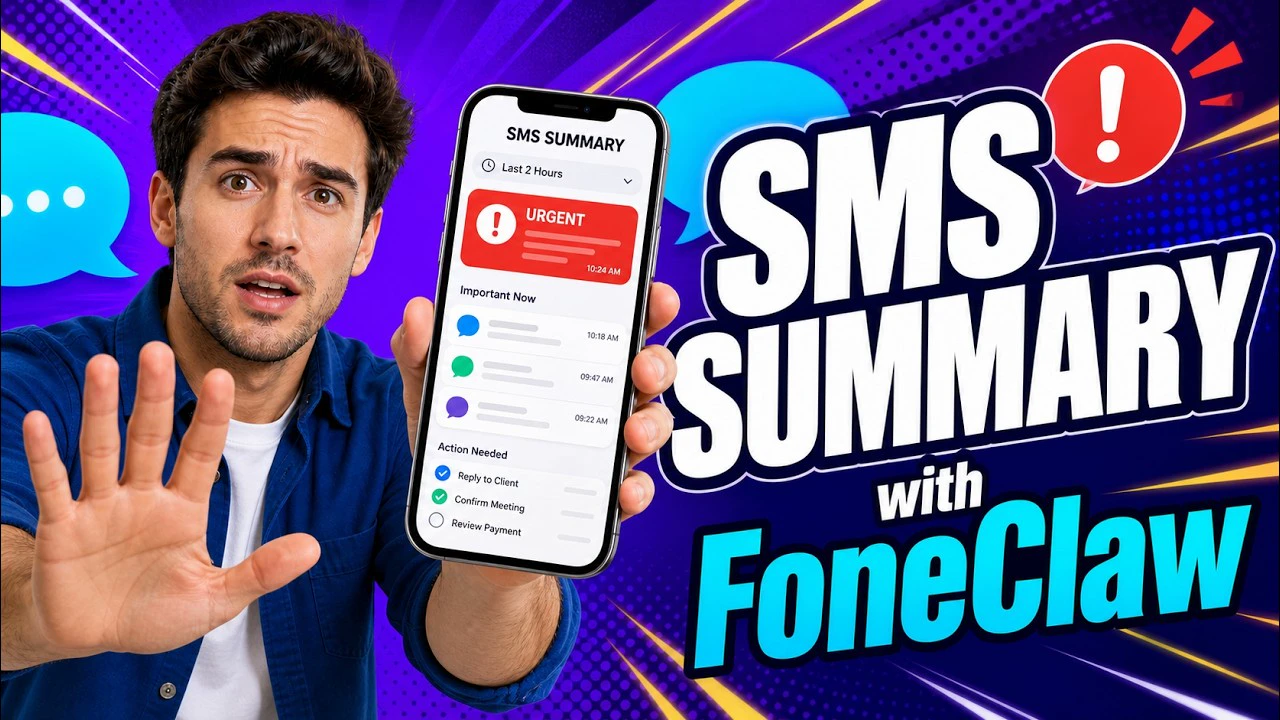
- A reliable AI SMS summary starts with a bounded request, such as a time range or sender, and should return sender, time, key point, pending action, and any uncertainty.
- Live SMS access is different from already captured local inbox or notification records; neither means every messaging app, RCS thread, or chat inbox is readable.
- Useful summaries preserve sender, timing, thread context, invitations, requests, shared links, deadlines, commitments, and uncertainty before any reply is drafted.
- FoneClaw can help summarize supported SMS context, suggest Inbox replies, draft reviewed responses, and proceed with a supported approved text send only when recipient, body, app, and send control are verified.
The Shortest Reliable SMS-Summary Workflow
The shortest reliable way to summarize text messages on Android with AI is to ask for a bounded SMS window, require sender-aware grouping, then turn the result into a small action list. The goal is not to reread the whole inbox through another interface. The goal is to answer: who contacted me, when did it happen, what changed, what is uncertain, and what should I do next?
A practical request sounds like this: "Summarize my SMS messages from the last three hours. Group by sender, show anything needing a reply, and flag links, invitations, deadlines, or requests. Include the latest message time and say when the selected window may be missing earlier context." The expected output should be source-checkable: sender, time, thread or contact label, short summary, pending action, and a note such as "earlier context not included" when the selected window is not enough.
The reliable sequence is simple:
- Choose the time window: last hour, since lunch, today, yesterday evening, or a specific date range.
- Ask for sender and thread grouping so the summary keeps the conversation source visible.
- Request attention signals: invitations, questions, requests, shared links, deadlines, and pending replies.
- Review the action list before opening, drafting, dismissing, saving, or sending anything.
- Reopen the original message when the details could affect a person, money, travel, health, school, work, account access, or location.
A summary helps you catch up quickly; the original SMS thread remains the source for details. That balance is what makes an AI SMS inbox assistant useful on a real phone: faster scanning without losing the evidence behind each decision.
Choose the Right Message Scope
Scope decides whether an SMS summary is useful or noisy. A vague request such as "summarize my texts" asks the assistant to choose too much on its own. A better request defines time, people, thread type, and attention standard. For example: "Summarize unread SMS from family and work contacts since 8 a.m." That is easier to verify and easier to act on.
Time range is the first scope control. Use recent hours for quick catch-up, a date range for travel or work follow-up, and a named period for routines such as "during my meeting" or "overnight." If you are trying to find a missed invitation, use the date you remember. If you are trying to recover from a busy morning, use a shorter window and ask for messages needing a reply.
People and threads are the second control. You may want only family, customers, school, delivery contacts, a contractor, a caregiver, or a specific group. Clear names matter because SMS inboxes can contain duplicate contacts, short codes, businesses, two-factor messages, and carrier notices. When FoneClaw has the required Android permission for supported SMS access, it can retrieve bounded live SMS context for reasoning. That is different from searching already captured local records, such as past notifications or inbox snapshots, which may be useful for a briefing but are not a substitute for a current SMS scan.
SMS access also does not mean every communication surface is available. SMS threads, captured local inbox records, notifications, RCS conversations, social apps, and third-party chat apps are different sources with different permissions and app behavior. A summary should state its source and scope instead of implying that the whole phone inbox was searched.
Unread state is useful, but it is not enough. A read message may still need a reply. An unread verification code may already be irrelevant. A thread with no unread messages may contain a commitment the user forgot. Ask for the outcome you need: "find texts needing reply," "show links I should open later," or "list deadlines from yesterday and today."
Keep SMS distinct from cross-app notifications. This guide covers Android text-message threads and SMS-style inbox triage. If you need alerts from email, calendar, delivery apps, social apps, downloads, and system notifications in one briefing, use our AI Notification Summary on Android: Prioritize Alerts and Follow Up guide for the cross-app workflow.
What a Useful SMS Summary Preserves
A useful SMS summary preserves the details that let the user act without guessing. Sender and timing come first. A line that says "Alex asked about Friday" is weaker than "Alex Chen texted at 9:18 a.m. asking whether Friday at 3 still works." The second version gives identity, timing, request, and next decision.
Group by conversation, then compress repetition. If a delivery service sends four updates about the same package, the summary can say the package moved from shipped to out for delivery and mention the latest time. If a family thread contains six quick messages about one plan, the summary should reduce the chatter while preserving the final decision. Repetition should shrink; meaningful changes should stay visible.
Decision details deserve protection. Invitations need date, time, place, and who invited the user. Requests need what is being asked and by when. Shared links need the sender and reason for the link. Deadlines need the deadline and consequence if known. Commitments need who promised what. Pending replies need the exact question or decision the sender appears to be waiting on.
Uncertainty should be marked plainly. If a message says "Can you handle it today?" but the prior context is outside the selected window, the summary should say that the request may need earlier thread context. If two contacts share a name, the summary should preserve the phone thread or contact label that Android exposes instead of inventing certainty. If a link destination cannot be assessed from the message alone, the summary should call it a shared link and leave inspection to the user.
FoneClaw’s current Inbox experience can also suggest AI replies and make navigation clearer after a user reviews the relevant message context. Treat that as reply assistance, not proof that a summary sent anything or that every inbox provider was scanned. Summary, reply suggestion, reply draft, recipient and body review, approved supported send, and final confirmation are separate steps.
Find Invitations, Requests, Links, Deadlines, and Pending Replies
SMS inbox triage works best when the assistant looks for action signals instead of treating every message equally. Invitations, direct questions, requests for help, shared links, deadlines, location details, changed plans, and pending replies belong in the summary because they ask the user to decide something.
A practical SMS summary can divide messages into four buckets: now, later, verify, and archive. Now includes messages that affect the current day or another person waiting on the user: pickup changes, meeting confirmations, urgent family logistics, customer follow-ups, or time-sensitive work texts. Later includes useful messages that do not require immediate action: a dinner plan for next week, a link to read tonight, or a reminder from a non-urgent thread.
Verify includes messages where the summary should trigger source review. Put money, account changes, health details, school decisions, travel changes, addresses, legal or work commitments, personal conflict, and unfamiliar links here. Archive includes messages that are informational or already complete, such as one-time codes that expired, routine carrier notices, duplicate shipping updates, or automated alerts that require no user action.
Pending replies deserve special handling. The assistant should look for questions, requests, proposed times, "let me know" language, and threads where the other person sent the last meaningful message. It should also separate a true pending reply from noise. A promotion asking "Ready to save?" is not the same as a teacher asking "Can you confirm pickup?"
| Signal | What to Preserve | Likely Next Step |
|---|---|---|
| Invitation | Sender, date, time, place, RSVP need | Open the thread or draft a response |
| Request | Who asked, requested action, deadline | Reply, call, save a task, or verify details |
| Shared link | Sender, reason, surrounding message | Open only after checking the source thread |
| Deadline | Due date, consequence, related person or service | Create a reminder or reopen the message |
| Pending reply | Exact question and latest message time | Draft, defer, or mark as handled |
The user chooses priority. The assistant can surface signals, but your context decides what matters. A school text may outrank work for one user. A client message may outrank a family group chat for another. The right SMS summary makes that choice easier instead of hiding it.
Reopen Source Messages and Choose the Next Action
Original messages remain the source of truth. Reopen the SMS thread whenever the summary points to a consequential detail: a payment amount, address, medical detail, school instruction, travel change, work commitment, unfamiliar link, emotional conversation, or anything that could create a misunderstanding if summarized too aggressively.
Source review should answer three questions. First, is this the correct sender or thread? Second, did the summary preserve the exact request or deadline? Third, is the next action safe to take from the current context? If any answer is unclear, inspect the original thread before drafting or dismissing the item.
Once the source is clear, choose the next action. Some messages need a reply. Some need a reminder. Some need a calendar event, note, phone call, or link review. Some should simply be marked as handled. FoneClaw is useful here because the summary can lead into supported Android actions while keeping communication choices visible and reviewable.
Composing and sending deserve their own workflow. If the next step is a text reply, use a draft-first path: prepare the reply, check the recipient and body, edit if needed, then decide whether to send. When a supported text-only send is available, it can proceed only with explicit approval and a verified recipient, full body, default messaging app, and stable send control. Ambiguous recipients, dual-SIM choices, attachments, or unclear app screens require manual confirmation. We cover that broader reply workflow in Hands-Free Texting on Android and Galaxy: Summarize, Draft, Review.
Google Messages’ Magic Compose help describes suggested replies and rewrites inside supported conversations. That can help with composing a response, but it is not evidence of whole-inbox summarization or cross-thread SMS triage.
For a wider view of how SMS fits beside notifications, email, and calendar context, Android AI Information Inbox: Notifications, SMS, Email, and Calendar explains the broader inbox-navigation pattern without replacing the source-thread check.
The product direction is simple: catch up faster, preserve source context, and keep the final communication choice visible. Summary, source check, draft, approved supported send, and final confirmation are separate steps because each step answers a different risk.
Fix Incomplete or Misleading SMS Summaries
A bad SMS summary usually shows itself quickly. It may miss a thread you expected, use the wrong date range, merge two people with similar names, overstate urgency, ignore the latest message, or summarize a link without preserving who sent it. Treat that as a scope or access problem first, not as proof that the entire workflow is unusable.
Narrow the request before rerunning it. Change "summarize my texts" to "summarize SMS from Maya between 6 p.m. and 10 p.m. yesterday" or "find messages needing reply from work contacts since Monday morning." A narrower scope gives the assistant less room to blend unrelated threads.
Then repair access and identity. Confirm that Android permissions allow the SMS workflow you expect. Check the default messaging app, contact labels, duplicate names, dual SIM lines, work profile boundaries, and locked-screen state. If the phone cannot access a thread or distinguish a contact, the summary will reflect that gap. FoneClaw guides permissions on demand and keeps supported actions visible so the user can see where a workflow needs repair.
If a result came from previously captured local records, treat it as a record search rather than a live SMS scan. Captured notifications and inbox records can help recover context, but they may omit older messages, full bodies, sent replies, or threads that never generated a captured record. For source-checkable SMS triage, ask for the live SMS source within the supported permission scope and compare the result with the original thread.
Use the original inbox to compare. Pick one known thread and see whether the summary preserved sender, timing, request, and latest status. If it missed a link, ask specifically for links. If it missed deadlines, ask for dates and time-sensitive requests. If it treated every unread message as urgent, ask for now, later, verify, and archive buckets.
Common fixes are straightforward:
- Use a shorter time range when the summary feels crowded.
- Name the sender or thread when similar contacts exist.
- Ask for pending replies instead of unread messages when attention is the goal.
- Ask to preserve exact dates, times, links, and questions.
- Ask the summary to mark uncertain or missing earlier context.
- Reopen source messages before acting on money, travel, school, health, work, addresses, or unfamiliar links.
- Keep replies draft-first so summary output never becomes automatic communication.
End with a bounded non-sensitive test. Choose one harmless time window, such as the last hour of routine messages. Ask FoneClaw to summarize SMS by sender, find anything needing reply, and reopen one original thread. Do not send anything during the first test. If the summary preserves the right sender, timing, request, uncertainty, and next action, you have a reliable baseline for future SMS inbox triage.